SEARCH
  • [:en]Recent Posts[:af]Onlangse bydraes

  • [:en]Categories[:af]Kategorieë

  • [:en]Archives[:af]Argiewe

November, 2014

Latest phishing scam

Thursday, November 27th, 2014

Scammers will even use something negative to ply their trade. With the South African Post Office strike going on for 3 months, companies that usually made use of the Post Office are resorting to using couriers to do deliveries. Scammers have made use of this and are flooding e-mail boxes (and sending scam SMSs) with messages from “courier companies” – like Fed-Ex and DHL – about parcels that need to be delivered. These mails trick you into filling in personal details on a  website to obtain the tracking code, or to download an attachment containing details of the shipment etc. Some might even address you personally.

In all cases these are phishing and spear-phishing attacks, no links or attached files should ever be clicked on or opened up as they might contain malware, compromise your security and personal details. In one particular case I received a mail from FedEx ( I was expecting a parcel) that was addressed to me personally, and only my naturally suspicious nature protected my computer from being infected with a particularly nasty Trojan virus. I was lucky this time but it only takes a click, opening up a infected attachment to ruin your day!

Please be very careful when receiving mail from couriers, especially if you are expecting deliveries. In most cases companies will contact you directly on your phone number or the original sending company will send you a tracking number to trace the progress of the parcel.

Lost your phone?Foon voete gekry?

Friday, November 21st, 2014

It’s nerve-wracking when you can’t find your phone – whether it’s really lost or just stuck down the back of your settee. Over the next few weeks, we’ll give you all the information you need to protect and track your phone and your information.

First up this week, Windows phones.

Find My Phone can help lay your worries to rest when your phone has suddenly disappeared off the face of the earth. This free service in the My Phone section of windowsphone.com can ring, lock, erase or show your phone on a map from any Internet-connected computer. Find My Phone makes it easier to recover your phone – or to prevent someone from using it without your permission.

To learn more about what you can do at My Phone – such as seeing your OneDrive (formerly SkyDrive) pictures and reinstalling applications – see My Phone FAQ.

Note

If you’re having trouble getting Find My Phone to work, see Error messages when using Find My Phone on windowsphone.com/my in Microsoft Support.

1. To map your phone’s location

  1. On your computer, open a web browser and go to windowsphone.com.
  2. Navigate to the My Phone drop-down menu, located in the top-right corner of the screen, then sign in with the same Windows Live ID you use on your phone.
  3. In the My Phone menu, click Find My Phone.
  4. Click Find My Phone, then follow the instructions in the dialogue box (you’ll only need to do this once – after that, your phone will automatically show up on the map when you go to Find My Phone).
  5. If your computer is connected to a printer, click Print to make a hard copy of your phone’s location.

Tips

    • Not seeing the latest location? Click Refresh.
    • If you’ve scrolled the map and lost track of your phone’s location on it, click Centre on map.

2. To make your phone ring

  1. On your computer, open a web browser and go to windowsphone.com.
  2. Navigate to the My Phone drop-down menu, located in the top-right corner of the screen, then sign in with the same Windows Live ID you use on your phone.
  3. In the My Phone menu, click Find My Phone.
  4. Click Ring, then follow the instructions in the dialogue box (you’ll only need to do this the first time you ring your phone).

Tip

    • When you ring your phone, it will ring even if the volume is off or it’s on vibrate mode.

3. To lock your phone and show a message

  1. On your computer, open a web browser and go to windowsphone.com.
  2. Navigate to the My Phone drop-down menu, located in the top-right corner of the screen, then sign in with the same Windows Live ID you use on your phone.
  3. In the My Phone menu, click Find My Phone.
  4. Click Lock, then follow the instructions in the dialogue box. If you don’t already have a password set up on your phone, you’ll need to enter one – you’ll use it to unlock the phone when you get it back. You can also type a message to display on your phone’s screen. Typically you’d enter an alternative phone number or an email address, so someone who finds your phone can contact you.

4. To erase your phone

  1. On your computer, open a web browser and go to windowsphone.com.
  2. Navigate to the My Phone drop-down menu, located in the top-right corner of the screen, then sign in with the same Windows Live ID you use on your phone.
  3. In the My Phone menu, click Find My Phone.
  4. Click Erase. On the confirmation screen, do one of the following:
    • To start erasing your phone, select I’m sure! Please erase my phone now, then click Erase.
    • If you’ve changed your mind, click Cancel.

WARNING

Be careful! This is your last chance to back out.

Note

It’s a good idea to let your mobile operator know that you’ve lost your phone.

5. To change settings for Find My Phone

You can set up Find My Phone to save your location every few hours or to use push notifications instead of text messages to send commands to your phone. Change these settings on your phone, not on your computer.

  1. On Start, flick left to the Application list, then press Settings.
  2. Press Find My Phone.
  3. Select one or both of the following:
    • Connect to these features faster (may use more battery). The Find My Phone service uses text messaging to send commands to your phone. Check this option to use push notifications instead. Why? Push notifications can be faster than text messages, and if your mobile operator charges you for each incoming text message, push notifications might also be cheaper. Also, My Phone can only send 15 text messages to your phone in a three-day period. With push notifications, there’s no limit.
    • Save my location every few hours for better mapping. Microsoft can save your phone’s location details every few hours so that if your phone is out of range or the battery dies, we can still show your phone’s last-known location on a map.

In two weeks’ time we’ll look at tracking on Android, Blackberry and Apple phones.

[Information supplied by M.Ridoh Rylands, IT HUB]

Dis senutergend as jou selfoon skielik soos mis voor die son verdwyn het – of dit nou regtig weg is, of net erens tussen die kussings van jou bank verlê is. Oor die volgende paar weke sal ons jou al die nodige inligting gee om jou foon na te speur en jou data te beskerm.

Eerste aan die beurt die week is Windows-slimfone.

Find My Phone kan jou rustig laat slaap as jou foon voete gekry het. Hierdie gratis diens in die My Phone-afdeling van windowsphone.com kan lui, sluit, uitvee of jou telefoon op `n kaart aandui vanaf enige rekenaar verbind aan die internet. Find My Phone maak dit maklik om jou foon op te spoor of te voorkom dat iemand dit gebruik sonder jou toestemming en wete.

Om meer te leer oor wat jy kan doen met My Phone – byvoorbeeld om jou OneDrive fotos te sien of toepassings te herinstalleer – loer by die My Phone FAQ.

Nota

As jy sukkel om Find My Phone aan die werk te kry, kyk by Error messages when using Find My Phone on windowsphone.com/my in Microsoft Support.

1.Om jou foon se ligging te bepaal

  1. Op jou rekenaar, maak `n webblaaier oop en gaan na windowsphone.com.
  2. Navigeer na die My Phone afrol-spyskaart, bo regs in die hoek van jou skerm en teken aan met dieselfde Windows Live ID wat jy op jou foon gebruik.
  3. In die My Phone-spyskaart, kliek Find My Phone.
  4. Kliek Find My Phone en volg die instruksies in die dialoogboksie (jy hoef dit slegs een keer te doen, daarna sal jou foon outomaties wys op die kaart as jy gaan na Find My Phone).
  5. As jou rekenaar verbind is aan `n drukker, kliek Print om `n harde kopie te kry van jou foon se ligging.

Wenke

    • As jy nie die nuutste ligging sien nie, kliek op Refresh.
    • As jy rondbeweeg het op die kaart en jou plek verloor het, kliek  Centre on map.

2. Om jou foon te laat lui

  1. Op jou rekenaar, maak `n webblaaier oop en gaan na windowsphone.com.
  2. Navigeer na die My Phone afrol-spyskaart, bo regs in die hoek van jou skerm en teken aan met dieselfde Windows Live ID wat jy op jou foon gebruik.
  3. In die My Phone-spyskaart, kliek Find My Phone.
  4. Kliek Ring, volg die instruksies in die dialoogboksie (jy hoef dit slegs eenkeer te doen)

Wenk

    • Indien jou foon lui, sal dit selfs lui wanneer die volume af of op vibreer is.

3. Om jou foon te sluit en `n boodskap te wys. 

  1. Op jou rekenaar, maak `n webblaaier oop en gaan na windowsphone.com.
  2. Navigeer na die My Phone afrol-spyskaart, bo regs in die hoek van jou skerm en teken aan met dieselfde Windows Live ID wat jy op jou foon gebruik.
  3. In die My Phone-spyskaart, kliek Find My Phone.
  4. Kliek Lock en volg dan die instruksies in die dialoogboksie. Indien jy nie reeds `n wagwoord opgestel het op jou foon nie, sal jy nou een moet insit – jy sal dit gebruik om die foon te ontsluit wanneer jy dit terugkry. Jy kan ook `n boodskap intik wat op jou foon se skerm sal verskyn. Tipies sou dit `n alternatiewe telefoonnommer of e-posadres wees sodat die persoon wat jou foon vind, jou kan kontak.

4. Om jou foon skoon te vee

  1. Op jou rekenaar, maak `n webblaaier oop en gaan na windowsphone.com.
  2. Navigeer na die My Phone afrol-spyskaart, bo regs in die hoek van jou skerm en teken aan met dieselfde Windows Live ID wat jy op jou foon gebruik.
  3. In die My Phone-spyskaart, kliek Find My Phone.
  4. Kliek op Erase. Op die bevestigingskerm, doen een van die volgende:
    • Om jou foon skoon te veel, kies I’m sure! Please erase my phone now, en kliek Erase.
    • As jy van plan verander het, kliek Cancel.

WAARSKUWING

Wees versigtig, hierdie is jou laaste kans om van plan te verander!

Nota

Dis `n goeie idee om vir jou selfoondiensverskaffer te laat weet dat jy jou foon verloor het.

5. Om verstellings te maak aan Find My Phone

Jy kan Find My Phone so opstel dat dit jou ligging elke paar ure stoor of eerder stoot-kennisgewings te gebruik in plaas van teksboodskappe om bevele na jou foon te stuur. Maak hierdie verstellings op jou foon, nie op jou rekenaar nie.

  1. By Start, beweeg links na die Application-lys en druk Settings.
  2. Druk Find My Phone.
  3. Kies een of beide van die volgende:
    • Connect to these features (mag meer batterykrag verg). Die Find My Phone-diens gebruik teksboodskappe om versoeke na jou foon te stuur. Kies hierdie opsie om eerder stoot-kennisgewings te gebruik. Hoekom? Stoot-kennisgewings kan vinniger wees as teksboodskappe, en as jou selfoonverskaffer jou geld vra vir elke inkomende teksboodskap, mag stoot-kennisgewings goedkoper wees.  My Phone kan ook net 15 teksbookdskappe na jou foon binne `n periode van 3 dae stuur. Met stoot-kennisgewings is daar geen beperking nie.
    • Save my location every few hours for better mapping. Microsoft kan jou foon se liggingsdetails elke paar uur stoor sodat, indien jou foon buite ontvangsgebied is of jou battery doodgaan, dit steeds jou selfoon se laaste ligging op `n kaart kan wys.

Oor twee weke kyk ons na opsporingsmeganismes vir Android, Blackberry en Apple slimfone.

[Information supplied by M.Ridoh Rylands, IT HUB]

Meet the techies: NitaOntmoet die techies: Nita

Friday, November 21st, 2014

She’s flown in a two person plane over the sea, went down a Breë River rapid eyes closed and occasionally she catches a tuna. One of these days a hot air balloon ride, jumping out of a plane and riding on an elephant’s back, will be added to that list. To imply Nita de Lange loves a challenge and likes to keep busy would be somewhat of an understatement.

When her feet are planted firmly on the ground, she’s responsible for project coordination, administration and financing of KKW requests and NIMs (repairing and fixing network points, etc.) During these processes she works closely with Facilities Management, external contractors and the network infrastructure team at IT.
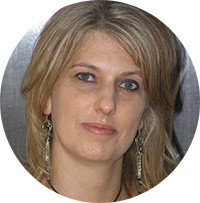
nita“Project management is already part of my personal life, that’s why I try and do so many things. It’s also my passion to help other people, tackle projects and be able to make a success of it.” She also completed USB’s Project management course in October.

Thirteen years of experience in banking comes in handy when managing two properties in Gordon’s Bay. This, and the financial experience she gained during the two years she worked for a Home owners Association, led to her position as chairman of their Body Corporate. Even renting and managing property has its challenges, but for Nita this means exposure to a whole different area and she sees it as a positive experience.

“Do something for someone who can’t do anything for you.”

Last year Nita became involved with Die Ark in Faure, a charity organisation looking after approximately 1000 needy people, the homeless, the jobless, drug addicts and prostitutes. Even though it’s existed for 20 years, it’s always in need of help.

Initially she helped collecting Christmas presents for the 200 children living here. However, she soon realised she’d like to become involved on a more long term basis. she also realised it would be more than she can handle on her own and got 6 other people, Cheryl Cornelissen, Gareth Cornelissen, Terence Pietersen, At van Hout, Marijhan Hendriks,  Elma Titus, Michelle Pietersen and Petro Uys involved. Together they would like to try and improve Ark residents’ conditions and future and make a difference in the community. The project is a registered Matie Community Service Project and Nita’s also currently doing a course in Community Interaction  – something which inspires her even more.

During a 4 year stay in New Zealand she learnt to stay humble. Whether you sweep streets or have your own business, over there, everyone’s the same and your treat each other with respect. “Never think you’re better than anyone else.”

During this time in Auckland, also known as the City of Sails, she gained valuable experience in banking, but also learnt a lot about herself and how to be independent. But she also developed a love for the ocean. It was here, in a city with beautiful beaches and a culture of sailing and fishing, where she got hooked.

“You don’t mess with the ocean.”

The ocean teaches you a lot and you have to respect it. She’s been in many dangerous situations, among others, one where they struggled to find their way back to land due to a GPS that hasn’t been programmed yet. But she’s also been at sea for 13 hours straight. It’s a good thing she doesn’t get seasick.

Tuna and galjoen are quite common, but nowadays fish is becoming scarcer and a Fish Finder is necessary so you don’t aimlessly float around on the ocean. Turtles, sharks and even dolphins sometime accompany the boats – an experience far from her upbringing in Alberton. .

“I love living close to nature.”

And since South Africa has so many beautiful places, camping is the ideal hobby. “By traveling and seeing other places and cultures, one can learn so much about people and their habits.” The Breë River white-water rafting was a different and scarier learning experience – probably because she can’t swim.

At the safer end of the hobby spectrum, you’ll find dancing, tropical fish, bonsais and herbs. Bruno, a strong and clever border-collie and husky cross is a full time training project. One can safely say, she has more than enough to keep her busy.

If you’d like to know more about DIE ARK project, contact Nita at nita@sun.ac.za. More information will also be available soon on IT’s Community Interaction website.

Sy’t al in `n tweeman-vliegtuig oor die see gevlieg, is toe oë met die Breërivier af in `n rubberboot en vang af en toe `n tuna. Een van die dae sal `n warmlugballon-rit, spring uit `n vliegtuig en ry op `n olifant tot die lysie gevoeg word. Om te sê Nita de Lange geniet `n uitdaging en hou van besigbly, is dalk ietwat eufemisties.

nitaWanneer haar voete op vaste grond is, is sy verantwoordelik vir projekkoordineering, administrasie en finansies van KKW-versoeke en NIMs  (die onderhoud en regstel van netwerkpunte, ens. ) by IT. Gedurende hierdie prosesse werk sy ook nou saam met Fasiliteitsbestuur, buitekontrakteurs en die netwerkinfrastruktuur-span by IT.

“Ek pak soveel goed aan, want projekbestuur is reeds deel van my persoonlike lewe en dis my passie om ander te help, projekte aan te pak en ‘n sukses daarvan te kan maak.” Sy het ook in Oktober die Projekbestuurkursus by USB voltooi.

Haar 13 jaar ondervinding in die bankwese kom handig te pas met die bestuur van twee eiendomme in Gordonsbaai. Hierdie, en haar finansiële ondervinding in die twee jaar waartydens sy vir `n Huiseienaarsvereniging gewerk het, het haar die verantwoordelikheid as voorsitter ook losgeslaan. Ook met verhuring en bestuur van eiendom is daar uitdagings, maar vir Nita is die blootstelling aan `n heel ander gebied en sy sien dit as `n positiewe ondervinding.

“Doen vir ander iets wat niks vir jou kan doen nie.”

Nita het verlede jaar betrokke geraak by Die Ark in Faure, `n welsynsorganisasie wat omsien na ongeveer `n 1000 behoeftige mense, onder meer haweloses, werkloses, prostitute en dwelmverslaafdes. Dit bestaan reeds vir 20 jaar, maar het toenemend meer hulp nodig.

Aanvanklik het sy gehelp met die insamel van Kersgeskenke vir die 200 kinders wat daar woon, maar het gou besef dat sy hulle op die langtermyn wil bystaan. Sy het besef die projek is te groot om alleen aan te pak, en het 6 ander mense, Cheryl Cornelissen, Gareth Cornelissen, Terence Pietersen, At van Hout, Marijhan Hendriks,  Elma Titus, Michelle Pietersen en Petro Uys, gekry om uit te help. Saam wil hulle probeer omDie Ark se inwoners se omstandighede en toekoms te verbeter en `n verskil te maak in die samelewing. Omdat dit ook `n Matie Gemeenskapsdiensprojek is, doen sy tans `n kursus in Community Interaction en sy is vol lof vir die inspirasie wat dit bied.

Tydens `n 4-jaar verblyf in Nieu-Zeeland het sy geleer om altyd nederig te bly. Of jy nou strate vee of jou eie besigheid het in Nieu-Zeeland, jy is maar dieselfde en almal behandel mekaar met respek.”Moet nooit dink jy is beter as iemand anders nie.”

Gedurende die tydperk in Auckland, of te wel, die City of Sails, het sy goeie ondervinding in die bankwese opgedoen, baie van haarself geleer – ook hoe om onafhanklik te kan wees. Maar sy het ook `n liefde vir die see ontwikkel. Dit was hier, in `n stad met heerlike strande en `n kultuur van seil en visvang, waar die gogga haar ook gebyt het.

“`n Mens speel nie met die see nie.”

Die see leer jou baie en jy moet respek daarvoor hê. Sy was self al in gevaarlike situasies waar hulle byna nie die hawe kon opspoor nie, omdat die GPS nog nie ingestel was op daardie stadium nie. Maar sy was ook al vir 13 ure aaneen op die see. Gelukkig is seesiek nie `n probleem vir haar nie.

Tuna en galjoen word gereeld gevang, maar deesdae word die vis minder en `n Fish Finder is nodig as jy nie vir ure doelloos op die water wil ronddobber nie.  Selfs skilpaaie, haaie en dolfyne vergesel soms die bote –  `n ondervinding ver verwyderd van haar grootword in Alberton.

“Ek geniet dit om na aan die natuur te lewe.”

Aangesien ons land soveel mooi plekke het, is kamp die ideale tydverdryf vir haar. “Deur te reis, ander plekke en ander kulture te leer ken, kan `n mens soveel leer van mense en hul dinge.” Die “whitewater rafting”-ondervinding was `n ander les en meer skrikwekkend – waarskynlik omdat sy nie kan swem nie.

Aan die meer veilige spektrum van tydverdrywe is daar darem dans, perdry, haar tropiese visse, bonsai-boompies en kruie. Bruno, `n slim en sterk  border-collie en husky kruis is ook `n deurlopende opleidingsprojek. Maar vir nou is dit eers genoeg hooi op haar vurk.

Indien enige iemand meer inligting wil bekom oor DIE ARK projek, kontak haar by nita@sun.ac.za. Meer inligting sal ook binnekort verkrygbaar wees op IT se Gemeenskapsinteraksie webwerf.

The Matrix runs on XP?Die Matrix loop op XP?

Friday, November 21st, 2014

Unfortunately the time has come for Windows XP to retire. Even Microsoft announced in April that they were no longer going to release updates or support the outdated operating system.

To prove this point, YouTube channel College Humour produced a clip to demonstrate what would happen if the Matrix used XP as an operating system. If you were ever in doubt about upgrading to XP, maybe this will convince you.

Windows XP se tyd het ongelukkig begin uitloop en Microsoft het vroeër die jaar aangekondig dat dit nie meer ondersteun sal word nie.

Maar om die punt nog beter te bewys het die YouTube-kanaal College Humour `n insetsel gemaak om te wys wat sou gebeur as die Matrix Windows as bedryfstelsel sou gebruik. So, as jy nog onseker was oor `n opgradering na Windows 7, dalk is hierdie `n goeie motivering?

Even e-mails can be hijackedSelfs e-posse kan gekaap word

Friday, November 21st, 2014

1102037_mailOver the past few weeks we’ve recorded an unsettling increase in phishing incidents at IT. This isn’t a new occurrence. Earlier this year a similar incident occurred at Tygerberg campus.

However, the risk of phishing is increasing rapidly due to our increased usage of social media with sites such as Facebook, Twitter, Instagram, etc. These large websites are targeted as they provide an ample amount of user data to be harvested.

To access all these sites you also need a username and password and unfortunately most people have the tendency to consistently use the same password. By doing this, you make it easier for a cyber-criminal to, not only access your social networks, but other information as well. When you also use your sun e-mail address, you expose Stellenbosch University.

If a cyber-criminal gains access to your sun inbox, he not only has access to your own and SU information, but he can also send mass e-mails to anyone from your name. As a result SU e-mail servers are flooded by huge amounts of e-mails and this affects all users on campus negatively.

Secondly, it can also cause damage to your reputation since you’re the sender, even if you’re not responsible. Your address might even be blocked on our servers due to your unknowing behaviour.

In a recent incident IT only became aware of a staff member who fell victim to phishing after the office of the Deputy President, Cyril Ramaphosa, laid a complaint.

Never use your SU username or password to access any external website. Rather register your own, unique address at Google (www.gmail.com), Yahoo or any other free e-mail service. By doing this, you’ll ensure that your private and work information stays separate and the risk of exposing SU systems and sensitive information will be decreased.

Additional information regarding phishing can also be found on our wiki.

1102037_mailDie afgelope tyd word daar toenemend kuberstrikroof-gevalle aangemeld by IT. Die voorkoms hiervan is niks nuut nie, ons het reeds aan die begin van die jaar verslag gedoen oor `n voorval op Tygerberg.

Die risiko van kuberstrikroof, of te wel phishing groei by die dag as gevolg van ons groeiende gebruik van sosiale media soos Facebook, Twitter, Instagram ens. Dis ook hierdie groot webwerwe wat geteiken word omdat daar soveel potensiële data is om te gebruik.

Al hierdie groot webwerwe vereis `n wagwoord en ongelukkig is daar die geneigdheid om dieselfde wagwoord deurlopend te gebruik. Sodra `n kuberkrimineel dus een wagwoord bekom het, het hy toegang tot al jou sosiale netwerke, maar ook tot meer inligting. As jy jou sun-adres op hierdie tipe sosiale netwerke gebruik, stel jy ook die US bloot.

Indien kuberkriminele toegang tot jou sun posbus kry, het hy nie net toegang tot al jou eie en US-inligting nie, maar kan hy ook in jou naam massa e-posse stuur. Die resultaat hiervan is dat die US e-posbedieners lam gelê word deur die onhanteerbare hoeveelheid e-pos en dit implikasies het vir alle gebruikers op kampus.

Tweedens doen dit jou naam skade aangesien jy gesien word as die verantwoordelike persoon, al is jy nie die skuldige nie. Jou adres kan selfs geblok word deur ander bedieners weens hierdie optrede. In `n onlangse geval het IT bewus geword van `n personeellid wat `n slagoffer was van phishing nadat die kantoor van die Vise-President, Cyril Ramaphosa, `n klagte ingedien het.

Moet nooit jou US gebruikersnaam en wagwoord op enige eksterne webwerf gebruik vir toegang nie. Registreer vir jou `n unieke e-pos adres by Google (www.gmail.com), Yahoo of enige gratis e-pos verskaffer. Op so `n manier hou jy jou privaat en werksinligting apart en verminder jy die risiko dat jou e-pos die oorsaak is dat toegang bekom word tot stelsels en sensitiewe inligting.

Addisionele inligting oor phishing kan ook op ons wiki gevind word.