
SEARCH
  • [:en]Recent Posts[:af]Onlangse bydraes

  • [:en]Categories[:af]Kategorieë

  • [:en]Archives[:af]Argiewe

November, 2014

So what do we really do?So wat doen ons nou eintlik?

Friday, November 7th, 2014

servicecatFor the most part IT are considered the people who “fix our computers” or the e-mail or internet. As that may be, that’s not all IT does.

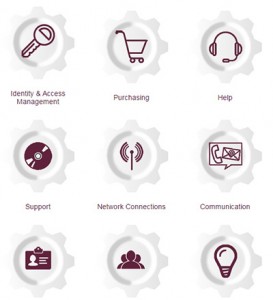
To give everyone a wider understanding of all the services Information Technology’s staff keeps them busy with for most of the 365 days a year, we’ve compiled a user-friendly (we believe!) service catalogue in website format.

The catalogue contains all our services – those you already know about and those you had no idea about. Together with a description of each service, you’ll find instructions on how to apply for it, which times it’s available and who to contact regarding any inquiries about the services.

We also included a handy A-Z index for easy access, a sitemap and relevant links to our other resources. A web part showing all our latest news posts as well as our Twitter feed in real time will keep you up to date on everything you need to know.

We’d love for you to have a look at it at www.sun.ac.za/itservices and let us know what you think – good or bad. Are the services easily accessible and clearly explained for example?

For any suggestions or comments, please contact us by sending an e-mail to helpinfo@sun.ac.za. A feedback and contact button is also available on the bottom bar on the page for fast access.

servicecatMeeste van die tyd word IT beskou as die mense “wat rekenaars regmaak” of die e-pos of internet moet regmaak. Dis ook waar, maar, soos `n ysberg, is daar meer onder die oppervlak.

Om vir al ons gebruikers `n beter prentjie te teken van al die dienste waarmee IT-personeel hulself deur die jaar besighou, het ons `n gebruikersvriendelike (ons glo so!) dienskatalogus saamgestel in die vorm van `n webwerf.

Die katalogus bevat al ons dienste – die waarvan jy reeds weet en `n hele klompie onbekendes. Buiten `n volledige beskrywing van elke diens, verskaf ons instruksies oor hoe om daarvoor aansoek te doen, watter tye dit beskikbaar is en wie om te kontak as jy meer inligting daaroor wil hê.

Ons het ook `n handige A-Z funksie ingebou, `n webwerfkaart en skakels na al ons ander relevante hulpmiddele. `n Webgedeelte wat al ons nuutste bloginskrywings en nuus wys, sowel as `n lewendige Twitter-voer sal sorg dat jy op datum is met alles wat daar te weet is by IT.

Ons is natuurlik nuuskierig om te weet wat jy daarvan dink, so gaan kyk asb. by www.sun.ac.za/itservices en laat ons weet.

As jy enige voorstelle of kommentaar, goed of sleg, het, stuur vir ons `n e-pos by helpinfo@sun.ac.za. `n Terugvoer skakel en kontakknoppie is ook onderaan die dienskatalogus beskikbaar vir vinnige toegang.

All the help you needAl die hulp wat jy nodig het

Friday, November 7th, 2014

Wasting time trying to figure something out on your PC while you’re under pressure, isn’t the most pleasant experience – and not good for the blood pressure levels. And although the IT Service desk is at your disposal via phone, e-mail and Skype, you might want to try and solve a problem by yourself?

Obviously Google comes in handy for situations like these, but scrolling through Google’s results, isn’t exactly the best way to spend your time.

To help you with this, we’ve created a dedicated self-help site for our users so you can be sure the information is relevant to you and at least accurate. This site will also be updated with new guides and FAQ’s as they become available, as well as videos for step-by-step instruction.

So next time you’re stuck with a niggling Outlook issue and you just can’t figure out how to set those calendar rights, have a look at http://www.sun.ac.za/itselfhelp.

If you feel there’s any information you’d like to add to the existing guides, you’re most welcome to send your suggestions to helpinfo@sun.ac.za.

Om te sukkel met iets simpel op jou rekenaar as jy onder druk is nie, is nie die aangenaamste ervaring of goed vir die bloeddruk nie.  En hoewel die IT Dienstoonbank tot jou beskikking is via telefoon, Skype en e-pos, wil jy dalk ook kyk of jy nie vinnig jou probleem self kan oplos nie.

Natuurlik is Google handig hiervoor, maar om deur al Google se resultate te sif en die regte een te kry, is nie `n blitsige oplossing nie.

Om hierdie rede het ons `n spesiale selfhelp webwerf geskep vir al ons gebruikers. Die webwerf sal gereeld opgedateer word met nuwe gidse en FAQ’s, asook, in sommige gevalle, videos om jou stap-vir-stap te help met jou probleem.

As jy volgende keer vashaak met iets simpel in Outlook en jy net eenvoudig nie daardie kalenderregte gestel kan kry nie, gaan kyk gerus by www.sun.ac.za/itselfhelp.

Ons hoor ook graag as daar inligting is wat jy graag sou wou byvoeg by die bestaande gidse. Stuur vir ons e-pos by  helpinfo@sun.ac.za.

Phishing scam warning: Your Apple Profile Suspension

Monday, November 3rd, 2014

Scammers have trawled the university web pages and perhaps even obtained e-mail addresses via compromised computers within the university, and are using these stolen addresses to create a phishing scam that can be dangerous, if you respond, especially if you have an Apple device and use iCloud etc.

The Subject will be “Your Apple Profile Suspension” (Notice the use of capitals for each word, already a sign that something is not right…)

Below is an example of such a mail. Do not respond to this mail, click on any of the links and fill in any details, on any page you might be directed to. This is a scam and you should firstly add the sender to your Blacklist, blacklist the subject line and consign the mail to your junkmail folder.

Here is the mail with the dangerous stuff filtered out, just in case you like clicking on links!…

From: Apple Accounts [mailto:hackedaddress@sun.ac.za]
Sent: Friday, 31 October 2014 17:36
To: Stolen US Adress, AN <stolenaddress@sun.ac.za>
Subject: Your Apple Profile Suspension

Dear stolenaddress@sun.ac.za

This email is to to inform you we regret to announce you that your Apple Account (stolenaddress@sun.ac.za) has been temporarily locked until we can certify your Apple ID details on file. This security measure to safeguard your iCloud Account from unapproved usage. We apologise for any inconvenience.
How do I validate my Apple ID and unsuspended my Apple ID?
Just click the link below to verify ownership of your Apple ID. Log-in in using your iCloud Account and password, then read the instructions.>> Validate My Apple/iCloud Account

When using Apple devices and services, you’ll still sign in with your usual email account as your Apple login.

If you have questions or want support, visit the Apple ID Support site.

Kind Regards,
Apple Identity Verification

Resolution ID: #H8MND945-ID129

Apple Account | Support | Privacy Policy | Manage Subscriptions
Copyright © 2014 iTunes Sarl 88-27, Rue Sainte Zithe, L-410810 Luxembourg‎ All Rights Reserved.

[INFORMATION SUPPLIED BY DAVID WILES]