SEARCH
  • [:en]Recent Posts[:af]Onlangse bydraes

  • [:en]Categories[:af]Kategorieë

  • [:en]Archives[:af]Argiewe

Connectivity

Google Chrome, portals and poodlesGoogle Chrome, portale en poedels

Wednesday, December 3rd, 2014

At the end of October Google announced plans to disable fall back to version 3 of the SSL protocol in Chrome 39, and remove SSL 3.0 completely in Chrome 40. The decision follows the company’s disclosure of a serious security vulnerability in SSL 3.0 on October 14, the attack it dubbed Padding Oracle On Downgraded Legacy Encryption (POODLE). [SOURCE: www.venturebeat.com]

What does this mean in understandable language?

Some SU webpages were built on the Oracle infrastructure and make use of SSL protocol. This means that, if you use Google Chrome as your default browser, you might have problems accessing certain information. If you go to my.sun.ac.za and want to browse to Sun-e-HR, Exam results, meal reservations, etc. you might not be successful.

However, if you use Firefox or Internet Explorer, you won’t experience any hiccups. Alternatively you can use m.sun.ac.za to access selected options. This is only a temporary issue.

Information Technology will be working on a solution which involves an upgrade of portal software over this weekend. Due to this maintenance, some services will not be available from Saturday, 6 December at 12:00, as well as the whole of Sunday.

Services affected are all portal applications, my.sun.ac.za, Sun-e-HR, etc. OIC will also be down, therefore no payments can be made and the change password functionality will also not be available.

We hope to complete this action as soon as possible and provide a better service to users when it’s completed.

For any enquiries, send e-mail to helpinfo@sun.ac.za or call x4367.

Aan die einde van Oktober het Google aangekondig dat hulle beoog om terug te val na weergawe 3 van die SSL-protokol in Chrome 39 en dat SSL heeltemal verwyder sal word in Chrome 40. Die rede hiervoor is  dat die gebruik van SSL in hierdie Chrome-weergawes `n moontlike sekuriteitsrisiko bied. Die risiko het is intussen gedoop as POODLE (Padding Oracle On Downgraded Legacy Encryption)

Wat beteken dit in gewone taal?

Daar bestaan US-webbladsye wat op die Oracle-infrastruktuur gebou is en van die SSL-protokol gebruikmaak. Die gevolg is dat, indien jy Google Chrome as jou daaglikse blaaier gebruik, jy gaan sukkel om toegang tot sekere inligting te kry. As jy dus na my.sun.ac.za gaan en van daar probeer uitkom by SUN-e-HR, Eksamenuitslae, Etebesprekings, ens,  gaan jy dalk onsuksesvol wees.

Indien jy Firefox of Internet Explorer gebruik, kan jy steeds by al die nodige inligting uitkom. Alternatiewelik kan jy ook m.sun.ac.za  gebruik vir sekere funksies. Hierdie is egter net `n tydelike probleem.

Informasietegnologie beoog om die naweek `n opgradering te doen wat die Chrome-probleem sal omseil. Dit sal egter beteken dat sekere dienste tydelik vanaf Saterdag, 6 Desember 2014,  om 12:00, sowel as Sondag, 7 Desember, nie beskikbaar sal wees nie.

Hierdie dienste sluit alle portaaltoepassings, my.sun.ac.za, Sun-e-HR, ens. in. Aangesien OIC af is gedurende dié tydperk sal geen betalings gedoen kan word nie en laastens sal die funksie om wagwoorde te verander ook nie beskikbaar wees nie.

Ons hoop egter om so gou moontlik die opdatering te voltooi en `n beter platform vir gebruikers te bied wanneer dit voltooi is.

Vir enige navrae, stuur asb. e-pos aan helpinfo@sun.ac.za of skakel x4367.


Would you be able to disconnect?Sal jy kan afskakel?

Friday, October 24th, 2014

Whether it’s an increasing phenomenon or we’re just more aware of it, addictive social media and internet behavior is becoming more prevalent. To such an extent that internet addiction treatment camps are commonplace in China. According to psychiatrist and neuroscience researcher Sean Luo of Columbia University “3.7 to 13 percent of U.S. and 10 percent of South Korean Internet users express some symptoms of inappropriate Internet use.”(http://www.cbsnews.com/news/how-real-a-risk-is-social-media-addiction/)

Last week it was reported that doctors in the USA submitted a man into the US Navy’s substance abuse programme, because he was apparently addicted to Google Glass. He wore the headset for up to 18 hours a day and when it was removed, experienced serious withdrawal symptoms. Even when he was not wearing it, he attempted to tap his right temple, which is where the device is activated. He was diagnosed with internet addiction disorder (IAD).

This isn’t a new phenomenon. In 1996, shortly after internet became part of our lives, internet addiction was already recognised as a possible psychiatric disorder. Even though it’s not officially listed in the latest DSM manual (Diagnostic and Statistical Manual of Mental Disorders), used by psychiatrists, it has been argued that it should be. Psychiatrists also prefer the term Problematic Internet Use (PUI), avoiding the use of the word addiction. PUI refers to excessive computer use interfering with daily life.

The diagnosis of internet addiction isn’t an easy one as it’s not the medium someone becomes addicted to, but rather the available online content. The internet is merely the platform. It has also been observed that IAD could be a symptom of another underlying disorder, instead of a disorder on it’s own.  Many other related addictions can fall under the general term IAD, for example a gambling addiction, addiction to cyber relationships, online shopping, etc. (more detail on IAD can be found on www.wikipedia.org)

Would you be able to disconnect, even if only for a day? How about trying survive this weekend without Facebook, Twitter or e-mail to start? Imagine how much more time you might have on your hands …

In 2013 Paul Miller, an American Technology Journalist from Springfield, Missouri and senior editor for The Verge decided to disconnect from the hyper-connected world in an attempt to ‘find himself’ and become more productive. He abandoned the internet and disconnected from all Social Media, returning to a life before the net, apps and smartphones. Watch the video below to see what he learnt from the experience.

Other related videos and short films:

https://www.youtube.com/watch?v=Z7dLU6fk9QY
https://www.youtube.com/watch?v=OINa46HeWg8
https://www.youtube.com/watch?v=e0H6AzEMHSc

[SOURCES: http://www.zdnet.comhttp://www.cbsnews.com, http://www.wikipedia.org]


Volgens sielkundige en neuro-wetenskaplike Sean Luo van die Universiteit van Columbia, weerspieël 3.7 tot 13 persent van Amerika en 10 persent van Suid-Korea se internetgebruikers simptome van internetverslawing of ontoepalike internetgebruik. (http://www.cbsnews.com/news/how-real-a-risk-is-social-media-addiction/) In China is rehabilitasiekampe vir internetverslaafdes reeds `n algemene verskynsel. Algemene bewuswording rondom internet en sosiale media verslawing is gelukkig ook aan die toeneem.

Verlede week is berig dat dokters `n man opgeneem het in die Amerikaanse vloot se middelmisbruik-program vir sy verslawing aan Google Glass. Hy het die kopstuk vir tot 18 ure per dag gedra en wanneer dit verwyder word, ernstige onttrekkingsimptome ervaar. Self as hy dit nié gedra het nie, het hy kompulsief sy regterslaap, waar die toestel normaalweg geaktiveer word, getik. Hy is gevolglik gediagnoseer met IAD (Internet Addiction Disorder)

Dis egter nie `n nuwe verskynsel nie. Reeds is 1996, kort nadat die internet ons lewens betree het, is internetverslawing reeds herken as `n moontlike psigiatriese afwyking. Selfs al is dit nie amptelik opgeneem in die nuutste DSM(Diagnostic and Statistical Manual of Mental Disorders)-handleiding, wat gebruik word deur psigiaters nie, behoort dit te wees volgens kenners. Psigiaters verkies ook die term PUI (Problematic Internet Use bo die gebruik van die woord “verslawing”. PUI verwys na die buitengewone hoë gebruik van rekenaars in so `n mate dat dit inbraak maak om `n persoon se daaglikse lewe.

Die diagnose vir internetverslawing is nie `n maklike een nie, aangesien iemand nie verslaaf raak aan die medium self nie, maar eerder aan die beskikbare aanlyn-inhoud. Die internet is slegs die platform daarvoor. Daar word ook beweer dat IAD bloot `n simptoom is vir ander onderliggende afwykings eerder as een op sy eie. Vele ander verwante verslawings val onder die algemene IA-term, byvoorbeeld dobbelverslawing, verslawing aan internetverhoudings, aanlyn inkopies, ens. (meer detail oor IAD kan gevind word op www.wikipedia.org)

Sou jy kon afskakel, selfs net vir `n dag? Wat van dié naweek sonder Facebook, Twitter of e-pos? Dink net hoeveel tyd sal jy hê vir ander aktiwiteite …

In 2013 het Paul Miller, `n Amerikaanse joernalis van Springfield, Missouri en senior-redakteur van The Verge besluit om af te skakel van die altyd-verbinde aanlyn wêreld waarin hy hom bevind het. Sy doel was om “homself te vind” en meer produktief te wees. Hy’t homself afgesny van die internet te gebruik, ophou sosiale media gebruik en teruggegaan na `n wêreld voor internet, toepassings en slimfone. Jy kan sy praatjie hieronder kyk en hoor hoe sy ervaring was.

Ander verwante videos en kortfilms:

https://www.youtube.com/watch?v=Z7dLU6fk9QY
https://www.youtube.com/watch?v=OINa46HeWg8
https://www.youtube.com/watch?v=e0H6AzEMHSc

[BRONNE: http://www.zdnet.comhttp://www.cbsnews.com, http://www.wikipedia.org]

The cloud is coming Die wolk is oppad

Friday, September 26th, 2014

Within the next few months Matie students will be able to send e-mail like never before.

If you’re a regular Twitter user or sometimes wander around in the Neelsie or Library, you’ve probably seen notices referring to the “cloud”. Don’t worry, we’re not talking about the unpredictable Cape weather. On the contrary, this cloud brings good news.

Student numbers have been increasing rapidly over the past few years and with it the need for more e-mail storage space. Up till now student mail has been hosted on the university’s mail servers, but we’re starting to run out of space.

Information Technology has been investigating all the possible solutions and came to the conclusion that Office 365 would be the best choice for student e-mail.

MS Office and Microsoft operating systems are already used in student computer user areas and would integrate seamlessly with this existing technology.

With the e-mail cloud project Stellenbosch University will be entering a new phase for e-mail and although staff e-mail will also eventually be migrated, the biggest need is currently moving student e-mails.

The target date for migration is October, but we will continuously keep students updated on developments through Twitter.

A website will be made available where students can do the migration themselves and start testing the cloud platform. Students can choose when they want to migrate. Those who haven’t migrated by December, will automatically be moved by IT to Office 365 before the end of the year.

But why struggle with limited space, when you can have a whole 50 GB space to your disposal. Office 365 also offers other advantages such as storage space on OneDrive and online access to Microsoft applications like Word, Excel, etc.

If you want to stay updated on the e-mail cloud project, follow us on Twitter at @ITStellenUni or #theitcloud.

24726-cloud-outline-vector

Binne die volgende paar maande gaan Matie-studente e-pos kan stuur soos nooit tevore.

As jy `n gereelde Twitter-gebruiker is of soms in die Neelsie of Biblioteek ronddwaal, het jy waarskynlik al kennisgewings opgemerk wat verwys na die “cloud”. Moenie bekommerd wees nie – ons verwys nie na die ontwykende son en tipiese Kaapse weer nie. Inteendeel, hierdie wolk bring goeie nuus.

Studentegetalle het oor die afgelope paar jare met rasse skrede toegeneem en daarmee saam die behoefte vir meer e-pos stoorspasie. Tot hede is alle studente se e-pos gehuisves op die universiteit se bedieners, maar spasie is besig om uit te loop. Die dae van e-pos op plaaslike bedieners huisves, is iets van die verlede.

Sedert verlede jaar ondersoek Informasietegnologie moontlike oplossings vir die probleem en die gevolgtrekking is gemaak dat Office 365 die beste keuse vir studente e-posse is. MS Office en Microsoft bedryfstelsels word reeds gebruik in studente rekenaargebruiksareas en sal gevolglik maklik kan integreer met bestaande tegnologie.

Met die wolkpos-projek betree Universiteit Stellenbosch `n nuwe fase van e-pos en hoewel personeel dieselfde pad gaan stap, is die grootste behoefte tans om eers alle studente se e-pos te skuif.

Die teikendatum vir die migrasie is Oktober. Ons sal studente egter deurlopend op hoogte hou van verwikkelinge deur middel van Twitter.

`n Webblad sal beskikbaar gestel word waar studente self kan migreer en die wolk-platform toets. Studente kan dus self kies wanneer hulle wil migreer. Diegene wat teen die Desember nog nie self migreer het nie, sal outomaties teen die einde van die jaar deur IT geskuif word na die Office 365.

Maar hoekom sukkel met min spasie as jy `n volle 50GB tot jou beskikking kan hê? Office 365 bied ook ander voordele soos stoorspasie op OneDrive en aanlyntoegang tot Microsoft toepassings soos Word, Excel, ens.

As jy meer wil weet oor die Wolkpos-projek, volg ons op Twitter by @ITStellenUni of #theitcloud.

How to make the most of your tabletHoe om die meeste uit jou tablet te put

Friday, September 26th, 2014

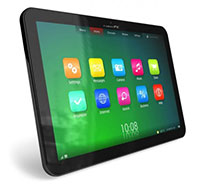
Tablets aren’t cheap, but they definitely are one of the best investments you can make during your time as a student. (read our previous post on buying a tablet and using it for learning)

However, simply buying a tablet and expecting wonders is not enough. You’ll need to make some adjustments to the way you learn to be able to take maximum advantage of your investment.

Specifically, you need to actually integrate your tablet with your learning experience: leave your notepad at home, get all of your class notes digitally and start buying your books in e-book format. It will be difficult at first, and you may question whether it’s all worth it in the end, but once you’ve adapted your workflow to the tablet, you’ll reap the benefits tenfold.

Furthermore, you need to get the best apps for the job. Like computers can run software like Microsoft Word, tablets also have small software packages called “apps”. There are hundreds of thousands of apps available for both iOS and Android – each of these apps performs specific functions and works well in specific contexts. Most apps are cheap (costing below $5 or R50) and can drastically boost your productivity.

For a list of useful iOS apps for students, take a look at this blog article. And for Android, check out this round-up.

TIP: For a guide to buying apps, check out this article for iOS and this one for Android.

Can a tablet replace a computer?

If cost is a big concern for you and you have to choose between a desktop computer/laptop or a tablet, you’ll probably be wondering whether the latter can fully replace the former.

The short answer – at least at the moment – is NO. iPads and Galaxy Tabs (as well other Android devices) are extremely useful and will be able to accomplish mosteveryday tasks that students need to perform, e.g. browsing the web, reading e-mail, accessing a learning management system (e.g. SUNLearn), making notes, etc.

You can even write essays and reports on a tablet (although, for such heavy-duty typing, you’ll probably need to buy an external keyboard as well). However, you won’t be able to run the same software that you can run on a PC or Mac, because the software platforms are different. In other words: if your course requires of you to use specialised software (like a programming IDE or CAD design software), you’ll probably not be able to get away with only a tablet.

While it’s definitely true that a tablet works best if you have a computer/laptop as well, if you have to choose between the two, bear in mind that you can always use the University’s computer centres (e.g. HUMARGA or FIRGA) for specialised software or heavy-duty typing. This might be a good way to avoid having to choose between buying a computer/laptop or a tablet.

Lastly, it should be noted that some Windows-based tablets (e.g. the Microsoft Surface Pro) actually run the same Windows platform that you’ll find on a computer. Technically, then, these tablets are fully-fledged computers in a tablet form and therefore can replace a desktop computer/laptop completely. However, these tablets are expensive and have not been particularly popular, which should make you think twice before buying one.

[ARTICLE BY JOHANNES JONKER]

Tablette is nie goedkoop nie, maar hulle is beslis een van die beste beleggings wat jy as ’n studente kan maak. (lees ons vorige artikels oor die koop van `n  tablet en hoe om dit te gebruik om mee te leer)

Jy moet egter nie net ’n tablet koop en wondere verwag nie. Jy sal ’n paar aanpassings moet maak in hoe jy leer om die grootste voordeel uit jou belegging te trek.

Meer spesifiek, jy sal werklik jou tablet in jou leerervaring moet integreer: los jou notablok by die huis, kry al jou klasnotas in digitale vorm en begin om boeke in e-formaat te koop. Dit sal aanvanklik moeilik wees en jy sal dalk bevraagteken of dit uiteindelik alles die moeite werd is. Maar sodra jy jou werkvloei by jou tablet aangepas het, sal jy die voordele tienvoudig trek.

Verder sal jy ook die beste apps vir die werk moet kry. Net soos rekenaars sagteware soos Microsoft Word kan laat loop, het tablette ook klein sagtewarepakkette wat as “apps” bekend staan. Daar is letterlik honderde duisende apps wat vir beide iOS en Android beskikbaar is – elk van hulle voer spesifieke funksies uit en werk goed in spesifieke kontekste. Die meeste apps is goedkoop (minder as $5 of R50) en kan help om jou produktiwiteit drasties te verhoog.

Kyk na hierdie blogartikel vir ’n lys nuttige iOS apps vir studente. En vir Android, kyk na hierdie opsomming.

WENK: Vir ’n gids oor apps koop, kyk na hierdie artikel vir iOS en hierdie een vir Android.

Kan ’n tablet ’n rekenaar vervang?

Indien koste jou grootste bekommernis is en jy tussen ’n tafelrekenaar/skootrekenaar of ’n tablet moet kies, sal jy seker wonder of laasgenoemde eersgenoemde volledig kan vervang.

Die kort antwoord – ten minste tans – is NEE. iPads en Galaxy Tabs (sowel as ander Android-toestelle) is baie nuttig en sal feitlik alle daaglikse take kan uitvoer wat studente moet verrig, bv. om die web te deurblaai, e-pos te lees, toegang te kry tot ’n leerbestuurstelsel (bv. SUNLearn), notas te maak, ens.

Jy kan selfs opstelle en verslae op ’n tablet skryf (hoewel jy vir sulke swaardiens tikwerk moontlik ook ’n eksterne sleutelbord sal moet koop). Jy sal egter nie dieselfde sagteware kan loop as wat jy of ’n persoonlike rekenaar of Mac kan doen nie, omdat die sagtewareplatforms verskil. Met ander woorde: indien jou kursus vereis dat jy gespesialiseerde sagteware moet gebruik (soos geïntegreerde drywer elektronika vir programmering (programming IDE – integrated drive electronics) of rekenaargesteunde ontwerpsagteware (CAD – computer-aided design software), sal jy heel moontlik nie net ’n tablet kan gebruik nie.

Hoewel dit definitief waar is dat ’n tablet die beste vir jou werk as jy ook ’n rekenaar/skootrekenaar het, moet jy ook in ag neem indien jy tussen die twee moet kies dat jy altyd die Universiteit se rekenaarsentrums (bv. HUMARGA of FIRGA) vir gespesialiseerde sagteware of swaardiens tikwerk kan gebruik. Hierdie is moontlik ’n goeie manier om die keuse tussen die aanskaffing van ’n rekenaar/skootrekenaar of ’n tablet te vermy.

Laastens moet jy daarop let dat sommige Windows-gebaseerde tablette (bv. die Microsoft Surface Pro) van dieselfde Windows-platform gebruik maak wat jy op ’n rekenaar vind. Tegnies is hierdie tablette dus volwaardige rekenaars in tabletvorm en kan hulle ’n tafelrekenaar/skootrekenaar heeltemal vervang. Hierdie tablette is egter duur en is nie juis gewild nie, wat jou twee keer moet laat dink voor jy besluit om een te koop.

[ARTIKEL DEUR JOHANNES JONKER]

Buying a tablet: The choicesKoop`n tablet: Die keuses

Friday, September 5th, 2014

In a previous post we looked at the advantages of tablet-based learning. This time around we’ll investigate the options available when you’re buying a tablet.

While there are many different tablets on the market, they can all be categorised according to the software platform they run. Just like a computer runs on Microsoft Windows, Mac OSX or Linux, a tablet also has a so-called operating system. In choosing a tablet, then, you have three main alternatives:[1]

  1. An iOS-based tablet:
    1. Apple iPad (starting at around R4 500 for an older iPad 2 with WiFi)
    2. Apple iPad Mini (starting at around R3 500 for a first-generation device with WiFi)
  2. An Android-based tablet:
    1. Samsung Galaxy Tab (starting at around R6 000 for an older Galaxy Tab 2 P5100 with WiFi)
    2. Samsung Galaxy Note (costing around R7 000 for a Galaxy Note N7100 with WiFi+3G)
    3. Lower-end alternatives by other companies (costing as little as R1 500)
  3. A Windows-based tablet:
    1. Lenovo and Dell tablets (starting at around R5 000)

The first two groups are by far the most popular. Although many people will argue that an iPad is better than a Samsung Galaxy Tab – or vice versa – choosing between the two is ultimately a matter of taste. However, if you own a smartphone (e.g. an iPhone or a Samsung Galaxy), it makes sense to get a tablet that runs the same software so that you can easily share dataandapps between the two.

If cost is your biggest concern, your best option will be to get a lower-end Android tablet. These tablets should be able to do most things that their Samsung big brother can do, albeit at a slower pace and without some of the enhancements that come with Samsung devices. When buying such a tablet, make sure that the battery life is good (you’ll want at least 8 hours of battery life to get through a full day of classes) and that the tablet has enough storage space (less than 16 GB will fill up rather rapidly).

For detailed specifications on available tablets, click here (downloadable pdf)

TIP: Stellenbosch University is part of the national Student Technology Programme (STP), which offers laptops and tablets at reduced prices. Take a look at their website: www.stp.ac.za. Mid-September new tablets will also be added to the list.

[1] Please note that the listed prices of tablets are merely intended as a general guideline and were current as of January 2014.

[ARTICLE BY JOHANNES JONKER]

In `n vorige skrywe het ons gekyk na die voordele van tabletgebaseerde leer. Hierdie keer stel ons ondersoek in na die verskeie opsies beskikbaar wanneer jy een wil koop.

Hoewel daar ’n groot verskeidenheid tablette op die mark is, kan hulle almal in terme van die sagtewareplatform waarop hulle loop, gekategoriseer word. Net soos ’n rekenaar op Microsoft Windows, Mac OSX of Linux loop, het ’n tablet ook ’n sogenaamde bedryfstelsel. Wanneer jy dus ’n tablet kies, het jy drie vername keuses[1]:

  1. ’n iOS-gebaseerde tablet:
    1. Apple iPad (begin teen omtrent R4 500 vir ’n ouer iPad 2 met WiFi)
    2. Apple iPad Mini (begin teen omtrent R3 500 vir ’n eerste generasie toestel met WiFi)
  2. ’n Android-gebaseerde tablet:
    1. Samsung Galaxy Tab (begin teen omtrent R6 000 vir ’n ouer Galaxy Tab 2 P5100 met WiFi)
    2. Samsung Galaxy Note (kos omtrent R7 000 vir ’n Galaxy Note N7100 met WiFi+3G)
    3. Goedkoper alternatiewe van ander maatskappy (kos so min as R1 500)
  3. ’n Windows-gebaseerde tablet:
    1. Lenovo en Dell (begin teen omtrent R5 000)

Die eerste twee groepe is verreweg die gewildste. Hoewel baie mense sal argumenteer dat ’n iPad beter is as ’n Samsung Galaxy Tab – of omgekeerd – is enige keuse tussen die twee hoofsaaklik ’n geval van smaak. As jy egter ’n slimfoon het (bv. ’n iPhone of ’n Samsung Galaxy), maak dit sin om ’n tablet te koop wat op dieselfde sagteware loop sodat jy maklik data en apps tussen die twee kan deel.

Indien koste jou grootste bekommernis is, sal jou beste opsie wees om ’n goedkoper Android-tablet te kry. Hierdie tablette behoort feitlik alles te kan doen wat hulle Samsung grootboet doen, hoewel ietwat stadiger en sonder etlike van die verbeterings wat met Samsung toestelle kom. Wanneer jy egter so ’n tablet koop, moet jy seker maak die batterylewe is goed (jy sal ten minste 8 ure se batterylewe wil hê om deur ’n dag se klasse te kom) en dat die tablet voldoende stoorruimte het (minder as 16 GB sal bietjie vinnig vol word).

Vir gedetaileerde spesifikasies oor beskikbare tablette, kliek hier (aflaaibare pdf)

WENK: Die Universiteit Stellenbosch vorm deel van die nasionale Studente Tegnologie Program (STP), wat skootrekenaars en tablette teen verlaagde pryse aanbied. Kyk gerus na hulle webwerf: www.stp.ac.za. Teen middel-September sal daar nog modelle bygevoeg word, onthou dus om gereeld te gaan kyk.

[1] Let wel dat die gelyste pryse van die tablette bloot as ’n algemene riglyn dien en in Januarie 2014 geldig was.