SEARCH
  • [:en]Recent Posts[:af]Onlangse bydraes

  • [:en]Categories[:af]Kategorieë

  • [:en]Archives[:af]Argiewe

Connectivity

STP – technology made accessible to studentsSTP – tegnologie binne studente se bereik

Friday, August 30th, 2013

Over the past year a new technology initiative aimed mainly at students, has slowly, but surely spread across campuses nationwide.

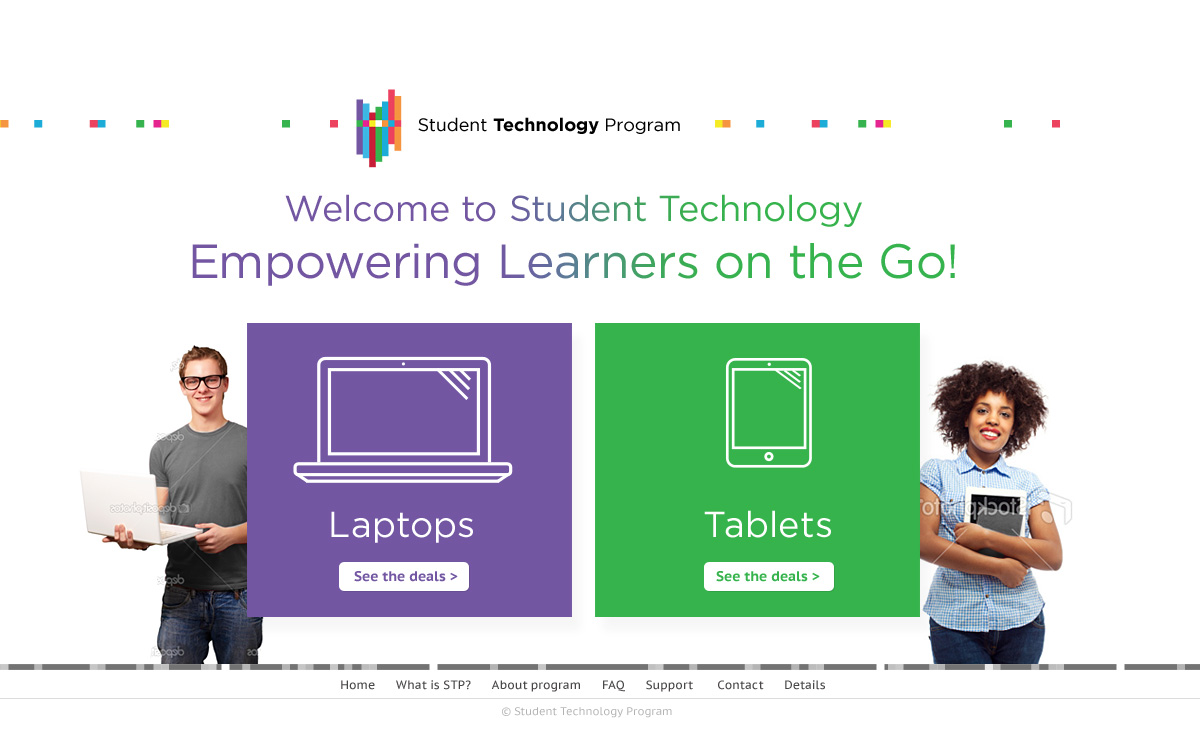
STP, or the Student Technology Programme‘s objective is to offer affordable tablets and laptops for purchase to all students of public universities across South Africa.

The programme was negotiated with various technology vendors by the Association of South African University Directors of Information Technology (ASAUDIT) and the purchasing consortium (PURCO) for South African higher education institutions.

This national initiative currently offers affordable deals on tablets and laptops to staff and students from public universities in South Africa who have agreed to participate in the STP. Further deals will be negotiated and added to the product offerings from time to time.

The current participants of the STP project are Acer Education, selling Acer laptops, and Pinnacle selling Lenovo laptops. Each dealer has made up to 4 models laptops available, ranging from a basic entry level to a high end laptop.  Acer, Dell, Proline and Samsung are also offering Android and Windows tablets ranging from smaller 7 inch to top-range 10.1 inch models.

Use the central web portal ( www.stp.ac.za) to compare and choose the product that best suits you. Once you have registered on the website you will be able to place and pay for your order and arrange for delivery with the vendor.


 Oor die afgelope jaar het `n nuwe tegnologie inisiatief gemik op studente, sy kop stadig, maar seker uitgesteek op kampusse landswyd.

STP, of te wel die Studente Tegnologie Program se doel is om bekostigbare tablette en skootrekenaars te verskaf aan alle studente verbonde aan openbare universiteite in Suid-Afrika.

 ASAUDIT (The Association of South African University Directors of Information Technology) en PURCO, die Aankope Konsortium vir Suid-Afrikaanse Hoër Onderwys instansies het die onderhandelinge met verskeie tegnologie maatskappye hanteer.

Hierdie nasionale inisiatief bied bekostigbare aanbiedinge op tablette en skootrekenaars vir personeel en studente aan al die publieke universiteite in Suid-Afrika wat aangedui het dat hulle deelneem aan die STP.  Verdere aanbiedings sal nog onderhandel word om die huidige produkte aan te vul.

Aanbiedinge op die oomblik sluit Acer Opvoedkunde wat Acer skootrekenaars verkoop en Pinnacle wat Lenovo skootrekenaars verkoop in en beide bied 4 skootrekenaarmodelle wat strek van intreevlak tot hoë vlak skootrekenaars.  Acer, Dell, Proline en Samsung bied ook tans Android en Windows tablette wat strek van ‘n 7 duim tot hoë vlak 10.1 duim modelle.

Gebruik die sentrale webblad (www.stp.ac.za) om produkte te vergelyk en een te kies wat jou die beste pas.  Nadat jy op die webtuiste van die maatskappy geregistreer het, kan jy jou bestelling plaas en met die maatskappy reël vir aflewering.


IT takes to the airwavesIT op die lug

Friday, August 30th, 2013

The days when the Information Technology department was an unreachable, distant entity on the other side of Banghoek Road, are long gone. Since 2010 we’ve been pulling out all the stops and making an extra effort to ensure that there’s ample communication and interaction with all our clients and users on campus.

At the beginning of September (i.e. next week) we’re shaking winter’s dust from our shoes and entering yet another new era of communication. In future IT will no longer only reach you by e-mail, but also through MFM’s radio waves.

With an audience of 30 000 listeners between the ages of 14 and 28, there’s no doubt that IT will reach a much younger market, in particular students. This new means of communication provides us with the opportunity to speak to a larger portion of our users on campus and to get more involved with student issues.

So, from next week Tuesday at 11:45 there will be a bi-weekly special IT slot on MFM during the AM-PM-show. Since Bits & Bytes is steadily becoming an established brand, the slot will also be known as Bits & Bytes.

Bits & Bytes on air won’t merely be another institutional mouthpiece to promote IT, but rather an opportunity to discuss all kinds of technological developments. Students and staff will also be given the opportunity to ask questions via our Twitter feed and we’ll do our best to answer them on air.
 
We’re looking forward to our debut in radio coming Tuesday and hope you lend us your ears on 3 September at 11:45. Click here to listen to MFM live.


Die dae wat die Informasietegnologie-afdeling die onbereikbare entiteit aan die ander kant van Banghoekweg is, is lank reeds verby. Sedert 2010 het ons `n aktiewe poging begin aanwend om kommunikasie en interaksie met die res van kampus en almal aan wie ons `n diens lewer, te verbeter.

Begin September skud ons die winter se stof van ons voete en betree `n nuwe era van kommunikasie. Voortaan sal IT jou nie net bereik met e-pos nie, maar ook oor MFM se radiogolwe.

Met `n gehoor van 30 000 luisteraars tussen die ouderdom van 14-28 ouderdomsgroep, is daar geen twyfel dat IT `n jonger mark, en spesifiek studente sal bereik nie. Dié nuwe kommunikasiekanaal gee aan ons die geleentheid om `n groter deel van ons gebruikers op kampus te bereik en meer betrokke te raak by studentekwessies.

Daar sal dus voortaan twee-weekliks `n spesiale IT-insetsel op MFM wees op Dinsdae, 11:45 gedurende die AM-PM-show. Aangesien Bits & Bytes reeds `n gevestigde handelsmerk begin word, sal die insetsel ook bekendstaan as Bits & Bytes.
 
Bits & Bytes op die lug sal nie bloot nog `n institusionele mondstuk wees nie, maar eerder `n geleentheid om interessante tegnologiese verwikkelinge te bespreek. Daar sal ook geleentheid aan studente en personeel gegee word om d.m.v. ons Twitter-voer vrae te vra wat ons op die lug sal beantwoord. 
 
Ons sien uit daarna  om komende Dinsdag ons toetrede tot radio te maak en hoop jy skakel Dinsdag om 11:45 by ons in. Kliek hier om na MFM te luister.


Password syncing problematicWagwoord-sinkronisasie problematies

Friday, August 16th, 2013

Over the past week the IT Service Desk detected an increase in problems with password synchronisation. Luckily this is only a temporary situation, but there are a few steps you can follow to make sure you don’t have the same problem.

When you’re assigned a temporary password from IT, wait at least 30 minutes before login in at www.sun.ac.za/useradm and changing it to your preferred password. The syncronisation process takes a while and if you change it immediately, the database won’t be able to change it properly

 If you use more than one device switch off all your devices except for one, for example your laptop. If you don’t your password won’t synchronise seamlessly over across all your devices. After you’ve changed your password, switch the rest of your devices on one by one and log on with your new password.

Remember, you can change your password any time at HTTP://WWW.SUN.AC.ZA/USERADM with the Change Password option. Try to stick to the guidelines to ensure you have a secure password – it will safe you a lot of effort and frustration in the long run. If you’ve forgotten your password, you can also reset is by browsing to STAFF PORTAL.

More information and hints on password changes can be found HERE.

Die afgelope week ervaar die IT Dienstoonbank `n toename in probleme met die sinkronisasie van wagwoorde. Gelukkig is dit slegs `n tydelike situasie, maar daar is `n paar stappe wat jy kan volg om seker te maak jy sit nie met dieselfde probleem nie.

Wanneer jy `n tydelike wagwoord by IT kry, wag eers ten minste 30 minute voordat jy by www.sun.ac.za/useradm ingaan en dit verander na die wagwoord van jou keuse. Die sinkronisasieproses neem `n tydjie en as jy dit onmiddellik doen ondervind die databasis probleme. 

Skakel al jou toestelle af, behalwe een, bv. die skootrekenaar as jy wel jou wagwoord verander anders gaan dit nie soomloos oor al die toestelle sinkroniseer nie.  Indien jy klaar jou wagwoord verander het, skakel die ander toestelle een vir een aan en teken aan met jou nuwe wagwoord. 

Onthou, jy kan self jou wagwoord enige tyd verander op HTTP://WWW.SUN.AC.ZA/USERADM by die Change Password-opsie. Probeer om te hou by die riglyne wat gegee word om jou wagwoord so veilig moontlik te hou – dit sal jou baie moeite en frustrasie spaar op die lange duur. As jy jou wagwoord heeltemal vergeet het, kan jy dit self verander deur te gaan na DIE PERSONEELPORTAAL.

Nog wenke vir die verandering van jou wagwoord kan op https://stbsp01.stb.sun.ac.za/innov/it/it-help/Wiki%20Pages/Change%20password.aspx gevind word.

What can Google do for YOU today?Wat kan Google vandag vir JOU doen?

Friday, August 16th, 2013

What would we do without Google – in fact, can you imagine your life pre-Google? But did you know that you can do much more than look up random facts with Google?

In May 2012 Google announced they will be adding Knowledge Graph as an additional function to their Google search engine. Ok great, but what is  Knowledge Graph?

Knowledge Graph is  a central source of information collected from various sources, including the CIA World FactbookFreebase, and Wikipedia. This database gives structured and detailed information on a topic, together with the standard list of suggested links.

The purpose of the database is for uses to make use of the Knowledge Graph information without having to click on links which lead them to other websites.  Since 2012 this semantic network consists of more than 570 million objects and more than 10 billion facts!

Sounds quite nifty, doesn’t it? So what kind of information can you track down with this so-called Knowledge Graph?

You’ve probably already used Google translate,  an application which allows you to translate any phrase or word to another.  Google translate is part of the Knowledge Graph. Unfortunately Google’s Afrikaans skills aren’t quite up to standard yet, so don’t depend too much on it for translation to and from Afrikaans.

Apart from Google’s impressive language skills, it can also calculate the exchange rate for you when you’re going overseas. Just type in the amount and currency and the currency to which you want to convert it and you’re all set to swipe your credit card to your heart’s content in that three storey bookshop in Leuven! For example, type “10 rand to Euro” and it will instantly be converted to the right amount.

When travelling, you’ll probably be speculating about which weather to expect so you can pack the right clothes. Type in (for example)  “The weather in Antwerp” and within seconds you clothing dilemma is solved and worries about the 20 kg limit are diminished.

Are those French breakfasts too tasty for your own good and you’re starting to worry about your growing middle and cholesterol levels?  Google “How much protein is in an egg?” and you might just switch from filled omelettes to muesli.

Since you’re already worried about your health, why not look up the ailment you believe you contracted during your travels. Knowledge Graph gives you fast access to health inormation, including conditions and medication. Type in a specific ailment or medication and the explanation will be displayed.

You can even look up the sunrise and sunsets, times in various cities and specific holidays.

Having problems converting measurements – whether it’s inches, feet or other measurements, the search engine can convert height, weight, volume and temperature. Type in “2mm to inches” in the search box and press Enter. If you need more measurement options, click on the drop down list.

Speaking of numbers – for those of us who aren’t blessed with mathematical brains, Google will to the adding up for you. A dictionary function is also available for the left brainers. The dictionay can be activated by adding “define” in front of the word or just by typing it incorrectly!

Google is constantly adding new applications and extras to their search engine. Have a look at what else they have to offer at https://www.google.co.za/intl/af/help/features.html.

[SOURCE: www.cnet.com and www.wikipedia.org]


Wat sou ons tog sonder Google in ons lewens gedoen het – kan jy jouself ooit `n lewe pre-Google voorstel?! Maar het jy geweet dat jy meer met Google kan doen as net lukrake feite opsoek?

Google het in Mei 2012 aangekondig dat Knowledge Graph as addisionele funksie tot die Google soekenjin bygevoeg. Gaaf, maar wat is Knowledge Graph?

Knowledge Graph is `n sentrale bron van inligting wat versamel is van verskeie bronne soos CIA World FactbookFreebaseen WikipediaHierdie databasis verskaf gestruktureerde en gedetaileerde inligting oor `n onderwerp, saam met die standaard lys voorgestelde skakels.

Die doel hiervan is sodat gebruikers van die Knowledge Graph inligting kan gebruik sonder om verder te kliek op skakels wat hulle wegneem na ander webwerwe. Vanaf 2012 beskik hierdie semantiese netwerk oor meer as 570 miljoen objekte en meer as 10 biljoen feite!

Klink heel handig, né? So wat kan `n mens alles opspoor met hierdie sogenaamde Knowledge Graph?

Jy het waarskynlik al gebruik gemaak van Google translate, `n funksie wat jou toelaat om enige woord of frase van een taal na `n ander te vertaal. Google translate is deel van die Knowledge Graph. Ongelukkig is Google se Afrikaanse vaardighede nog nie so geslyp nie, so moet maar nie te veel daarop vertrou vir Afrikaans nie.

Maar buiten vir Google se indrukwekkende vertaalvaardighede, kan dit ook jou geldkoers vir jou bereken wanneer jy oorsee gaan. Voer bloot die bedrag en eenheid van en waarheen dit moet omgeskakel word en jy’s reg om jou kredietkaart te gaan sleep in daai winkel in Leuven met die drie verdiepings boeke! Tik byvoorbeeld “10 rand to Euro” in en dit word dadelik vir jou omgesit in die regte bedrag.

Wanneer jy aan die reis is, wonder waarskynlik ook oor die weer en wat jy moet inpak om nie die 20kg limiet te oorskry nie. Tik `n frase soos “The weather in Antwerp” en binne sekondes is jou klere-dilemma uitgesorteer.

Smaak die ontbyte in Frankryk te lekker en jy begin bekommerd raak oor die groeiende omstek van jou middellyf en cholesterolvlakke? Google net “How much protein is in an egg?” en jy sal dalk gou oorskakel na muesli ipv gevulde omelette.

Aangesien jy nou alreeds bekommerd is oor jou gesondheid – soek sommer die kwaal op wat jy vermoed jy opgedoen het in jou reise. Knowledge Graph gee jou vinnige toegang tot gesondheidsinligting, insluitende toestande of medikasie. Tik in `n spesifieke siekte of medikasie en `n verduideliking sal opkom. 

Jy kan selfs die sonopkoms en ondergange, tye in verskeie stede en spesifieke vakansiedae opsoek.

Sukkel jy met omskakeling van mates – of dit nou duime, voete of ander mates is, die soekenjin kan selfs hoogte, gewig, volume en temperatuur omskakel. Tik byvoorbeeld in e “2mm to inches” in soekboksie en druk Enter. As jy meer mates soek, kliek net op die aftuimellys. 

Gepraat van syfers – vir die van ons wat nie geseënd is met wiskundige breine nie, sal Google die optelsom vir jou doen. Ook vir die linkerbreine is daar `n woordeboek-opsie. DIt kan geaktiveer word deur “define” vooraan die woord te tik of net verkeerd te spel! 

Google voeg deurlopend allerhande nuwe toepassings en ekstras by hul soekenjin. Gaan kyk `n bietjie wat daar nog is by https://www.google.co.za/intl/af/help/features.html.

[SOURCE: www.cnet.com & www.wikipedia.com]


eduroam: internet without fusseduroam: internet sonder moeite

Friday, August 2nd, 2013

If you’re a regular visitor to universities, particularly in Europe, you’re most likely aware of eduroam and how it simplifies travelling for academic purposes. We’re happy to announce that eduroam will henceforth also be available at Stellenbosch University.

But what for those of us who don’t know – what is eduroam exactly? eduroam (education roaming) is the secure, world-wide roaming access service developed for the international research and education community. It started as a project of the  Trans-European Research and Education Networking Association (TERENA) in Europe and has gained momentum throughout the research and education community.

eduroam is now available in 54 countries, including South Africa and provides an easy way to get internet access without any fuss. It allows students, researchers and staff from participating institutions to obtain internet connectivity across campus and when visiting other participating institutions by simply opening their device.

Users can move between campuses and visit other participating institutions at home or abroad and get instant, secure network access, without having to arrange and use guest accounts or extra passwords. The visiting user is authenticated using the same credentials (username and password)  they use at their home institution, the institution or organisation they are affiliated with.

To activate eduroam for your department, please e-mail help@sun.ac.za with your details and  see www.eduroam.org for more information. More information on eduroam in South Africa can be found at http://eduroam.ac.za/

[SOURCES: www.wikipedia.org and www.eduroam.org]


As jy `n gereelde besoeker is aan universiteite, veral in Europa, is jy waarskynlik alreeds bewus van eduroam en hoe dit jou lewe as reisende akademikus vergemaklik. Daarom is ons opgewonde om aan te kondig dat eduroam ook voortaan by Universiteit Stellenbosch beskikbaar sal wees.

Maar vir die van ons wat nie weet nie – wat is eduroam presies? eduroam (education roaming) is  veilige, wêreldwye swerwende (“roaming”) toegangsdiens. Die diens het ontstaan as `n projek deur die  Trans-Europese Navorsing en Opvoedkunde Netwerk Organisasie  in Europa en het mettertyd spoed opgetel onder die navorsings en opvoedkunde-gemeenskap. 

eduroam is tans beskikbaar in 54 lande, insluitend South Africa en die diens verskaf `n maklike manier om toegang tot die internet te kry sonder te veel moeite. Dit gee aan studente, navorsers en personeel van deelnemende instellings die geleentheid om `n internetverbinding regoor kampusse en by ander akademiese instellings te kry deur net hul toestel (hetsy dit `n skootrekenaar, tablet of selfoon is) aan te sit.  

Gebruikers kan tussen kampusse beweeg en ander deelnemende instellings tuis of oorsee besoek en onmiddellik veilige netwerktoegang kry, sonder om ekstra gasterekeninge of wagwoorde te installeer. Die besoekende gebruiker se identiteit word gestaaf deur middel van dieselfde inligting (gebruiksnaam en wagwoord) wat gebruik word by sy eie akademiese instelling. 

Om eduroam vir jou departement te aktiveer, e-pos help@sun.ac.za met jou volledige inligting en vir meer inligting besoek www.eduroam.org. Meer informasie oor eduroam in Suid-Afrika, kan gevind word by http://eduroam.ac.za/

[BRONNE: www.wikipedia.org and www.eduroam.org]