SEARCH
  • [:en]Recent Posts[:af]Onlangse bydraes

  • [:en]Categories[:af]Kategorieë

  • [:en]Archives[:af]Argiewe

General

[:en]Wherever you roam, eduroam[:af]Waar jy ookal swerf, eduroam[:]

Wednesday, April 5th, 2017

[:en]

eduroam (education roaming) is the secure, world-wide roaming access service developed for the international research and education community.

Users can move between campuses and visit other participating institutions at home or abroad and get instant, secure network access, without having to arrange and use guest accounts or extra passwords. The visiting user is authenticated using the same credentials (username and password)  they use at their home institution, the institution or organisation they are affiliated with.

Visiting dignitaries who subscribe to eduroam will be able to connect to all wireless access points across campus.

More information on how to use and activate the eduroam service can be found in our service catalogue. Also consult the eduroam websites at www. eduroam.org and http://eduroam.ac.za.

[:af]

eduroam (education roaming) is `n sekure, wêreldwye toegangsbeheerde swerwingsdiens ontwikkel vir die internasionale navorsing- en onderriggemeenskap. 

Gebruikers kan tussen kampusse rondbeweeg en ander deelnemende instellings tuis of oorsee besoek en onmiddellike, veilige netwerktoegang verkry – sonder om te reël vir die gebruik van besoekersrekeninge of addisionele wagwoorde. Die besoekende gebruiker word verifieer met dieselfde inligting (gebruikersnaam en wagwoord) wat  hulle by hulle plaaslike instelling waarby hulle geaffileer is, gebruik.

Besoekers wat registreer is by eduroam sal aan alle WiFi-punte regoor die betrokke kampus kan verbind. 

Meer inligting oor die gebruik en aktivering van eduroam-diens is beskikbaar op ons dienskatalogus. Addisionele inligting is ook beskikbaar op www. eduroam.org en http://eduroam.ac.za.

[:]

[:en]Register for ServiceNow[:af]Registreer vir ServiceNow[:]

Wednesday, April 5th, 2017

[:en]

Information Technology (IT) will soon implement ServiceNow, a new request logging system for all SU staff and students. However, to register you need to follow a simple registration process. Please go to www.sun.ac.za/infoteg and click on the Register for ServiceNow button.

ServiceNow is a one-stop service to keep track of all your IT related requests. This multi-functional platform will enable us to streamline services for our clients, ensuring greater efficiency.

With ServiceNow, you or someone on your behalf, can submit your request online within seconds. You can log incidents, request IT services, search a knowledge base, and track progress on your requests. All these functions can be performed from any type of device, at any time, on a web-based IT self-service portal or Android or iPhone app.

Please take note that this process is only to register. After you logged in, you can close the web page again. We ask that you try not to log any requests, as we want to give everybody a chance to register before going live. When the registration process of users has been completed, we will notify you via e-mail and newsletter and you can start using the system.

If you have any questions, please contact the IT Service Desk at 021 808 4367 or help@sun.ac.za.


[:af]

Informasietegnologie (IT) implementeer binnekort ServiceNow, ʼn nuwe versoekrapporteringstelsel vir alle US-personeel en -studente. Dis egter nodig dat jy eers ʼn eenvoudige proses volg om te registreer. Gaan na www.sun.ac.za/infoteg en kliek op die Register for ServiceNow opsie.

ServiceNow is ʼn eenstopdiens waar jy kan tred hou met alle IT-verwante versoeke. Met hierdie multifunksionele platform kan ons dienste aan kliënte meer vaartbelyn uitgevoer word en ons ook meer effektief optree.

Binne sekondes kan jy, of iemand namens jou, jou versoek aanlyn plaas. Jy kan versoeke aanteken, IT-dienste aanvra, jou versoekstatus nagaan en ʼn kennisdatabasis raadpleeg. Al hierdie funksies is beskikbaar vanaf enige toestel, enige tyd, met behulp van ʼn webgebaseerde IT selfdiensportaal of Android en iOS toepassings.

Neem kennis dat hierdie slegs die prosedure vir registrasie is. Sodra jy aangeteken het, kan jy weer die webblad toemaak. Ons vra dat jy sal probeer om nog nie versoeke aan te teken nie, aangesien ons eers vir almal ʼn kans wil gee om te registreer voordat ons die stelsel lewendig maak. Wanneer die registrasieproses van gebruikers voltooi is, sal ons jou per e-pos en nuusbrief in kennis stel en kan jy die stelsel begin gebruik.

Vir enige navrae of terugvoer, kontak gerus die IT Dienstoonbank by 021 808 4367 of help@sun.ac.za

[:]

[:en]Alternative facts, fake news or lies?[:]

Wednesday, March 1st, 2017

[:en]

If there’s one thing the US election taught us, it’s that “alternative facts” exist and any news which puts Trump in a negative light is, apparently, “fake news”. Fake news does exist, but it’s not what Trump wants it to be.

“Fake news, or hoax news, refers to false information or propaganda published under the guise of being authentic news. Fake news websites and channels push their fake news content in an attempt to mislead consumers of the content and spread misinformation via social networks.” (http://www.webopedia.com/TERM/F/fake-news.html)

During the US election, it became clear that most of the fake news generated, including sites that improved Donald Trump’s chances as a candidate, originated from outside the United States. In Macedonia, one teenager started a lucrative business spreading the pro-Trump fake news. Whether this played any role in Trump’s presidential win, we’ll never know. Speaking of Trump – Did you hear he signed a visa-free travel policy for South Africa? Not true! Fake news! Sad! Even in South Africa, it was suggested that the ANC used fake news to try and influence the local elections. 

It’s easy to get swept up when you read something upsetting or ludicrous and of course, your first instinct is “I have to tell someone!” So you share it on Twitter, you send it via e-mail and you post it on Facebook and you feel like you are involved in spreading the news. And so something that’s not true spreads like wildfire and fake news peddlers are laughing all the way to the bank.

The increase of fake news means that we have to be more careful and even suspicious of what we read on the internet. If it looks like a news website, it doesn’t mean it is. On the contrary, it’s remarkably easy to create fake websites. There are ways to spot fake news, but it will require you to be more vigilant and above all, read more critically. Local (real) news website EWN lists a few tips to help you to distinguish between the real and the ridiculous. Mybroadband goes into even more detail with their article “How to stop falling for fake news on Facebook.”

Fake news characteristics are easily recognisable if you take the time to read the article before sharing it. By reading, you will notice details which don’t fit. If a headline sounds sensationalistic, it’s probably a fake article attempting to lure you into clicking.  Remember Google is your friend and can indicate whether the same news is shared by legitimate news sources or if this is the only one. It will also show if the article is an old one recycled to generate new clicks.

Avoid getting trapped in an echo chamber. We prefer to only read information and opinions we agree with and inevitably search engines only suggest similar articles with similar views. Try to read a bit wider – even articles covering topics that don’t necessarily interest you or you don’t agree with. Challenge your own viewpoints. 


More articles on fake news: 

We can’t talk about ‘fake news’ if we can’t agree what it means
Google and Facebook partner for anti-fake news drive during French election
Fake news website (Wikipedia)
List of fake news websites
List of satirical websites


[SOURCES: http://ewn.co.za; https://mybroadband.co.za/]

[:]

[:en]Learn What It Takes to Refuse the Phishing Bait![:]

Wednesday, February 1st, 2017

[:en]

Cybercriminals know the best strategies for gaining access to your institution’s sensitive data. In most cases, it doesn’t involve them rappelling from a ceiling’s skylight and deftly avoiding a laser detection system to hack into your servers; instead, they simply manipulate one staff member or student.

According to IBM’s 2014 Cyber Security Intelligence Index, human error is a factor in 95 percent of security incidents. Following are a few ways to identify various types of social engineering attacks and their telltale signs.

  • Phishing isn’t relegated to just e-mail! Cyber criminals will also launch phishing attacks through phone calls, text messages, or other online messaging applications. Don’t know the sender or caller? Seem too good to be true? It’s probably a phishing attack.
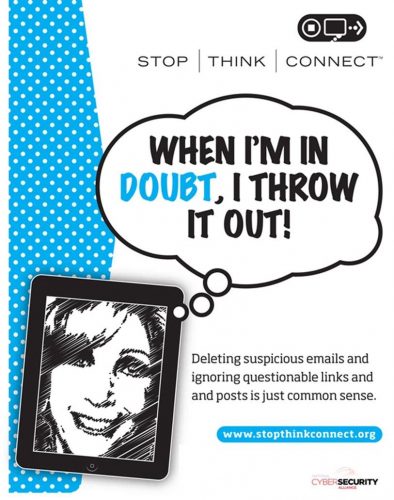
  • Know the signs. Does the e-mail contain a vague salutation, spelling or grammatical errors, an urgent request, and/or an offer that seems impossibly good? Click that delete button.
  • Verify the sender. Check the sender’s e-mail address to make sure it’s legitimate. If it appears that our help desk is asking you to click on a link to increase your mailbox quota, but the sender is “UniversityHelpDesk@yahoo.com,” it’s a phishing message.
  • Don’t be duped by aesthetics. Phishing e-mails often contain convincing logos, links to actual company websites, legitimate phone numbers, and e-mail signatures of actual employees. However, if the message is urging you to take action — especially action such as sending sensitive information, clicking on a link, or downloading an attachment — exercise caution and look for other telltale signs of phishing attacks. Don’t hesitate to contact the company directly; they can verify legitimacy and may not even be aware that their name is being used for fraud.
  • Never, ever share your password. Did we say never? Yup, we mean never.Your password is the key to your identity, your data, and your classmates’ and colleagues’ data. It is for your eyes only. The IT department will never ask you for your password.
  • Avoid opening links and attachments from unknown senders. Get into the habit of typing known URLs into your browser. Don’t open attachments unless you’re expecting a file from someone. Give them a call if you’re suspicious.
  • When you’re not sure, call to verify. Let’s say you receive an e-mail claiming to be from someone you know — a friend, colleague, or even the rector of the university. Cyber criminals often spoof addresses to convince you, then request that you perform an action such as transfer funds or provide sensitive information. If something seems off about the e-mail, call them at a known number listed in the university’s directory to confirm the request.
  • Don’t talk to strangers! Receive a call from someone you don’t know? Are they asking you to provide information or making odd requests? Hang up the phone and report it to the helpdesk.
  • Don’t be tempted by abandoned flash drives. Cyber criminals may leave flash drives lying around for victims to pick up and insert, thereby unknowingly installing malware on their computers. You might be tempted to insert a flash drive only to find out the rightful owner, but be wary — it could be a trap.
  • See someone suspicious? Say something. If you notice someone suspicious walking around or “tailgating” someone else, especially in an off-limits area, call campus safety.

[ARTICLE FROM Educause]

[:af]


[:]

Log out, switch offTeken uit, sit af

Thursday, December 1st, 2016

[:en]It’s almost holiday, but what about that ominous to-do list? We’ve compiled one especially for the office to save you some trouble. 

1. Make sure your password won’t expire while you are away on holiday. Rather reset it before you leave so you won’t be locked out of your accounts when you return.

2. Secondly, did you put in leave? We hope so, but if you haven’t, here‘s something to keep in mind.

3. If you plan on using your PC or device during your holiday and you need to have it fixed, updated or need to set up anything in order to do so, please try and bring it to us ASAP. Just like with Christmas shopping, people tend to wait until the last minute, therefore we are busier closer to the end of the year. The sooner you drop by, the sooner we can solve your problem.

4. If you’ll only be returning to the office mid-January, make sure the necessary arrangements have been put in place in your absence and your colleagues are up to date with your responsibilities. For example, some visitors and external workers’ SUNid registration might expire during the holiday and with it, their access to the network and buildings. If you are your department’s SUNiD representative, make sure this is dealt with before you leave. More info on SUNid here.

5. If you regularly misplace keys, cell phones, etc, it might be a good idea to set up security on your phone, as well as a tracking device. Read our article on security and how to set up tracking.

6. Activate Outlook’s Out of Office assistant. Detailed instructions on how to do this, can be found on Microsoft‘s website.

7. And lastly, before you happily close your office door for the last time this year, remember to switch off all equipment using electricity. This includes, PCs, chargers, printers, screens and lights.


[:af]Dis amper tyd vir vakansie, maar wat van daai lang lysie met goed om te doen? Ons het vir jou een vir die kantoor saamgestel sodat jy nie daaroor ook bekommerd hoef te wees nie.

1. Maak seker dat jou wagwoord nie verval terwyl jy met vakansie is nie. Verander dit liewer betyds sodat jy nie uit jou rekeninge gesluit is wanneer jy terug is in Januarie nie.

2. Tweedens, het jy al verlof ingesit? Ons hoop so, maar as jy nie het nie, lees hier.

3. As jy beplan om jou rekenaar of toestel te gebruik tydens jou vakansie en enigiets verander, opgestel of reggemaak moet word voor dan, bring dit asseblief ASAP na IT. Net soos Kersfeespersente, wag die meeste mense tot op die nippertjie. Dit maak dit ongelukkig moeilik om almal te kan help. Hoe gouer jy dit bring, hoe gouer kan ons jou help.

4. Indien jy eers middel-Januarie weer op kantoor is, maak seker dat die nodige reëlings in plek is en jou kollegas op hoogte is van jou verantwoordelikhede. Byvoorbeeld, persone wie se SUNid-registrasies gedurende die vakansietydperk verval en daarmee saam alle toegang tot die netwerk en geboue. As jy die SUNid-verteenwoordiger is, maak seker daar is `n plan in plek vir die persone vir wie jy verantwoordelik is. Meer oor SUNid hier.

5. As jy gereeld sleutels, selfone, ens. verloor, stel sekuriteit op jou selfoon en sit `n opsporingsmeganisme in plek. Lees ons artikel oor sekuriteit en hoe om jou selfoon op te spoor.

6. Sit jou Outlook Out of Office assistant aan sodat jy nie met `n posbus vol kwaai e-posse begroet word as jy terugkom nie. Volledige instruksies is op Microsoft se webwerf.

7. Laastens, voordat jy jou kantoordeur met `n glimlag agter jou toetrek en met vakansie gaan, moenie vergeet om alle toestelle wat krag gebruik, af te skakel nie. Dit sluit rekenaars, drukkers, laaiers, monitors en ligte in.