SEARCH
  • [:en]Recent Posts[:af]Onlangse bydraes

  • [:en]Categories[:af]Kategorieë

  • [:en]Archives[:af]Argiewe

General

[:en] The (ro)bots are here [:af] Die (ro)botte is hier

Friday, April 15th, 2016

[:en]

robotFor decades sci-fi movies have told us robots will take over the world one day. We don’t have to prepare for a robot war just yet, but they are part of our lives. We just don’t realise it. 

Bots have been in the news recently; some, like Tay, for the wrong reasons. But why all the fuss suddenly?

One of the reason is the swift improvement of the artificial intelligence technology bots are powered with. Key Silicon Valley players Facebook, Google and Telegram have been at the forefront of these developments. At Wednesday’s F8 conference Facebook announced that were adding various bots, including a CNN bot, to their Messenger app.

Most of us don’t know what a bot is and what it does. Even though it sounds suspicious, a bot is merely software designed to automate and complete simple and repetitive tasks you would usually perform yourself. For example, adding appointments to your calendar or making reservations, ordering food, etc. If you were living in America, you’d be able to use the Taco Bell bot to order and pay for your meal.

Chatterbots or chatbots are used in messaging apps and to simulate conversations via auditory or textual methods. They are designed to engage in small talk and ideally they should convince the person on the other end that the program is human.

Large international companies Lloyds Banking Group, Royal Bank of Scotland, Renault and Citroën all use automated chatterbots.  They can be used to answer basic customer enquiries, a function a call centre agent might normally deal with, or to acquire information. 

Other bots can help you schedule meetings by e-mail. The bot is added to your e-mail thread and continues the conversation needed to schedule a meeting. 

Unfortunately, bots can be used for malicious purposes. For example, posing as a human in chat rooms to tempt users to divulge personal information. They can be found on Yahoo! Messenger, Windows Live Messenger, AOL Instant Messenger and other instant messaging protocols.  

Next time you send a chat message to someone at a call centre, you might be talking to Amy, the bot, not Amy, the human. We can confirm that all our own IT Service desk agents are 100% human.

More recent articles on bots (and robots!):

Shopify acquires Kit, the artificially intelligent marketing bot
Hitachi’s cute new customer service robot seeks out lost customers
Fear the future: Donalddrumpfbot coming to Facebook Messenger 
Facebook’s David Marcus explains how bots are going to change Messenger
This personal shopping startup just launched one of the first Facebook Messenger bots
Facebook launches Messenger platform with chatbots
Microsoft created a bot to auto-caption photos and it’s going hilariously wrong

[SOURCES: http://www.recode.net, http://www.wikipedia.org]


[:af] 

Wetenskapfiksie vertel al vir jare dat robotte die wêreld gaan oorneem. Ons hoef nog nie gereed te maak vir ʼn robot-oorlog nie, maar botte is reeds deel van ons lewens. Ons besef dit net nie. 

robot

Bots is die afgelope tyd gereeld in die nuus. Sommiges, soos Tay, om die verkeerde redes. Maar hoekom ewe skielik die ophef? 

Een van die redes is die eensklapse vordering in die kunsmatige intelligensie tegnologie wat hierdie botte dryf. Sleutelfigure in Silicon Valley, soos Facebook, Google en Telegram is aan die voorgrond van die ontwikkelinge. Facebook het Woensdag op hulle F8-konferensie aangekondig dat hulle verskeie botte, onder andere ʼn CNN-bot, by hul Messenger-toepassing voeg.

Die meeste van ons weet nie regtig wat ʼn bot is of wat dit doen nie. ʼn Bot is nie iets wat die wêreld gaan oorneem nie (wel, nog nie). Dis doodgewoon sagteware wat ontwerp is om eenvoudige, herhalende take wat jy gewoonlik self sou verrig, te outomatiseer en voltooi. Dit kan byvoorbeeld afsprake op jou kalender voeg, besprekings maak of kos bestel. As jy in Amerika gewoon het, kon jy die Taco Bell bot gebruik het om jou tacos te bestel en betaal.

Chatterbots of chatbots word hoofsaaklik gebruik in boodskap-toepassings om gesprekke te simuleer deur ouditoriese en tekstuele metodes. Hulle is ontwerp om eenvoudige gesprekke te voer en behoort die persoon aan die ander kant te oortuig dat hulle `n persoon is.

Groot internasionale maatskappye soos Lloyds Banking Group, Royal Bank van Skotland, Renault en Citroën gebruik almal outomatiseerde chatterbots. Die botte word gebruik word om basiese kliënte navrae te hanteer wat ʼn dienstoonbank normaalweg sou beantwoord, of om inligting te bekom.

Ander botte kan jou help om vergaderings per e-pos te skeduleer. Die bot word bygevoeg in die e-posgesprek en neem oor by jou sodra die skedulering van ʼn vergadering gedoen moet word.

Ongelukkig kan botte ook kwaadwillig gebruik, byvoorbeeld om gebruikers in geselskamers te oortuig om hul persoonlike inligting uit te gee. Hierdie botte kan gevind word in Yahoo! Messenger, Windows Live Messenger, AOL Instant Messenger en ook ander kitsboodskap protokolle.

Volgende keer as jy met iemand by ʼn dienstoonbank gesels, onthou, jy praat dalk met Amy die bot, nie met Amy die mens nie. Ons kan darem wel bevestig dat, as jy die IT Dienstoonbank skakel, al ons agente steeds 100% mens is.

Meer onlangse artikels oor botte (en selfs robotte!)

Shopify acquires Kit, the artificially intelligent marketing bot
Hitachi’s cute new customer service robot seeks out lost customers
Fear the future: Donalddrumpfbot coming to Facebook Messenger 
Facebook’s David Marcus explains how bots are going to change Messenger
This personal shopping startup just launched one of the first Facebook Messenger bots
Facebook launches Messenger platform with chatbots
Microsoft created a bot to auto-caption photos and it’s going hilariously wrong

[BRONNE: http://www.recode.net, http://www.wikipedia.org]

[:en]SU integration with your ORCID iD[:af]US integrasie met jou ORCID iD[:]

Wednesday, February 17th, 2016

[:en]

The Open Researcher and Contributor ID (ORCID) is a permanent identifier system for researchers that provides a persistent 16-digit numeric identification number (e.g. http://orcid.org/0000-0001-5109-3700) to distinguish you from all other researchers. 

If you have published before you are likely to have a ResearcherID or Scopus Author ID, or may have publications indexed in CrossRef. ORCID allows you to easily import information from those systems into one online identity. The identity numbers are then stored in a central registry.

Stellenbosch University (SU) became a member of ORCID in 2015. The development of the SU integration with the ORCID registry is nearly ready for roll-out. Academic staff, researchers and master’s and doctoral students will all receive an e-mail towards the end of February where they will be asked to create an iD and connect this iD with Stellenbosch University. Those who already have an ORCID iD will be asked to only connect and confirm their institutional affiliation.

We would like to encourage all researchers and academic staff to get an ORCID iD if they don’t have one yet. Further developments will allow us to integrate these iDs with researcher information systems, the institutional repository (SUNScholar), grants and contracts and HR systems. There is already a link on the InfoEd system where you can link to your ORCID iD and the National Research Foundation became a member recently and are planning to incorporate ORCID in their national CV system. Read more  about funders and enabling platforms mandating the use of ORCID.

More information and frequently asked questions are available on the library guide, ORCID and other researcher identifiers. You are also welcome to register for an ORCID workshop which will be presented on 24 February.

For enquiries or to make an appointment for a short information session at your department, please contact Marié Roux, Tel.: 021-8082623 or your faculty librarian.


[:af]

Die Open Researcher and Contributor ID (ORCID) verskaf ‘n permanente 16-syfer numeriese identifikasienommer (bv. http://orcid.org/0000-0001-5109-3700) om sodoende jouself van alle ander navorsers te onderskei.

Indien jy al tevore gepubliseer het, het jy heel moontlik ‘n ReseacherID of Scopus Author ID, of selfs publikasies wat in CrossRef geïndekseer word. ORCID laat jou toe om hierdie inligting van ander stelsels na een aanlynidentiteit in te trek. Die identifikasienommers word in ‘n sentrale register gestoor.

Universiteit Stellenbosch (US) het in 2015  ’n lid van ORCID geword en is nou op die punt om universiteitsrekords met die ORCID register te integreer. Alle akademiese personeel, navorsers en nagraadse studente sal teen einde Februarie per e-pos genooi word om ’n ORCID iD te skep en dit met hul universiteitsrekord te skakel. Diegene wat reeds oor ‘n ORCID iD beskik, sal gevra word om hul iDs met hul universiteitsrekord te skakel en hul US affiliasie te bevestig.

Ons wil graag alle navorsers en akademiese personeel aanmoedig om vir ‘n ORCID iD te registreer indien hulle nog nie oor een beskik nie. Verdere ontwikkelings sal ons in staat stel om iDs te integreer met navorsingsinligtingstelsels, die institusionele navorsingsbewaarplek (SUNScholar), befondsing en kontrakte en MH-stelsels. ‘n ORCID skakel is ook reeds beskikbaar op die InfoEd stelsel waar jy jou ORCID iD kan skakel en die Nasionale Navorsingstigting het ook onlangs as lid aangesluit en beplan om ORCID in hul nasionale CV stelsel te integreer. Lees hier meer oor befondsers en ander platforms waar die gebruik van ORCID vereis word.

Meer inligting is beskikbaar op die biblioteekgids, ORCID and other researcher identifiers. Almal is ook welkom om te registreer vir die ORCID werkswinkel wat op 24 Februarie aangebied word.

Kontak asseblief vir Marié Roux, tel.: 021-8082623 of jou fakulteitsbibliotekaris vir enige navrae of om ‘n afspraak te maak vir ‘n kort inligtingsessie by jou departement.

[:]

[:en]What do we do?[:af]Wat doen ons?[:]

Friday, February 5th, 2016

[:en]

When IT comes up during conversation in your office, what is your first reaction? Do you associate IT with the Service Desk you regularly call when you need to change your password or with the people who see to it that the internet always works? 

The IT Division is generally perceived as a service delivery organisation – and often simply as a “utility”. Since it has a history of mainly supporting office and administrative systems, it might come as a surprise to learn that our goal is to focus on the core functions of the University – research, learning and teaching, and social impact. 

The term IT Division refers to the central IT Division solely, which is the central, accountable authority for the institutional information and communication technology function. 

The IT Division manages, builds, sources, runs and maintains cyber-infrastructure (such as networks, central computer servers, identity management, e-mail and telecommunications systems, amongst others) and a wide range of software applications, information systems and platforms, and services that are essential to the University’s core academic and administrative functions and, in collaboration with decentralised groups, supports users in the effective use of information and communications technology (ICT).

The central Information Technology Division comprises some 140 staff members when at full capacity, ranging from support technicians, through service desk agents, system administrators, engineers, software developers, systems analysts, database administrators, project managers to architects and business analysts.

However, over time, a multitude of organisational entities that manage and provide ICT support services, infrastructures, software applications and systems and maintain the security and integrity of information, started to develop in the University. Most often, but not always, they are in partnership with the central IT Division, although they report to deans of faculties, schools and other divisions. We refer to the group of distributed entities as the “IT Organisation”.

Many of the distributed ICT entities have also gradually morphed from computer user areas or computer laboratories to become support and advisory entities that are located close to students and academic users.

The ICT Function at Stellenbosch University comprises the following elements:

• The IT Organisation and its people, competencies, knowledge base and skills;

• The processes and capabilities required to plan, manage, build and run the services and infrastructure encompassed by the ICT Domains of:

o ICT support services,
o educational technology services,
o research computing services,
o computing infrastructure services,
o communications infrastructure services,
o information security, and
o information systems and applications;

that enable and support the University’s core academic, social impact and administrative processes;

• The ICT assets including technologies, hardware, software and information.


[:af]

Wanneer IT se naam gedurende `n gesprek opduik, wat is jou eerste assosiasie? Dink jy dadelik aan die IT Dienstoonbank wat jy gereeld bel as jou wagwoord verander, of beskou jy IT as die mense wat sorg dat die internet altyd werk?

Die IT-afdeling word oor die algemeen gesien as ʼn  diensleweringsorganisasie – en soms eenvoudig as ʼn “nuttigheid”. Aangesien IT hoofsaaklik `n geskiedenis het om kantoor en administratiewe stelsels te ondersteun, mag dit as `n verrassing kom dat ons doelwitte deesdae in lyn is met die universiteit se kernfunksies – navorsing, leer, onderrig en gemeenskapsinteraksie.

Die term “IT-afdeling” verwys slegs na die afdeling, wat die sentrale, verantwoordbare gesag is vir die institusionele inligting- en kommunikasietegnologie funksie binne die universiteit.

Die IT-afdeling bestuur, bou, voorsien, dryf en onderhou kuber-infrastruktuur (onder andere netwerke, sentrale rekenaarbedieners, identiteitsbestuur en e-pos en telekommunikasiestelsels) en ook `n wye reeks sagtewaretoepassings, inligtingstelsels en -platforms, en dienste wat noodsaaklik is vir die universiteit se kern akademiese en administratiewe funksies en, in samewerking met desentraliseerde groepe, ook gebruikers ondersteun in die effektiewe gebruik van inligting- en kommunikasietegnologie (IKT)

Die sentrale Informasietegnologie afdeling, wanneer dit op volle kapasiteit funksioneer, bestaan uit 140 personeellede wat ondersteuningstegnici, hulptoonbankagente, stelseladministrateurs, ingenieurs, sagteware ontwikkelaars, stelselanaliste, databasis administrateurs, projekbestuurders, argitekte en besigheidsanaliste insluit.

Oor tyd het ʼn  magdom organisatoriese entiteite wat IKT ondersteuningsdienste, infrastrukture, sagtewaretoepassings en -stelsels bestuur, sowel as die sekuriteit en integriteit van inligting onderhou, binne die universiteit ontstaan. Dikwels, maar nie altyd nie, werk hierdie entiteite saam met die sentrale IT-afdeling, alhoewel hulle aan die dekane van fakulteite, skole en ander afdelings rapporteer.  Ons verwys na hierdie verspreide groep entiteite as die “IT-organisasie”.  

Baie van die verspreide IKT-entiteite het ook geleidelik vervorm in rekenaargebruiksareas of rekenaarlaboratoria met die doel om ondersteuning en advies te bied aan studente en akademiese gebruikers in hul omgewings.

Die IKT-funksie by Universiteit Stellenbosch bestaan uit die volgende:

• Die IT-organisasie en sy mense, bevoegdhede, kennisgrondslag en vaardighede;

• Die prosesse en vermoëns nodig om die dienste en infrastruktuur wat deur onderstaande IKT-domeine omvang word, te beplan, bestuur, bou en dryf sodat die universiteit se kern akademiese, gemeenskapsinteraksie en administratiewe prosesse ondersteun en aktiveer kan word. 

o ICT ondersteuningsdienste,
o onderrig-tegnologie dienste,
o navorsingsverwerkingsdienste,
o verwerkingsinfrastruktuur dienste,
o kommunikasie-infrastruktuur dienste,
o inligtingsekuriteit en
o inligtingstelsels en -toepassings;

• Die IKT bates, insluitende tegnologieë, hardeware, sagteware en inligting.

[:]

[:en]Phishing and whaling[:af]Phishing en whaling[:]

Friday, February 5th, 2016

[:en]

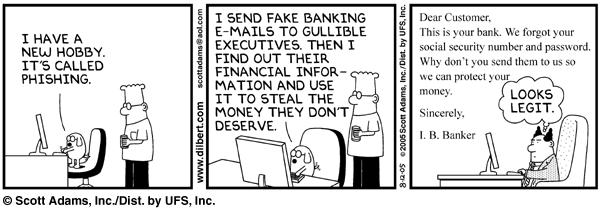
Recently we gave you some pointers on identifying phishing e-mails. So now that you know all the signs and how to outwit the criminals, there’s another variant – spear phishing. But don’t panic, it’s almost the same, with a bit of a twist.

Spear phishing is an e-mail that seems to be sent from an individual or business you know. Of course it’s really from hackers attempting to obtain you credit card, bank account numbers, passwords and financial information.

These types of attacks focus on a single user or department within an organisation and use another staff member from the organisation’s name to gain the victim’s trust. (Also see our recent article on the incident at Finance.)

They often appear to be from your company’s human resources or IT department, requesting staff to update information, for example passwords or account details. Alternatively the e-mail might contain a link, which will execute spyware when clicked on.

But wait, there are even more fishing comparisons.

When a phishing attack is directed specifically at senior executives, other high profile staff or seemingly wealthy people, it’s called whaling. By whaling cyber criminals are trying to catch the “big phish”, or whale.

phishing

[SOURCE: http://www.webopedia.com]


[:af]

Ons het onlangs vir jou `n paar wenke gegee hoe om `n phishing e-pos uit te ken. So noudat jy gereed is om enige krimineel uit te oorlê, het ons vir jou nog `n weergawe van phishingspear phishing. Maar moenie paniekbevange raak nie. Dis amper dieselfde, net ʼn bietjie anders. 

Spear phishing is wanneer ʼn e-pos lyk of dit gestuur is vanaf ʼn individu of besigheid wat jy ken. Inderwaarheid kom dit van kuberkrakers wat probeer om jou kredietkaart, bankrekening, wagwoord en finansiële inligting te aas.

Hierdie tipe aanvalle fokus op ʼn enkele gebruiker of departement binne `n organisasie. Deur die e-pos te stuur vanaf iemand binne die organisasie se e-pos, word jou vertroue gewen en gee hy makliker die inligting. (Sien ook ons berig oor die onlangse insident by  Finansies)

Die e-posse lyk dikwels asof dit gestuur word deur jou menslike hulpbronne of IT-afdeling en versoek gewoonlik dat personeel hulle inligting (byvoorbeeld wagwoorde of rekeninginligting ) opdateer of heraktiveer. Alternatiewelik bevat die e-pos ʼn skakel wat spyware aktiveer indien daarop gekliek word. 


Maar dis nie al nie – daar is selfs nog meer visvang-analogieë.

Wanneer `n phishing-aanval direk geloods word op senior uitvoerende hoofde, hoë-profiel personeel of skynbaar finansieël welaf persone, word dit whaling genoem. Deur whaling probeer kuberkrakers een “big phish”, of te wel die walvis, vang.

phishing

 
[BRON: http://www.webopedia.com]

[:]

[:en]IT HUB – staff welcome[:af]IT HUB – personeel welkom[:]

Monday, January 18th, 2016

[:en]

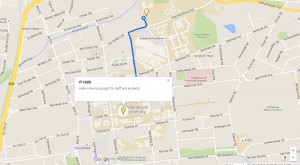
IT-map

Why endure the heat to carry your PC to the IT main office on the other side of campus? Rather head straight to the IT HUB in Admin A, just off the Rooiplein where basic services will also be provided to staff.

All equipment will still be serviced at the main IT building, but minor adjustments, for example registering a personal device on the network, passwords, etc. can be done at the IT HUB.

Staff’s personal devices can also be handled at the IT HUB or IT Main building and staff can register 5 mac addresses (e.g. smart phones, tablets and laptops) on the network. These devices will receive limited support at the IT HUB.

CONTACT US

Tel:  021-808 4367
Skype: ITStellenUni
E-mail: helpinfo@sun.ac.za (for general enquiries) or help@sun.ac.za (to log an error)
Twitter: @itstellenuni

Full instructions on how to log an error are available here. Please supply the correct information otherwise the call will not register on the system.

All our services are listed on our Service Catalogue and if you are brave enough, you can consult our Self-help wiki.


[:af]

Hoekom die hitte aandurf om jou rekenaar na IT se hoofgebou, op die uithoeke van kampus, te dra? Klop eerder aan by die IT HUB in Admin A, waar daar deesdae ook basiese dienste aan personeel verskaf word. 

IT-map

Alle toerusting word steeds herstel by die hoof IT-gebou, maar kleiner funksies soos die registrasie van toestelle, wagwoorde, ens. kan onmiddellik by die IT HUB gedoen word.

Personeel se persoonlike toerusting kan ook hanteer word by die IT HUB of IT Hoofgebou en personeel kan 5 persoonlike toestelle (byvoorbeeld slimfone, tablette en skootrekenaars) op die netwerk registreer. Beperkte ondersteuning sal aan die toestelle gebied word. 

KONTAK ONS

Tel:  021-808 4367
Skype: ITStellenUni
E-pos: helpinfo@sun.ac.za (vir algemene navrae) of help@sun.ac.za (om ʼn fout aan te meld)
Twitter: @itstellenuni

Kliek hier vir instruksies om ʼn fout te rapporteer. Verskaf asseblief die korrekte inligting anders sal die versoek nie op die stelsel aangeteken kan word nie.  

Al ons dienste is gelys op ons Dienskatalogus en as jy braaf genoeg is, kan jy ook gebruik maak van ons  Self-help wiki


[:]