SEARCH
  • [:en]Recent Posts[:af]Onlangse bydraes

  • [:en]Categories[:af]Kategorieë

  • [:en]Archives[:af]Argiewe

General

Windows 10 is on its wayWindows 10 is oppad

Friday, June 12th, 2015

If their direct marketing approach is anything to go by, Microsoft is extremely eager to upgrade clients to their latest operating system. Over the past two weeks, Windows users have been confronted by a pop-up message on their computer screens, marketing Windows 10.
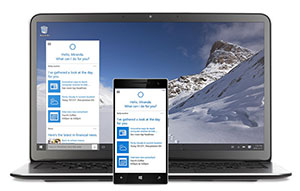
cortana“What happened to Windows 9 you ask?” It would seem as if Microsoft decided to skip the next logical option, Windows 9, and go directly from version 8 to 10.

The company claims that it’s such a huge leap from Windows 8 tot 10, it wouldn’t make sense to stick to the usual numeric naming convention. Given that Windows 8 hasn’t been the most popular, nor the most successful operating system, Microsoft might want to distance them from it as much as possible.

Whatever the reason, Windows 10 was presented to the media in September last year, and will, according to Microsoft, be available to the public at the end of July.

The bigger news however, is that Microsoft will be offering a free upgrade to Windows 10 to all their clients using the Windows 7 Service Pack 1 or Windows 8.1.

Some staff, depending on the versions of Windows you have installed, might have received a notice from Microsoft asking if they’d like to upgrade. If you say “yes”, a copy is reserved for you and when it’s available another notification will be sent. You can then decide if and when you want to install it.

BUT, just because Microsoft sent you the message, it doesn’t mean your computer can necessarily handle the new operating system.

And, as with most new software, the first release tends to have some glitches and the occasional bug.

IT will first conduct a thorough software testing and will then notify users when it’s safe to install and use it. Please hang in there for a bit longer and keep an eye out for news on Twitter and in Bits & Bytes.

If Microsoft’s marketing material is anything to go by, the new version seems promising and possibly an improvement on Windows 8. (more information is available on Microsoft’s website.

Keep in mind that some of the new functionality isn’t available from the start. Windows Media Center and the previously installed software needed to watch DVDs are also some of the functions that ended up on the chopping board.

The biggest visible change will probably be Cortana, a personal assistant –  Microsoft’s answer to Apple’s less successful Siri. Microsoft Edge will also replace Internet Explorer as a web browser.

More answers regarding the upgrade to Windows 10, can also be found on the Guardian‘s website.

cortanaAs jy `n Windows 7 of 8.1 gebruiker is, sou jy dalk gedurende die afgelope twee weke `n kennisgewing van Microsoft op jou skerm sien opspring het. Hierdie poging is deel van ‘n baie direkte bemarkingsveldtog vir hul nuutste produk, die Windows 10 bedryfstelsel.

“Wat het van Windows 9 geword?”, vra jy? Dit blyk of Microsoft besluit het om die volgende logiese benaming, Windows 9, heeltemal oor te slaan en direk van 8 na 10 te beweeg.

Die maatskappy voer aan dat Windows 10 so drasties verskil van 8 dat hulle nie bloot net numeries kon voortgaan nie.  Toevallig was Windows 8 ook onpopulêr en minder suksesvol by gebruikers.

Wat die rede ookal is, Windows 10 is in September verlede jaar aan die media bekendgestel en gaan, volgens Microsoft, einde Julie uitgerol word aan die publiek. Die nuus wat egter op almal se lippe is, is dat Microsoft Windows 10 gratis bied aan almal wat tans Windows 7 Service Pack 1 of Windows 8.1 gebruik.

Sommige personeel mag `n kennisgewing van Microsoft  ontvang het waarin daar gevra word of jy wil opgradeer. As jou antwoord “ja” was, word `n kopie vir jou gereserveer en sal jy sal laat weet word wanneer dit beskikbaar is. Jy kan dan kies óf en wanneer jy dit wil aflaai en installeer.

MAAR, net omdat Microsoft vir jou `n boodskap gestuur het, beteken dit nie dat jou rekenaar die nuutjie sal kan hanteer nie.

En, soos met enige nuwe sagteware, het die eerste weergawes nog skaafwerk nodig en kom daar hier en daar haakplekke voor. IT gaan eers Windows 10 deeglik toets en gebruikers in kennis stel wanneer dit veilig is om te gebruik.

Probeer maar eerder nog `n bietjie uithou en kyk uit vir kennisgewings op Twitter en in Bits & Bytes.

Te danke aan Microsoft se deeglike bemarking lyk Windows 10 egter belowend en moontlik `n verbetering op sy voorganger. (meer inligting is beskikbaar op Microsoft se webwerf). Sommige funksionaliteit is nie noodwendig al beskikbaar aan alle gebruikers nie en Windows Media Center, sowel as sagteware vir DVDs in die slag.

Die mees sigbare veranderinge is die byvoeging van Cortana, `n persoonlike assistent – moontlik Microsoft se antwoord op Apple se minder suksesvolle Siri en Microsoft Edge, Internet Explorer se plaasvervanger.

Meer antwoorde oor die opgradering na Windows 10 word ook deur die Guardian beantwoord

Think you’re safe online?Dink jy’s veilig aanlyn?

Friday, June 12th, 2015

Memeburn, a website specialising in tech news and analysis recently reported on the state of cyber security in South Africa. (Read the article here)

According to the article, it was announced during the 2015 Security Summit in Johannesburg that over the previous six month, South Africa was the most popular target in Africa for criminal cyber attacks. DDOS attacks in Africa also increased 150% over the past 18 months.

Antonio Forzieri, an executive at Symantec, stated that one out of 214 e-mail sent in South Africa last year, was a spear phishing attempt.

South Africans are losing R2.2 billion per year to cybercrime. Statistics like these emphasise the importance of being informed and careful with personal information.

Online sales are on the increase and providesan additional platform for cybercrime.

onedollarKaspersky Lab, a company renowned for their expertise in security, launched a new project which, in a very visual, simple and interactive way, demonstrates the danger of cyber threats.

The one dollar lesson is an animated website which shows what happens to your money when you shop online and your information is intercepted.

One dollar lesson also hosts three training modules – each of which shows one dollar’s virtual trip to the bank and the possible obstacles it can encounter along the way.

Don’t assume you know everything there is to know about cyber safety. Stay up to date on new cyber threats and be careful with your personal information.

Memeburn, `n webwerf wat spesialiseer in technuus en -analise, het onlangs berig oor die stand van kuberveiligheid in Suid-Afrika. (lees die volledige artikel hier)

Volgens die artikel is daar gedurende die 2015 Security Summit, in Johannesburg, bekendgemaak dat, in Afrika, Suid-Afrika die land is wat die afgelope ses weke die meeste deur kuberkrakers geteiken is. Hierbenewens het DDOS-aanvalle die afgelope 18 maande  met 150% toegeneem in Afrika.

Volgens Antonio Forzieri van Symantec was een uit elke 214 e-posse verlede jaar in Suid-Afrika gestuur, pogings om internetgebruikers se inligting te bekom.

Suid-Afrikaners verloor reeds R2.2 biljoen per jaar aan kubermisdaad. Statistieke soos hierdie benadruk weereens dat ons as internetgebruikers in Suid-Afrika meer ingelig en versigtig moet wees.

Terselfdertyd neem aanlynaankope toe en verskaf dit ‘n addisionele kanaal vir kubermisdaad om plaas te vind.

onedollarKaspersky Lab, `n maatskappy wat hulle roem daarop dat hulle sekuriteitsdeskundiges is, het `n projek begin wat die gevaar van kubermisdaad op `n meer visuele,  verstaanbare en interaktiewe manier demonstreer.

Die one dollar lesson is `n geanimeerde webwerf wat jou eerstehands wys wat kan gebeur as jy aanlyn inkopies doen en jou inligting word onderskep.

One dollar lesson bied ook drie opleidingsmodules wat elk een dollar se  virtuele reis na die bank volg met al die uitdagings langs die pad. 

Moenie aanneem jy weet alles van kuberveiligheid nie. Bly op hoogte van nuwe kuberbedreigings en wees versigtig wat jy met jou persoonlike inligting doen.


New IT building – greenest on campusNuwe IT-gebou – groenste op kampus

Friday, May 15th, 2015

In September the Information Technology (IT) division will enter a new era. Not only will we be moving to a new building, our new home will also be the first truly “green” building on campus.

A wide range of sustainability characteristics have been incorporated in the new building’s design and can be considered according to the Green Building Council of South Africa’s Green Star Office rating tool categories.

Energy efficiency and renewable energy: Solar photovoltaic energy generation on the roof; optimal northern orientation and window sizing; shading elements; vertical garden on the northern aspect to minimise heating and cooling; usage of river water for cooling; low energy lighting and smart lighting.

Indoor environment quality (IEQ): Natural lighting; ventilation; minimisation of noise.

Transport: Bicycle store and facilities for cyclists; optimal parking spaces.

Innovation: The vertical garden; the use of river and rainwater for air-conditioning plant cooling.

The building should not be seen as merely a space hosting a department, but also an integral part of the IT Division’s work system – the people, processes they execute and the spaces and facilities of the building all form an integrated whole.

The building can contribute to the goal of creating a new working culture, establishing new work methods and, above all, encouraging collaboration and communication.

Developing new ways of working and a different work culture is now more important than ever as we find ourselves in the Information Age. As the focus shifts to the application of information and communication technologies (ICT) within Stellenbosch University’s strategy, the IT Division has to be able to meet higher expectations. The new building can be viewed as a tool, amongst others, to help meet these expectations.

The nature of knowledge work in the Information Age, in which the IT Division engages, is increasingly team-oriented, social, requiring intensive communication, interactions, knowledge sharing, continuous learning and consultation. The ability to collaborate, breaking out of siloed thinking, effective networking and flexibility become valued capabilities.

The new building features large “open plan” working areas with abundant natural lighting and tracts of glass – much like the campus facilities of admired technology companies such as Google and Apple. Quality, utility and flexibility of furnishings and fittings are also vital as teamwork requires flexible furnishings that can be altered easily and quickly to accommodate new work areas.

Adequate, well-resourced meeting spaces and breakaway areas are required in order to achieve a balance between shared and private workspace in innovative ways. Digital communications facilities in these spaces must make remote working and virtual meetings easy and effective.

Finally, the work environment must be healthy, encourage creativity and collaboration and must be a place where people want to work and spend time.  A working environment that is welcoming, open and does not reinforce hierarchies and promotes flexibility and communication will contribute to the transition to a next-generation IT Division.

[ARTICLE: RALPH PINA]

In September 2015 betree die Informasietegnologie-afdeling `n nuwe era. Nie net skuif ons na `n nuwe gebou nie, maar ons nuwe tuiste is ook die eerste volwaardige “groen” gebou op kampus.

`n Wye reeks volhoubare eienskappe is in die gebou se ontwerp geïnkorporeer en kan volgens die Green Building Council of South Africa’s Green Star Office se lys kategorieë gemeet word.

Energie-effektiwiteit en hernieubare energie
Foto-voltaïese sonpanele op die dak; optimale noordelike orientasie en venstergroottes; skadu-elemente; `n vertikale tuin aan die noordelike kant om hitte te minimaliseer en verkoeling te gee; gebruik van riverwater vir verkoeling en lae energie en slim beligting.

Kwaliteit van binneshuise omgewing (IEQ)
Natuurlike lig; ventilasie en geraasvermindering.

Vervoer
Fietsstoor en fasiliteite vir fietsryers; optimale hoeveelheid parkeerplekke.

Innovasie
Vertikale tuin, gebruik van rivier en reënwater vir lug- en perseelverkoeling.

Die gebou nie net `n kantoor wat `n afdeling huisves nie, maar is ‘n integrale deel van IT se werkstelsel – die mense, hul prosesse en die ruimtes en fasiliteite in die gebou, vorm ‘n integrale eenheid.

Met die inbruikneming van die nuwe gebou word daar beoog om `n nuwe werkskultuur te bepaal, veranderings in werkswyses te bewerkstellig, en veral samewerking en kommunikasie te bevorder.

Die ontwikkeling van nuwe werkswyses en `n nuwe kultuur is nou belangriker as ooit in die Informasie-Era waarin ons onsself bevind. Soos die fokus toenemend skuif na die toepassing van informasie en kommunikasietegnologieë (IKT) binne die US-strategie, word daar hoë verwagtinge gestel aan Informasietegnologie. Die nuwe gebou kan gesien word as `n potensiële hulpmiddel in die aanpassing van die werkskultuur.

Werk in vandag se Informasie-Era is toenemend meer spangeorienteerd, sosiaal, kommunikasie-intensief, interaktief, vereis kennisuitruiling en voortdurende leer en konsultasie. Gevolglik bestaan die nuwe gebou uit groot, oopplan werksareas met volop natuurlike lig en glaspanele – soortgelyk aan die kantore van Google en Apple.

Ook meublement moet in lyn wees met nuwe werkswyses. Spanwerk vereis buigbare toebehore wat maklik en vinnig die werkspasie-uitleg kan verander. Doelmatige vergader- en wegbreekareas moet toegerus wees om `n balans te bied tussen gedeelde en privaat werksareas. Digitale kommunikasiefasiliteite in hierdie areas moet virtuele vergaderings en die vermoeë om van elders te werk, maklik en effektief maak.

Laastens moet die werksplek gesond wees, kreatiwiteit en samewerking bevorder en `n plek wees waar mense wìl werk en tyd spandeer. Met ander woorde, `n werksomgewing wat verwelkomend en oop is, nie hierargieë afdwing nie en buigsaamheid en kommunikasie bevorder. Dit opsigself sal lei tot die oorgang na `n volgende generasie IT-afdeling.

[ARTIKEL: RALPH PINA]

Office Mix – PowerPoint, just betterOffice Mix – Powerpoint, net beter

Friday, April 24th, 2015

As the need for a richer educational experience increases, so does the demand for software and apps encouraging and facilitating better and more interaction and collaboration between students and their educators.
office mix2

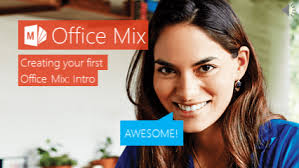
Of course, we wouldn’t expect any less of Microsoft, who last year, launched Office Mix. According to Microsoft Office Mix was originally created to help educators implement new teaching methods, using the simplicity of PowerPoint. It brings “the same benefits to the professional e-Learning community, with support for SCORM (Sharable Content Object Reference Model), the industry standard for packaging of digital learning content.”

With functions like voice, video and digital ink, polls and interactive apps, insights and analytics and playback on any device, the PowerPoint add on promises to make is easy to turn slides “into interactive online lessons and presentations.”

Teachers can record themselves while presenting and create a video of their presentation. They can write on slides using “digital ink” and insert quizzes, polls, videos, screen captures, screen recordings and other elements. Students can view the interactive document on the Office Mix website.

For analysis after the presentation, statistics are available as well.

To use Office Mix, you will need Office 2013 or Office 365. You can now download it locally from our IT support website.

[SOURCE: www.pcworld.com; www.microsoft.com]

Soos die behoefte aan `n ryker leerondervinding toeneem, is daar ook `n beweging na sagteware, toepassings en webwerwe wat meer interaksie en samewerking tussen studente en opvoeders wil aanmoedig en bevorder.

office mix2

Daarom is dit glad nie verbasend dat Microsoft `n voorloper in die veld is en verlede jaar hul eie poging, Office Mix, bekendgestel het nie. Volgens Microsoft is Office Mix ontwikkel om opvoeders by te staan met die implementering van nuwe leermetodes met `n eenvoudige sagtewarepakket soos PowerPoint. Dit bied dieselfde voordele aan die e-Leer samelewing as die industrie-standaard verpakking van digitale leerinhoud, met die hulp van SCORM (Sharable Content Object Reference Model)

Met funksies soos stem, video, digitale ink, meningsopnames en interaktiewe toepassings, insigte en analises en terugspeelfasiliteite op enige toestel, beloof hierdie PowerPoint byvoeging om gewone skyfies te verander in interaktiewe aanlyn-lesings en aanbiedings.

Onderwysers of lektore kan hulleself opneem terwyl hulle klas gee en `n video maak van die aanbieding. Hulle kan skryf op die skyfies deur middel van “digitale ink” en vasvrae, meningspeile, video, skermgrepe, skermopnames en ander elemente byvoeg. Studente kan weer op die beurt na die interaktiewe dokument op die Office Mix webwerf gaan kyk.

Analise van die aanbieding is ook moontlik aangesien statistieke beskikbaar gestel word deur Mix.

Om Office Mix te gebruik, het jy Office 2013 of Office 365 nodig. Jy kan dit nou plaaslik aflaai van IT se ondersteuningswebwerf

[BRON: www.pcworld.com; www.microsoft.com]


New tool for critical analysis of academic textsNuwe hulpmiddel vir krititese analise van akademiese teks

Friday, April 17th, 2015

With the help of Stellenbosch University, and particularly InnovUS, we have developed Abstrahere Academic, which is a web application and tool to assist masters and doctoral students in the critical analysis of academic texts.

Accademic-logoAbstrahere Academic focuses on academic environments, and assists master’s and PhD students to improve and apply their critical reading skills – an important part of their thesis writing. Open and healthy communication between student and academic supervisor about critical text analysis is an integral part of the reading and writing process.

Master’s and doctoral students received an e-mail invitation from WARP Development to obtain access to the Abstrahere Academic application on the following link: http://academic.abstrahere.co.za

Using the application, you can upload scientific articles directly by selecting either File or URL. You will then be guided by online prompts to analyse the content, and by submitting your responses to a Critical Reading Box you make your own unique summaries for inclusion in the literature survey, theoretical foundations, discussion or conclusions of your thesis/dissertation.

How will Abstrahere Academic assists students with academic reading material?
  • You will be guided to critically assess academic literature in your own unique way.
  • Abstrahere prompts will guide you to summarize the essential ideas in the academic texts you have selected to read.
  • Your Abstrahere Critical Reading Box summaries will better prepare you to select text from academic literature for inclusion in your dissertation.
  • Optional prompts guide you how to manage your own Abstrahere Critical Reading box summaries.
  • You can communicate directly on line with your dissertation supervisor about your Critical Reading Box summaries.

Al documents uploaded on Abstrahere Academic must be in Pdf format. Please remember to activate your Inetkey for on-campus internet access, and to use Mozilla Firefox or Google Chrome as your web browser (please do not use Internet Explorer because specific Pdf plug-in technical issues are related to Internet Explorer)

Background information on this application is available at http://abstrahere.warpdemo.co.za/. We would greatly appreciate your feedback on this application. Please send your feedback to hjb@sun.ac.za.

Met die hulp van Universiteit Stellenbosch, en in besonder InnovUS, is `n nuwe webtoepassing en hulpmiddel, Abstrahere Academic, ontwikkel om magister- en doktorale studente te help met die kritiese analise van akademiese tekste. 

Accademic-logo

Abstrahere Academic fokus op akademiese omgewings en help meesters en PhD-studente om hul kritiese leesvaardighede te verbeter en toe te pas – `n belangrike komponent van hulle lees- en skryfproses.

Magister en doktorale studente het onlangs `n e-pos-uitnodiging ontvang van WARP Development waarin hulle toegang kan verkry tot die Abstrahere Academic-toepassing deur middel van `n skakel – http://academic.abstrahere.co.za

Die toepassing kan gebruik word om wetenskaplike artikels direk op te laai deur middel van `n leer of `n URL, waarna `n student die inhoud kan analiseer deur middel van aanlyn wenke. Die insette word ingevoer in die Critical Reading Box en unieke opsommings kan sodoende gemaak word vir insluiting in die literatuuropname, teoretiese grondslae of die gevolgtrekkings van `n tesis/verhandeling.

Hoe help Abstrahere Academic studente met akademiese leesmateriaal? 
  • Jy sal gelei word om akademiese literatuur op jou eie manier krities te evalueer. 
  • Abstrahere wenke sal jou met leiding help om die kern-idees van jou akademiese tekste op te som. 
  • Jou Abstrahere Critical Reading Box opsommings sal jou beter voorberei om te weet watter dele van jou akademiese tekste jy wil insluit in jou tesis/verhandeling. 
  • Opsionele wenke lei jou om jou Abstrahere Critical Reading box-opsommings te bestuur. 
  • Jy kan direk aanlyn kommunikeer met jou tesis-moderator oor jou Critical Reading Box-opsommings.

Alle dokumente moet in PDF-formaat wees as dit na Abstrahere Academic opgelaai word. Onthou ook om jou Inetkey te aktiveer as jy op kampus is en Mozilla Firefox of Google Chrome te gebruik as jou webblaaier. Moet asb. nie Internet Explorer gebruik nie, aangesien spesifiek PDF-byvoegings tegniese probleme veroorsaak.

Enige terugvoer oor die toepassing sal opreg waardeer word en kan gestuur word aan hjb@sun.ac.za. Agtergrond-inligting oor hierdie toepassing is beskikbaar by http://abstrahere.warpdemo.co.za/.