SEARCH
  • [:en]Recent Posts[:af]Onlangse bydraes

  • [:en]Categories[:af]Kategorieë

  • [:en]Archives[:af]Argiewe

General

Meet the techies: WendyOntmoet die techies: Wendy

Friday, October 24th, 2014

If you walk past the IT building and hear a loud noise coming from the first floor, don’t be alarmed. One of these days Wendy Robyn will start announcing the completion of a project with a vuvuzela. Yes, things do get a little bit hectic in the IT network department and a little stress relief always helps.

Wendy is responsible for project financing in IT’s network department. This includes the accumulation of information for cost estimates, requesting funds, handling orders, paying invoices and updating project statements to ensure the successful completion of projects. She also takes care of inquiries regarding project finances. Not bad for someone who chose German above accounting at school.

wendy2After matric at Immaculata High Girls’ School, she completed her National Diploma in Human Resources in 2003.  Shortly thereafter she started working at Pierre Cronje, a furniture manufacturer who has been featured on Top Billing, first as receptionist and soon she advanced to payroll administrator. It’s here where her love for home decor was cultivated, coming to good use now that she and her husband has their own home after 9 years.

Since then Wendy finsihed level 3 of AAT Accounting and she will be starting level 4 soon. Studying while raising two children, aged 6 months and 5 years, is a challenge – especially when the 5 year-old tells you to put your books down. “I had to start studying at 4 in the morning.”

“I like structure and finance.”

“The best part of my work is to finalise a project and the satisfaction it brings.” She enjoys the exactness and precision of finance and that a project’s budget can be balanced when it’s completed. “If one cent’s not accounted for, I will try and find it.” On the other hand, projects staying open for long due to various problems and delays, can cause some frustration.

Who would’ve though she almost resigned in her first week at IT. “The combination of trying to understand Afrikaans and the foreignness of the technical environment was a huge challenge.” And now, after 7 years, there’s no sign of an English accent and she’s gotten the better of technology and Afrikaans.

“When Lynn, Albrecht and me start talking about the “old days” and telling all kinds of stories, you know the stress levels are on the rise again. We laugh a lot.”

“Work isn’t everything. Family and life outside work is what it’s all about.”

With two children under 5 years other pastimes aren’t always an option. But retail therapy is definitely one. “Oh, I love shopping, but I don’t spend a lot of money. It’s more about the fun of finding a bargain.” Luckily she’s very disciplined when it comes to money matters – at work and with her own finances. When she’s not shopping, you’ll find her on the rowing machine at the gym, but never on a treadmill. “It just makes me dizzy.”

“I’m not too crazy about sport in general, but will go to gym and try to eat healthy. Anything with seeds!” She also loves walking and will easily rather walk somewhere instead of jumping in the car.

“You don’t say ‘no’ to charity”

For Wendy charity isn’t negotiable. She and a friend started Christmas Smiles, a group who collects Christmas gifts for lesser supported charities like Sunrise Educare in Bishop Lavis and the CHOC House (Children fighting Cancer). “Because I have children myself, children in need are my main focus. It’s my way of giving back, because I’ve been blessed so much.”

When the family takes a break, Club Mykonos is a popular choice, but one day, when the kids are bigger, they’ll try and visit the real one in Greece. Australia and France is also high on the wishlist. But for now, 2 kids, a dog and husband keeps her busy enough.

If you’re interested in getting involved in Christmas Smiles, e-mail her at wrobyn@sun.ac.za.

As jy verby IT stap en `n donderende getoeter vanaf die grondvloer hoor, moenie skrik nie, dis net Wendy Robyn wat `n projek afgesluit het en dit een van die dae gaan begin aankondig met `n vuvuzela. Ja, dinge gaan soms so bedrywig by IT se netwerkafdeling dat daar oomblikke vir stresverligting gemaak moet word.

Wendy is verantwoordelik vir projekfinansiering binne IT se netwerkafdeling. Dit sluit onder andere die insameling van inligting vir kosteberamings, fondse aanvra, bestellings hanteer, fakture betaal en projekstate opdatum hou vir die suksesvolle afsluiting van projekte. Sy hanteer ook alle navrae rondom projekte se finansies. Nie sleg vir iemand wat Duits bo Rekeningkunde op skool gekies het nie.

wendy2

Na matriek by Immaculata High meisieskool, het haar Nasionale Diploma in Menslike Hulpbronne voltooi. Kort daarna aanvaar sy `n pos by Pierre Cronje, `n meubelvervaardiger wat al op Top Billing gebruik is. Sy werk eers as ontvangsdame, maar kort voor lank word sy aangestel as Payroll administrator. Dis ook hier waar haar liefde vir dekor saad geskiet het – `n passie wat baie handig te pas kom noudat sy en haar man, na 9 jaar, hul eie huis het.

Intussen het sy vlak 3 van AAT Rekeningkunde voltooi en sy sal binnekort voortgaan met die vierde.Dit was wel uitdagend om te leer met twee kinders van onderskeidelik 6 maande en 5 jaar, waarvan die oudste haar beveel het om haar boeke neer te sit. “Ek het maar 4 uur in die oggend begin swot.”

“Ek hou van struktuur en finansies.”

“Die beste deel van my werk is om `n projek te kan afsluit en die satisfaksie wat dit meebring.” Sy geniet dit om met finansies te werk, omdat dit so presies is en sy `n projek kan balanseer teen die einde daarvan. “Die laaste sent wat uit is, sal my pla!” Aan die ander kant is projekte wat lank oopbly weens verskeie probleme en vertragings, `n groot frustrasie.

Maar sy het amper binne die eerste week bedank by IT.”Die kombinasie van Afrikaans probeer verstaan en die vreemdheid van die tegniese omgewing was vir my `n groot  uitdaging.” En nou, na 7 jaar by IT is daar is nie eers `n sweempie van `n Engelse aksent nie en het sy beide die tegnologie en Afrikaans onder die knie.

“As Lynn, Albrecht en ek eers so sit en begin gesels oor die “ou dae” en allerhande stories vertel, moet jy weet, almal is alweer gestres. Ons drie lag baie.”

“Werk is nie alles nie, familie en `n jou lewe buite werk is wat op die ou end saakmaak.”

Met twee kinders onder 5 jaar, is ander tydverdrywe nie altyd `n opsie nie. Maar retail theraphy is definitief een. “O, ek is lief vir shop, maar ek gee nie baie geld uit nie. Dit gaan meer oor die lekkerte van soek en`n bargain kry!” Gelukkig is sy is baie gedissiplineerd wat geld betref – by die werk en met haar eie finansies.

By die gym sal jy haar maklik op die roeimasjien kry, maar nie op `n trapmeul nie. “Dit maak my te duiselig.” “Ek is nie mal oor sport nie, maar gaan darem gym toe en probeer gesond eet. Enigiets met saadjies!” Sy hou ook van stap en sal maklik erens heen stap in plaas van om in die kar te spring.

“Jy sê nie ‘nee’ vir liefdadigheid nie.”

Liefdadigheid is vir Wendy nie onderhandelbaar nie en sy en`n vriendin, begin om elke jaar Kersfees geskenkpakkies in te samel vir organisasies wat reeds min befondsing ontvang soos soos Sunrise Educare in Bishop Lavis en die CHOC House (Children fighting Cancer). “Omdat ek self kinders het, is behoeftige kinders ook my hooffokus.Dis my manier van teruggee, omdat ek self so geseënd is”.

Tussendeur is daar af en toe tyd vir `n vakansie by Club Mykonos, maar eendag as die kinders groter is, sal die plaaslike Mykonos verruil word vir die regte een! Ook Australië en Frankryk is op die lys vir `n trip in die toekoms. Maar vir nou hou haar 2 kinders, 1 hond en haar man haar besig genoeg.

As jy meer van Wendy se liefdadigheidsprojek, Christmas Smiles, wil weet, stuur vir haar e-pos by wrobyn@sun.ac.za.


Nevermind Windows 9, here’s Windows 10Vergeet van Windows 9, hier is Windows 10

Friday, October 10th, 2014

Windows_10_LogoAt the end of September Microsoft introduced their latest operating system, code named Threshold, to the world. It would also be known as Windows 10. Much to the surprise of Microsoft users, the company decided to go straight from Windows 8 to 10, skipping 9 altogether. Microsoft won’t divulge what the reasoning behind this move is, so we can only speculate.

Whatever the case, Windows 10 will be released in 2015 to the public. A technical preview has been released in the meantime and is available on Microsoft‘s website. However, if you download the OS, you’ll also become a member of Microsoft’s Insider Program, making you eligible for updates and new patch releases. The technical version is supposedly only intended for advanced users wanting to test the beta version. Microsoft recommends you don’t install this version on you main computer, but rather on a separate test PC.

But what makes Windows 10 different from Windows 8, or any previous Windows OS for that matter?

Windows 10 attempts to address the shortcomings of the Windows 8 interface. This is changed by improving the experience of people using non-touchscreen technology, for example laptops and desktop PCs. Using Windows 8 was problematic for users of these devices due to its focus on touch screen devices and limitations for mouse and keyboard users.


“the right experience on the right device at the right time.”

According to Microsoft’s Terry Myerson Windows 10 is the “most comprehensive platform ever,” providing a single, unified platform for desktop computers, laptops, tablets, smartphones, and all-in-one devices.” Windows 10 will still be using touch screen technology, but will differentiate between different modes with Continuum mode. When users unplug a mouse or keyboard, they will be asked whether they want to activate the tablet mode.

A huge improvement is the return of the Start menu. Microsoft was severely criticised for omitting this function in Windows 8, making the OS even less user friendly. The new Start menu combines Windows 8’s Metro tiles and the pre-Metro menu. Tiles can now be moved, enlarged and adapted according to a user’s needs.

With the new menu it’s also easier to locate items, whether it’s an app, program or function. You merely type in the item in the text based field and results appear as you type.

Other additions include a smart voice assistant, Cortana. Windows phones already make use of Cortana and its proven to be very popular,

Multiple virtual desktops are also introduced in Windows 10. You can now create multiple work areas and easily move between them. An especially handy feature if you use a second monitor.

[SOURCES: www.wikipedia.orghttp://www.digitaltrends.com, http://technology.iafrica.com]


Windows_10_LogoEinde September het Microsoft sy nuwe bedryfstelsel, met die kodenaam Threshold aangekondig. Threshold sou ook bekendstaan as Windows 10, nie as Windows 8 soos Microsoft-gebruikers sou verwag nie. Ten spyte van spekulasie wou Microsoft self nie uitbrei oor hul redes vir dié benaming nie.

Hoe dit ookal sy, Windows 10 sal eers in 2015 beskikbaar gestel word aan die publiek. `n Tegniese voorskou is wel vrygestel en beskikbaar op Microsoft se webwerf.  As jy dit aflaai, word jy outomaties lid van Microsoft se Insider Program, wat jou outomaties in kennis stel van enige veranderings en opdaterings. Die tegniese weergawe is slegs bedoel vir gevorderde gebruikers wat wil rondspeel en die beta-weergawe toets. Microsoft beveel aan dat jy dit nie as jou hoofbedryfstelsel gebruik nie, maar eerder op `n toetsrekenaar.

Maar wat maak Windows 10 anders as Windows 8, of selfs Windows 7?

Windows 10 poog om die tekortkominge van die koppelvlak wat met Windows 8 bekendgestel is aan te spreek. Dit word gedoen deur die gebruikersondervinding met toestelle wat nie raakskerm-tegnologie gebruik nie, byvoorbeeld skootrekenaars en tafelrekenaars, te verbeter. Windows 8 was problematies vir gebruikers van hierdie toestelle vanweë sy fokus op raakskerm-toestelle en beperking vir muis- en sleutelbordgebruikers

“the right experience on the right device at the right time.”

Volgens Terry Myerson van Microsoft is Windows 10 die mees omvangryke platform ooit en verskaf dit `n enkele, verenigde platform vir tafelrekenaars, skootrekenaars, tablette, slimfone en alles-in-een-toestelle. Windows 10 sal steeds raakskerm-tegnologie gebruik, maar onderskei dit met `n ander modus, Continuum mode. Wanneer gebruikers `n sleutelbord of muis ontkoppel, sal hulle gevra word of hulle die tablet-modus wil aktiveer.

`n Groot verbetering is die terugkeer van die Start menu, waarmee daar in Windows 8 weggedoen en Microsoft hewiglik oor gekritiseer is weens die gebrek aan gebruikersvriendelikheid. Die nuwe Start menu is `n kombinasie van Windows 8 se Metro teëls en die pre-Metro spyskaart. Teëls kan nou rondgeskuif, vergroot en aangepas word volgens `n gebruiker se behoefte. Die spyskaart pas outomaties aan by hierdie veranderings.

Die nuwe Start menu maak dit ook makliker om items op te spoor, of dit `n toepassing, program of funksie is. Jy tik bloot jou item in die teksgebaseerde veld. Resultate verskyn soos jy tik, ook internetresultate.

Ander toevoegings sluit `n slim stemassistent, Cortana, in. Cortana is reeds populêr by Windows foongebruikers.

Veelvuldige virtuele werkskerms is nog `n nuutjie vir Windows 10. Jy kan nou veelvuldige werkareas skep en maklik heen en weeg tussen hulle wissel. Veral handig as jy `n tweede monitor gebruik.

[BRONNE: www.wikipedia.orghttp://www.digitaltrends.com, http://technology.iafrica.com]

Want to read a novel in 90 minutes?Wil jy `n boek binne 90 minute lees?

Friday, September 26th, 2014

Too much to do, not enough time! Sounds familiar? No wonder we feel frustrated when we have to read large amounts of material in limited time.

Due to our dwindling attention span caused by technology and the emergence of e-books, rapid serial visual presentation technology, or RSVP is becoming more popular. It’s not new technology, and in fact, has been around for almost a decade now. (*see below for alternative speed readers)

spritzThe latest of these applications is Spritz. The Boston-based company specialises in text streaming technology and how it can be integrated into our daily communication. When Samsung released the Gear S Smartwatch Spritz even came pre-installed with it.

According to Spritz, when we read, we only use 20% of our time to actually process what we’re reading. The other 80% is spent wasted moving your eyes around and scanning for the “Optimal Recognition Point” (ORP)

The ORP is a specific section of a word your brain needs to process to understand the written text. It then assembles each word into an understandable sentence. Spritz does this thinking for you by highlighting the OPR in red and aligning them all at the same place on your screen. Subsequently your eyes focus on only one spot, which in turn causes you to read faster.

Spritz allows you to choose your own reading speed ranging from 250 words per minute to 1000 words per minute. With practice your reading speed will increase and you’ll be able to not only read efficiently, but also comprehend what you’ve read.

We’ve tested Spritz and it does enable you to read much faster than you normally would. If you need to read documentation for work or research, Spritz might well be the answer. But do you really want to read a novel in an hour and a half? (Quite possible according to Spritz)

This way of reading might however be beneficial for people suffering from dyslexia, a short attention span or other reading disabilities.

Spritz is available in both an application format for your phone or e-reader, but also as an add-on called Spritzlet for your web browser. Both can be downloaded for free at www.spritzinc.com.

*Alternatively also try SpreederQuickreaderRead Quick or Firefox’s RSVP reader.

[SOURCES: www.cbsnews.com, www.time.com, www.globalnews.com, www.abcnews.com]

Te veel om te doen, te min tyd! Klink dit bekend? Dis geen wonder ons raak gefrustreerd as ons skielik opgesaal word met `n stapel leesstof waardeur ons moet werk nie.

Te danke aan die geleidelike afname van ons aandagspan te danke aan tegnologie en die toename van e-boeke, word “rapid serial visual presentation technology”, of te wel RSVP, word al meer populêr. Dis nie nuwe tegnologie nie, inteendeel, dis alreeds vir `n dekade in die rondte. (*sien onder vir alternatiewe spoedlesers)

spritzDie nuutste van hierdie toepassings, is Spritz. Die Boston-gebaseerde spesialiseer in teksstroom tegnologie en hoe dit geintegreer kan word in ons daaglikse kommunikasie. Die Samsung Gear S slimhorlosie is selfs vrygestel met Spritz reeds daarop geinstalleer.

Wanneer ons lees, gebruik ons slegs 20% van die tyd om dit wat ons lees te verwerk, beweer Spritz. Die orige 80% word vermors omdat ons oë heen-en-weer moet beweeg en soek na die “Optimale Herkenningspunt”(ORP).

Die ORP is `n spesifieke gedeelte van `n woord wat jou brein moet verwerk om die geskrewe teks te kan vertsaan. Dit voeg dan elke woord saam om `n logiese sin te vorm. Spritz doen hierdie verwerking vir jou deur die OPR in rooi uit te lig en elke keer op dieselfde plek op die skerm te posisioneer. Gevolglik fokus jou oë net op een plek en jy kan vinniger lees.

Met Spritz kan jy jou eie leesspoed kies – van 250 woorde per minuut tot 1000 woorde per minute. Met oefening kan jy jou leesspoed verhoog en sal jy nie net vinniger ees nie, maar ook meer effektief en verstaan wat jy lees.

Ons het Spritz getoets en dit laat jou wel toe om baie vinniger te lees as wat jy normaalweg sou. As jy dokumentasie vir werk of navorsing moet lees, kan Spritz moontlik jou lewe makliker maak. Maar wil jy regtig `n roman binne `n uur en `n half klaarlees? (Heeltemal moontlik volgens Spritz)

Hierdie leesmetode kan wel tot voordeel strek vir persone wat ly aan disleksie, `n kort aandagspan of enige ander leesgebreke.

Spritz is beskikbaar in beide `n toepassing vir jou foon of e-leser, maar kan ook geinstalleer word as `n webblaaier-ekstra. Beide kan gratis afgelaai word by www.spritzinc.com.

*Alternatiewelik kan jy ook SpreederQuickreaderRead Quick or Firefox se RSVP -leser, probeer.

[BRONNE: www.cbsnews.com, www.time.com, www.globalnews.com, www.abcnews.com]

And now for something funnyEn nou vir iets snaaks

Friday, September 5th, 2014

“Pearls Before Swine is an American comic strip written and illustrated by Stephan Pastis, who was formerly a lawyer in San Francisco, California. It chronicles the daily lives of four anthropomorphic animals, Pig, Rat, Zebra, and Goat, as well as a number of supporting characters. Pastis has said each character represents an aspect of his own personality and world view.”  (SOURCE: Wikipedia)

Pearls Before Swine is `n Amerikaanse strokiesprent geskryf en geillustreer deur Stephan Pastis, voorheen `n prokureur van Kalifornië. Dit dokumenteer die daaglikse lewe van vier antropomorfiese diere,  Pig, Rat, Zebra, en Goat, sowel as `n paar ander ondersteunende karakters. Volgens Pastis verteenwoordig elke karakter `n eienskap van sy eie persoonlikheid en blik op die wêreld.”  (BRON: Wikipedia)

What are QR codes?Wat is QR-kodes?

Friday, August 22nd, 2014

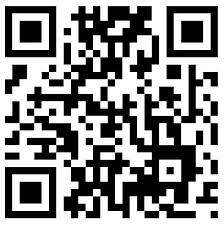
qr-codeTwo weeks ago we introduced you to SnapScan, a smartphone application used for payments. SnapScan uses QR codes to host a vendor’s banking information in a secure way. But how do these unintelligible blocks work?

A QR code, or Quick Response Code is a type of matrix or two-dimensional barcode. So, in fact it’s really only a funny barcode. However, QR codes can include more information than the traditional bar code and are currently one of the most-used types of two-dimensional barcodes.

This wasn’t always the case. Before SnapScan and other payment applications started using QR, they were frequently used in consumer advertising, in magazines, on buses, business cards, etc. They could include any additional information users may need, if they were interested. Typically it would have a link to a website, where all the additional information would be contained.

The attempt to draw users away from print media to digital wasn’t so successful. People got bored and irritated by the general uselessness of these little blocks and started using them less and less. That is, until payment services increased their popularity.

A QR code consists of a collection of square dots, arranged on a square grid on a white background. It can be read by an imaging device with a camera. such as your smart phone with the right reader application installed. Scanning the codes with a mobile phone is referred to as mobile tagging.

After the image is scanned, it’s processed by using the Reed-Solomon error correction method to interpret the image. Data is then extracted from the patterns present in the image. Codes can be used for product trading, item identification, time tracking, document management and general marketing.

Denso Ware first invented a QR code in 1994 to track vehicles during manufacture and it was specifically used in the automotive industry in Japan.Today these blocks of info can be seen on train tickets in China (since 2011 already) and a company in Seattle – believe it or not – has started manufacturing headstones with QR codes. (read more about it here.)

[SOURCES: www.memeburn.com & www.wikpedia.org]

qr-code

Twee weke gelede het ons julle vertel van SnapScan, `n slimfoon-applikasie wat deesdae algemeen gebruik word vir betalings. SnapScan gebruik QR-kodes om winkeleienaars se bankinligting op `n veilige wyse te stoor. Maar hoe werk hierdie onverstaanbare blokkies?

`n QR-kode of “Quick Response Code” is `n tipe matriks of twee-dimensionele strepieskode. So eintlik is dit maar net `n snaakse strepieskode. Die enigste verskil is dat `n QR-kode meer inligting kan hou as die gewone strepieskode. Dis ook tans een van die mees-gebruikte twee-dimensionele strepieskodes.

Dit was egter nie altyd die geval nie. Voor SnapScan en ander betaal-toepassing begin het om die QR-kode te populariseer, is dit dikwels gebruik vir bemarking in tydskrifte, op busse, besigheidkaartjies, ens. Dit het enige addisionele inligting bevat waarin gebruikers sou belangstel, byvoorbeeld ook `n skakel na `n webwerf, waarop al die ekstra inligting gelaai was.

Die poging om gebruikers van die drukmedia na digitaal te lok, was nie heeltemal suksesvol nie. Mense het verveeld en geirriteerd geraak met die nuttelose blokkies en  minder en minder begin gebruik. Totdat betaaldienste onlangs hul populariteit verhoog het.

`n QR-kode bestaan uit `n versameling vierkantige kolletjies op `n vierkantige gids met `n wit agtergrond. Dit kan gelees word deur `n toestel met `n kamera met die regte leestoepassing geinstalleer – soos jou slimfoon. Die skandeer van die kodes met `n mobiele foon word na verwys as “mobile tagging”.

Nadat die beeld geskandeer is, word dit verwerk deur middel van die Reed-Solomon foutkorreksie metode om die beeld te interpreteer. Data word dan onttrek uit die patrone wat in die beeld opgetel word. Kodes kan gebruik word vir produkhandel, item-identifikasie, dokumentbestuur en algemene bemarking.

Denso Ware het in 1994 aanvanklik die QR-kode ontwerp om voertuie na te spoor gedurende die vervaardigingsproses and dis spesifiek gebruik in Japan se motor industrie. Vandag is dié blokkies te sien op treinkaartjies om China (al sedert 2011) en `n maatskappy in Seattle het begin om grafstene te vervaardig met QR-kodes (ja regtig, lees meer daaroor hier)

[BRONNE: www.memeburn.com & www.wikpedia.org]