SEARCH
  • [:en]Recent Posts[:af]Onlangse bydraes

  • [:en]Categories[:af]Kategorieë

  • [:en]Archives[:af]Argiewe

Students

Office Mix – PowerPoint, just betterOffice Mix – Powerpoint, net beter

Friday, April 24th, 2015

As the need for a richer educational experience increases, so does the demand for software and apps encouraging and facilitating better and more interaction and collaboration between students and their educators.

office mix2

Of course, we wouldn’t expect any less of Microsoft, who last year, launched Office Mix. According to Microsoft Office Mix was originally created to help educators implement new teaching methods, using the simplicity of PowerPoint. It brings “the same benefits to the professional e-Learning community, with support for SCORM (Sharable Content Object Reference Model), the industry standard for packaging of digital learning content.”

With functions like voice, video and digital ink, polls and interactive apps, insights and analytics and playback on any device, the PowerPoint add on promises to make is easy to turn slides “into interactive online lessons and presentations.”

Teachers can record themselves while presenting and create a video of their presentation. They can write on slides using “digital ink” and insert quizzes, polls, videos, screen captures, screen recordings and other elements. Students can view the interactive document on the Office Mix website.

For analysis after the presentation, statistics are available as well.

To use Office Mix, you will need Office 2013 or Office 365. You can now download it locally from our IT support website.

[SOURCE: www.pcworld.com; www.microsoft.com]

Soos die behoefte aan `n ryker leerondervinding toeneem, is daar ook `n beweging na sagteware, toepassings en webwerwe wat meer interaksie en samewerking tussen studente en opvoeders wil aanmoedig en bevorder.

office mix2

Daarom is dit glad nie verbasend dat Microsoft `n voorloper in die veld is en verlede jaar hul eie poging, Office Mix, bekendgestel het nie. Volgens Microsoft is Office Mix ontwikkel om opvoeders by te staan met die implementering van nuwe leermetodes met `n eenvoudige sagtewarepakket soos PowerPoint. Dit bied dieselfde voordele aan die e-Leer samelewing as die industrie-standaard verpakking van digitale leerinhoud, met die hulp van SCORM (Sharable Content Object Reference Model)

Met funksies soos stem, video, digitale ink, meningsopnames en interaktiewe toepassings, insigte en analises en terugspeelfasiliteite op enige toestel, beloof hierdie PowerPoint byvoeging om gewone skyfies te verander in interaktiewe aanlyn-lesings en aanbiedings.

Onderwysers of lektore kan hulleself opneem terwyl hulle klas gee en `n video maak van die aanbieding. Hulle kan skryf op die skyfies deur middel van “digitale ink” en vasvrae, meningspeile, video, skermgrepe, skermopnames en ander elemente byvoeg. Studente kan weer op die beurt na die interaktiewe dokument op die Office Mix webwerf gaan kyk.

Analise van die aanbieding is ook moontlik aangesien statistieke beskikbaar gestel word deur Mix.

Om Office Mix te gebruik, het jy Office 2013 of Office 365 nodig. Jy kan dit nou plaaslik aflaai van IT se ondersteuningswebwerf

[BRON: www.pcworld.com; www.microsoft.com]


New tool for critical analysis of academic textsNuwe hulpmiddel vir krititese analise van akademiese teks

Friday, April 17th, 2015

With the help of Stellenbosch University, and particularly InnovUS, we have developed Abstrahere Academic, which is a web application and tool to assist masters and doctoral students in the critical analysis of academic texts.

Accademic-logoAbstrahere Academic focuses on academic environments, and assists master’s and PhD students to improve and apply their critical reading skills – an important part of their thesis writing. Open and healthy communication between student and academic supervisor about critical text analysis is an integral part of the reading and writing process.
Master’s and doctoral students received an e-mail invitation from WARP Development to obtain access to the Abstrahere Academic application on the following link: http://academic.abstrahere.co.za

Using the application, you can upload scientific articles directly by selecting either File or URL. You will then be guided by online prompts to analyse the content, and by submitting your responses to a Critical Reading Box you make your own unique summaries for inclusion in the literature survey, theoretical foundations, discussion or conclusions of your thesis/dissertation.

How will Abstrahere Academic assists students with academic reading material?
  • You will be guided to critically assess academic literature in your own unique way.
  • Abstrahere prompts will guide you to summarize the essential ideas in the academic texts you have selected to read.
  • Your Abstrahere Critical Reading Box summaries will better prepare you to select text from academic literature for inclusion in your dissertation.
  • Optional prompts guide you how to manage your own Abstrahere Critical Reading box summaries.
  • You can communicate directly on line with your dissertation supervisor about your Critical Reading Box summaries.

Al documents uploaded on Abstrahere Academic must be in Pdf format. Please remember to activate your Inetkey for on-campus internet access, and to use Mozilla Firefox or Google Chrome as your web browser (please do not use Internet Explorer because specific Pdf plug-in technical issues are related to Internet Explorer)

Background information on this application is available at http://abstrahere.warpdemo.co.za/. We would greatly appreciate your feedback on this application. Please send your feedback to hjb@sun.ac.za.

Met die hulp van Universiteit Stellenbosch, en in besonder InnovUS, is `n nuwe webtoepassing en hulpmiddel, Abstrahere Academic, ontwikkel om magister- en doktorale studente te help met die kritiese analise van akademiese tekste. 

Accademic-logo

Abstrahere Academic fokus op akademiese omgewings en help meesters en PhD-studente om hul kritiese leesvaardighede te verbeter en toe te pas – `n belangrike komponent van hulle lees- en skryfproses.

Magister en doktorale studente het onlangs `n e-pos-uitnodiging ontvang van WARP Development waarin hulle toegang kan verkry tot die Abstrahere Academic-toepassing deur middel van `n skakel – http://academic.abstrahere.co.za

Die toepassing kan gebruik word om wetenskaplike artikels direk op te laai deur middel van `n leer of `n URL, waarna `n student die inhoud kan analiseer deur middel van aanlyn wenke. Die insette word ingevoer in die Critical Reading Box en unieke opsommings kan sodoende gemaak word vir insluiting in die literatuuropname, teoretiese grondslae of die gevolgtrekkings van `n tesis/verhandeling.

Hoe help Abstrahere Academic studente met akademiese leesmateriaal? 
  • Jy sal gelei word om akademiese literatuur op jou eie manier krities te evalueer. 
  • Abstrahere wenke sal jou met leiding help om die kern-idees van jou akademiese tekste op te som. 
  • Jou Abstrahere Critical Reading Box opsommings sal jou beter voorberei om te weet watter dele van jou akademiese tekste jy wil insluit in jou tesis/verhandeling. 
  • Opsionele wenke lei jou om jou Abstrahere Critical Reading box-opsommings te bestuur. 
  • Jy kan direk aanlyn kommunikeer met jou tesis-moderator oor jou Critical Reading Box-opsommings.

Alle dokumente moet in PDF-formaat wees as dit na Abstrahere Academic opgelaai word. Onthou ook om jou Inetkey te aktiveer as jy op kampus is en Mozilla Firefox of Google Chrome te gebruik as jou webblaaier. Moet asb. nie Internet Explorer gebruik nie, aangesien spesifiek PDF-byvoegings tegniese probleme veroorsaak.

Enige terugvoer oor die toepassing sal opreg waardeer word en kan gestuur word aan hjb@sun.ac.za. Agtergrond-inligting oor hierdie toepassing is beskikbaar by http://abstrahere.warpdemo.co.za/.


Paperless classrooms Google’s aimPapierlose klaskamers Google se mikpunt

Friday, April 17th, 2015

Google Classroom is digital learning management system that aims to simplify creating, distributing and grading assignments, encourage collaboration between students and educators and also aims to create a paperless environment.

This next instalment in Google’s ever-growing repertoire was released in August 2014 on the Google App store. The various Google Classroom apps  are also available for iOS and Android devices (for free) and to anyone with Google Apps for Education, a free suite of productivity tools including Gmail, Drive and Docs.

“Since launching, more than 30 million assignments have gone through Classroom”, noted Jorge Lugo, a software engineer on the Google for Education Classroom team in January 2015 on a Google blog post.

The biggest advantage seems to be in the improvement of educators’ workflow and therefore saving much-needed time. Classroom can be used by educators to create classrooms, post to classroom feeds, communicate with students, and view assignments.

Tutorials on Google Classroom can be found on the Educational Technology and Mobile Learning’s website.

MORE INFORMATION:

http://www.zdnet.com/article/google-opens-up-classroom-tool-for-teachers-worldwide/
http://www.zdnet.com/article/google-classroom-mobile-ios-android-education/
http://www.alicekeeler.com/teachertech/2015/02/08/10-additional-things-you-can-do-google-classroom/

SOURCE: www.wikipedia.org

Google Classroom is ‘n digitale platform wat spesialiseer in die bestuur van leer en onderig. Dit poog om die skep, versprei en nasien van werkstukke te vereenvoudig, samewerking tussen studente en opvoeders aan te moedig en ook om te streef na `n papierlose omgewing.

Hierdie volgende ontwikkeling in Google se ewig-groeiende portfolio is in Augustus 2014 vrygestel op – natuurlik – die Google toepassing-winkel. Die verskeie Google Classsroom toepassings is gratis beskikbaar vir enigeen met Google Apps for Education, `n gratis pakket van produktiwiteitshulpmiddele wat Gmail, Drive en Docs insluit.

Volgens Jorge Lugo, `n sagteware ingenieur wat in die Google Education-span, is meer as 30 miljoen werkstukke reeds sedert die bekendstelling, vier maande vroeer, verwerk. 

Die grootste voordeel blyk die verbetering in opvoeders se werksvloei en die gepaardgaande tydbesparing, te wees. Dit kan gebruik word om virtuele klaskamers te skep, inskrywings op klaskamer-voere te plaas, te kommunikeer met studente en te kyk na werkstukke. 

Tutoriale oor Google Classroom is beskikbaar op Educational Technology en Mobile Learning se webwerf.

MEER INLIGTING:

http://www.zdnet.com/article/google-opens-up-classroom-tool-for-teachers-worldwide/
http://www.zdnet.com/article/google-classroom-mobile-ios-android-education/
http://www.alicekeeler.com/teachertech/2015/02/08/10-additional-things-you-can-do-google-classroom/

BRON: www.wikipedia.org

Padlet: your virtual bulletin boardPadlet: jou virtuele aansteekbord

Friday, April 17th, 2015

padlet

Padlet boasts that their platform is “the easiest way to create and collaborate in the world”. A rather presumptuous statement if you think about it.

For that reason we decided to test it for ourselves and you can also let us know if their statement is accurate or just too optimistic.  Can Padlet be used on an academic level or even within other areas within the university? Have a look at our own Bits & Bytes Padlet-page and leave us a message. (You can do this anonymously or leave your name)

But first – what is Padlet?

This seemingly simple platform gives educators, for example lecturers and teachers and learners or students a virtual bulletin board on which they can air their opinions and thoughts on a topic to their heart’s content. It almost works like a traditional board, but with much more functionality. For example, a lecturer can ask a question in class, paste it on a wall and students can comment and collaborate on it during class. You can even load graphics, files, as well as links.

Padlet does have a few handy options to customise your wall just the way you prefer it. Whether you want to change the background or assign specific rights to a particular person. You can even get a QR-code for your site/wall and Padlet is extremely smart phone and tablet friendly.

If you’re interested in what Padlet can be used for, also read Shaun Takenouchi’s article.


Padlet provides educators and learners a virtual platform on which to collaborate on a specific topic.

Padlet is a virtual wall that allows people to express their thoughts on a common topic easily. It works like an online sheet of paper where people can put any …

Padlet is the easiest way to create and collaborate in the world

https://padlet.com/

Welcome to Padlet, possibly the easiest way to create and collaborate in the world.

https://www.youtube.com/watch?v=UuzciL8qCYM
http://web.appstorm.net/reviews/media-reviews/padlet-a-blank-slate-on-the-web-to-collaborate-with-others/
 

In a nutshell, Padlet is an online bulletin board. History teachers, however, can use this tool in myriad ways. For example, Padlet users can pose open-ended questions and elicit multiple student responses—ideal for posing document-based questions using primary sources.


http://teachinghistory.org/digital-classroom/tech-for-teachers/24636


padlet

Padlet spog dat hulle platform (moontlik) die maklikste manier ter wereld is vir `n groep mense om saam te werk en skep. Nogal `n redelik brawe stelling, sou `n mens dink.

Ons het dit self gaan toets en sal graag wil hoor wat jy daarvan dink. Kan dit op `n akademiese vlak gebruik word vir studente  of dalk selfs binne ander omgewings binne die universiteit? Gaan loer gerus by ons eie Bits & Bytes Padlet-bladsy en los vir ons kommentaar. (Jy kan dit anoniem doen of jou naam bysit)

Maar eers – wat is Padlet?

Die klaarblyklik eenvoudige platform bied aan opvoeders, byvoorbeeld lektore en onderwysers en leerders of studente `n virtuele aansteekbord waarop hulle na hartelus hul gedagtes en opinies oor `n geselekteerde onderwerp kan lug. Dit werk soos `n tradisionele aansteekbord, behalwe dat dit meer funksionaliteit bied.  `n Dosent kan byvoorbeeld tydens `n klas `n bord skep, `n vraag vra en studente kan aanlyn tydens die klas op Padlet kommentaar en insette lewer. Jy kan selfs grafika en leers laai, sowel as skakels plaas. 

Wat Padlet wel handig maak is dat dit `n verskeidenheid opsies bied om jou bladsy te pasmaak soos jy dit verkies. Of jy die agtergrond wil verander of verskeie regte toeken aan verskeie persone. Jy kan self `n QR-kode gebruik vir jou bladsy, dus is dit heeltemal selfoon- en veral ook tablet-vriendelik. Indien jy belangstel in wat Padlet nog te bied het, lees gerus Shaun Takenouchi se artikel. 


Tune in to Bits & BytesSkakel in by Bits & Bytes

Friday, November 7th, 2014

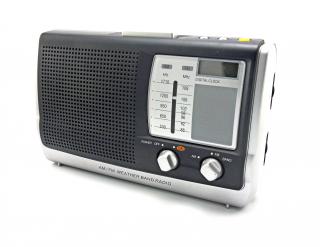
radio2This September Bits & Bytes celebrated one year on air. Initially Bits & Bytes started out as a newsletter to staff, but over time we realised we have too many interesting things to share, we just can’t keep it to ourselves anymore. But what more could we do?

The answer was obvious. With an audience of 30 000 listeners between the ages of 14 and 28, we knew MFM would be the perfect match. And so Bits & Bytes, the radio version was born. For the past year and a bit we had a weekly slot during the AM-PM-show at 11:45 on Tuesday mornings.

Initially Tian Petersen was the IT voice, but we decided to add some spice and Marc-Allen Johnson joined later.

Bits & Bytes on air isn’t another institutional mouthpiece to promote IT, but became a platform to discuss all kinds of technological developments, gadgets – some weird and some even handy. With each programme we try to combine news relevant to students and staff, as well as interesting developments on the technological front, in an informal style.

We do realise not everyone will be able to listen to the show due to limited access, therefore we have an alternative so you won’t miss out on anything. You can now also listen to the broadcasts online by browsing to WWW.SUN.AC.ZA/BB.

There you will find all 34 broadcasts Tian and Marc-Allen has done.  Just click on the mp3 link. These clips are hosted within the SU network and won’t rocket your internet costs – so you can listen with ease. You’ll also find all previous versions of the Bits & Bytes newsletter.

If you do want to listen to the direct broadcast, tune in every second Tuesday at 11:45 on the AM to PM Show on MFM with Eduard and our two resident IT gurus, Tian and Marc-Allen.  Click HERE to listen to MFM live.

You’re also welcome to send comments and questions during the show via Twitter and if there’s enough time Tian will address them. Tweet us at @ITStellenUni!

radio2

Die afgelope September het ons een jaar op die lug gevier. Bits & Bytes het aanvanklik begin as `n nuusbrief vir personeel,  maar daar was net te veel interessante dinge om te deel – ons kon dit nie net vir onsself hou nie. Maar wat meer kon ons doen?

Die antwoord was maklik. Met `n gehoor van 30 000 luisteraars tussen die ouderdom van 14 en 28, het ons geweet MFM is die perfekte pasmaat. En so is Bits & Bytes, die radio-weergawe gebore. Vir die afgelope jaar het ons `n weeklikse insetsel gedurende die AM-PM-show om 11:45 Dinsdagoggende gehad met Tian Petersen as aanvanklike stem vir IT, maar mettertyd het Marc-Allen Johnson by die span aangesluit.

Bits & Bytes is nie nie bloot nog `n institusionele mondstuk wees nie, maar het mettertyd `n platform geword waar interessante tegnologiese verwikkelinge en speelgoed, bespreek kan word. Met elke insetsel probeer ons om `n kombinasie van relevante nuus vir studente en personeel, sowel as interessante verwikkelinge op die tegnologiese front op `n informele trant aan luisteraars oor te dra.

Ons besef egter dat almal nie toegang het om daarna te luister nie en het dus die fasiliteit geskep waar jy, nadat dit uitgesaai is, steeds aanlyn na die uitsendings kan luister. Al wat jy hoef te doen is om na WWW.SUN.AC.ZA/BB te gaan waar daar `n lys van alle vorige nuusbriewe is, maar ook al 34 vorige radio-uitsendings. Kliek bloot op die mp3-skakel.

Die insetsels word binne die US-netwerk gehuisves, dus gaan dit nie jou internetkoste opvreet nie – jy kan met `n geruste hart luister. As jy wel die regstreekse uitsending wil hoor, skakel gerus elke tweede Dinsdag om 11:45 op die AM to PM Show op MFM saam met Eduard en ons eie Tian en Marc-Allen in. Kliek HIER om aanlyn na MFM te luister.

Jy is ook welkom om kommentaar en vrae in daardie tydsgleuf via Twitter aan ons te stuur en indien daar geleentheid is, sal Tian dit op die lug beantwoord. Tweet ons by @ITStellenUni!