SEARCH
  • [:en]Recent Posts[:af]Onlangse bydraes

  • [:en]Categories[:af]Kategorieë

  • [:en]Archives[:af]Argiewe

security

[:en]Scam warning: UPS Parcel Receipt with infected attachment[:]

Wednesday, November 30th, 2016

[:en]

The holiday season is upon us and there is a lot of activity around this time of the year with parcels being delivered both at home and at the university. This is being exploited by the scammers.

There is currently a UPS scam making its rounds in university mailboxes, where victims are lured into clicking a download link.

If you have received a package via the parcel company like UPS or DHL, you might be tempted open up an e-mail that seems to come from them, saying they have a package for you. There might be an attachment that you are asked to open to confirm your address or to fill in your personal details for “verification”.

The whole thing is a scam. Clicking on the attachment will download a Trojan virus onto your computer which will just sit there doing its nefarious work — reading your files, including confidential information, then transmitting the details to a server somewhere that is controlled by the criminals.

It seems there are two main variations of this “parcel delivery” scam – both looking like a genuine notification.

  • The first one tells you the parcel service tried, but was unable to deliver a package to you because of an incorrect address. The subject heading usually has a phony tracking number. The attachment is supposedly a copy of a waybill or invoice for you to print and use to collect the parcel from a UPS office.
  • The second is a customs notification and may even seem to come from “US Customs Service” rather than UPS. It says you have an international package (usually from Europe) and that you need to complete the attached customs form so it can be delivered.

In both these cases, the attachment is a compressed ZIP file (that is, one with a name that ends in “.zip”), even though the icon may look like a Word document. As soon as you double click on it, it will install a program onto your computer will then download and install several files on your system. These may disable your firewall, look for and steal credit card and bank account details, make screen snapshots and allow hackers full access to your machine.

This attack underlines the danger of opening an attached file in an email, even if it appears to come from a person or organization you know or frequently deal with.

Here is an example of one such mail.


From: Usps Parcel [mailto:shipment@uspc.com]

Sent: 28 November 2016 07:29 AM

To: Recipients <shipment@uspc.com>

Subject: Parcel Receipt


USPS Shipment Notification

A parcel was sent to our office for you and we have tried to deliver it several times to your address on file.

Attached is the receipt via Dropbox, used in sending you the parcel. We advise you DOWNLOAD the document and reconfirm the address on receipt if its your valid address.

For further assistance, please call USPS Customer Service.

For International Customer Service, please use official USPS site.


Copyright © 2016 USPS. All Rights Reserved.

This message has been scanned for viruses and dangerous content by Fair Distribution MailScanner, and is believed to be clean. 


So do not succumb to the temptation of opening up attachments in emails, especially if it comes from couriers and parcel delivery companies like UPS or DHL. It is the end of the year. Our energy and concentration is ebbing and we are all more vulnerable, making us all potential targets of the cyber-criminal.

[ARTICLE BY DAVID WILES]

[:af]

[:]

[:en]Whatsapp scams[:af]Whatsapp-verblindery[:]

Wednesday, November 23rd, 2016

[:en]

WhatsApp is a popular communication tool, used by students and personnel every day. On the downside, it provides cyber criminals with another way to convince you to part with your well-earned money and unfortunately it’s usually quite convincing.

WhatsApp scams come in many different forms and are often very convincing. Just make sure that you stay vigilant and don’t fall for anything that seems too good or too worrying to be true. Just because a friend or a family member sends you something, it doesn’t mean that it is safe.

Voucher scams

A message arrives in your WhatsApp from someone who looks like your friend, recommending a deal they’ve found. The messages usually come with a link that actually takes you to another website and tricks you into giving your personal information. Don’t ever click a link you’re not sure of and certainly don’t ever hand over personal information to a website you haven’t checked.

WhatsApp shutting down

There are many fake messages claiming that WhatsApp is going to end unless enough people share a certain message. The messages often look convincing, claiming to come from the CEO or another official. They’re written using the right words and phrases and look like an official statement. Any official statement wouldn’t need users to send it to everyone like a round robin. You would either see it in the news or it’ll come up as a proper notification in the app from the actual WhatsApp team.

WhatsApp threatening to shut down your account

This is very similar to the previous scam. It looks like an official message that claims that people’s WhatsApp accounts are being shut down for being inactive. Sending the message on will prove that it’s actually being used and often instructs people to pass it along.

WhatsApp forcing you to pay

Similar to the previous scam, with the only difference being that the message supposedly exempts you from having to pay for your account – if you send it on to other people.

WhatsApp Gold or WhatsApp Premium

The claim suggests that people pay for or download a special version of WhatsApp, usually called Gold or Premium. It offers a range of exciting-sounding features, like the ability to send more pictures, use new emoji or add extra security features. The problem is that it is far from secure. Downloading the app infects people’s phones with malware that use the phone to send more fake messages at the cost of the original victim.

Emails from WhatsApp

Spam e-mails are bad enough. E-mails plus WhatsApp is even worse. There’s a range of scams out there that send people e-mails that look like they’ve come from WhatsApp, usually looking like a notification for a missed voice call or voicemail. But when you click through, you will end up getting tricked into giving over your information, passphrases etc. Don’t ever click on an e-mail from a questionable sender. WhatsApp doesn’t send you e-mails including information about missed calls or voicemails.

Fake WhatsApp spying apps

Currently, it is not possible to let people spy on other’s conversations on WhatsApp, because it has end-to-end encryption enabled, which ensures that messages can only be read by the phones that send and receive them. These scam apps encourage people to download something that isn’t actually real and force people to pay money for malware, or actually read your chats once they’ve got onto your phone.

Lastly – 

Hopefully, you have  already blocked sharing your WhatsApp details with Facebook (telephone number, name etc. and allowing Facebook to suggest phone contacts as friends) and Facebook will not be able to  make your WhatsApp account accessible to the 13 million South African Facebook users.

There are some details about this controversial policy change by WhatsApp on the following page: http://www.mirror.co.uk/tech/you-can-stop-whatsapp-sharing-8893949


[ARTICLE BY DAVID WILES]


[:af]

WhatsApp word deur studente en personeel gebruik as belangrike kommunikasiemiddel. Ongelukkig bied dit aan kuberdiewe nog ʼn platform om hul aktiwiteite op uit te oefen. 

WhatsApp kuberstreke kom in verskeie formate voor en is dikwels besonder oortuigend.  Maak seker jy bly oplettend en word nie geflous deur iets wat te goed of te problematies om waar te wees lyk nie. Net omdat ʼn familielid of vriend vir jou iets aanstuur, beteken nie dis veilig nie.

Koepon-truuks

Jy kry ʼn boodskap via Whatsapp van (wat lyk soos) een van jou vriende en hy beveel ʼn aanbod waarop hy afgekom het, aan. Gewoonlik is daar ʼn skakel in die boodskap wat jou na ʼn ander webwerf neem en waar jy jou persoonlike inligting invul. Moet nooit op ʼn skakel kliek waaroor jy nie seker is nie en moet definitief nooit persoonlike inligting gee op ʼn webwerf wat jy nie ken nie. 

WhatsApp maak toe

Daar is heelwat vals boodskappe wat beweer dat Whatsapp gaan toemaak indien genoeg mense nie ʼn spesifieke boodskap deel nie. Die boodskappe lyk dikwels heel oortuigend en gebruik die regte woorde en frases vir die konteks, asof dit deur ʼn direkteur van ʼn maatskappy of iemand amptelik gestuur is. 

ʼn Amptelike verslag sal egter nie van kliënte verwag om dit heen en weer te stuur nie. Dit sou deur middel van normale nuuskanale verkondig word of as ʼn kennisgewing in die toepassing self deur die Whatsapp-span.

WhatsApp dreig om jou rekening te sluit

Hierdie voorbeeld is soortgelyk aan die vorige een. Dit lyk soos ʼn amptelike boodskap wat beweer dat jou Whatsapp-rekening gesluit gaan word omdat dit nie aktief gebruik word nie. Dit versoek dat jy die boodskap aanstuur om te bewys dat dit wel gebruik word.

WhatsApp dwing jou om te betaal

Ook soortgelyk aan die vorige kuberdiefstalpoging. Die enigste verskil is dat jy blykbaar vrygeskeld word van betaling indien jy die boodskap aanstuur na ander persone.

WhatsApp Gold of WhatsApp Premium

Dié boodskap stel voor dat jy ʼn spesiale weergawe van Whatsapp, gewoonlik genoem Gold of Premium, koop of aflaai. Blykbaar bied hierdie nuwe weergawes opwindende ekstra kenmerke, soos die vermoeë om meer fotos te stuur, nuwe emojis te gebruik of ekstra sekuriteitsopsies. Ongelukkig is hierdie verbeterde weergawes glad nie veilig nie. Wanneer die toepassing aflaai word, word die foon besmet met malware, wat opsigself meer vals boodskappe genereer op jou onkoste.

Whatsapp e-posse 

Gemorspos e-posse is erg genoeg, maar saam met Whatsapp raak dit onbeheerbaar. Daar is ʼn verskeidenheid kuberdiefstalpogings daar buite wat e-posse uitstuur wat soos Whatsapp-kennisgewings lyk – gewoonlik ʼn kennisgewing van ʼn verlore oproep of stempos. Maar wanneer jy daarop kliek, word jy oortuig dat jou inligting, wagwoord, ens. moet verklap.

Moet nooit op ʼn e-pos van ʼn twyfelagtige sender kliek nie. Whatsapp stuur nie e-posse oor verlore oproepe of stempos nie. 

Onegte WhatsApp afloer-toepassings

Whatsapp gebruik end-to-end enkripsie en gevolglik is dit nie moontlik om iemand anders se boodskappe te lees nie. Boodskappe kan slegs gelees word deur die fone wat dit stuur en ontvang.

Hierdie pogings moedig jou aan om iets af te laai wat nie bestaan of moontlik is nie. Jy betaal eintlik vir malware wat jou eie boodskappe lees wanneer jy dit op jou foon laai.

Laastens –

Hopelik het jy reeds die verstelling verander wat jou Whatsapp-details (telefoonnommer, naam, ens.) met Facebook deel en sal Facebook nie jou Whatsapp-rekening toeganklik maar vir 13 miljoen Facebook-gebruikers nie. 

Meer inligting oor dié kontroversiële beleidsverandering deur Whatsapp kan op die volgende bladsy gelees word:  http://www.mirror.co.uk/tech/you-can-stop-whatsapp-sharing-8893949

[ARTICLE DEUR DAVID WILES]

[:]

Lose your cellphone, lose your infoVerloor jou selfoon, verloor jou inligting

Friday, October 24th, 2014

If you lost your cellphone today, what would a criminal have access to? Your smses? Your banking details? Your private documents saved in your e-mail? Or sensitive work documents even?

And yet, we carry this invaluable information with us every day. We absentmindedly wander around talking in public while we’re within reaching distance of any opportunistic criminal. But there are also other ways to access information on your phone by means of spyware and other suspicious software.

We use our cellphones more and more to organise and plan our lives and at the same time, make ourselves more vulnerable.

However, there are a few measures you can take to ensure you don’t become a victim.

1. PASSWORD OR PIN

This is your most important first line of defense. Without a PIN or password, anyone can get hold of your cellphone, access your e-mail, bank details, sms and personal information.

smartphone-icon-1340911-mAnd Microsoft’s head of online security agrees.”Using a PIN or unique password is the single most important thing to do as a user of a smartphone to protect the device, the data and your reputation.” According to Beauchere the data on your phone is also more recent than the data on your desktop or laptop. This increases the risk even more.
Last year Microsoft conducted a worldwide online survey regarding the usage of PINs. 10 000 desktop and mobile device users from 20 countries took part. Only 28% of these used a PIN on a device.

2.CELLPHONE APPS

Be very careful which apps you download and where you download them from. It’s great having an app to streamline your life or one to entertain you, but weigh the pros and cons against each other.

Even if an app looks nifty, rather download a similar one from renowned app shops like iTunes, Google Play and Amazon. So some research. Read other readers’ comments, how they rate the app and if they experienced any problems with it.

3. DUBIOUS LINKS

According to research people are 3 times more likely to click on a link on their phone than one on their PCs. The fact that the screen is smaller and dubious links not as easily recognised could be the reason. Be suspicious of request for personal information you receive via links in sms, e-mail or social networks. By clicking on them, you run the risk of identity theft.

4. UNPROTECTED WI-FI

When you use an open WI-FI network in coffee shops, malls and other public places you information isn’t securely sent through the air. Any other person can intercept it during transmission. If you have to do banking on your phone or work with sensitive information, rather wait till your at work or home and have access to a secure WI-FI network.

5. SPYWARE

Without a password cyber criminals can load spyware on your phone and track your sms records, e-mails, banking transactions and location. To prevent this from happening, activate a password or PIN on your phone or download an app from a reputable store to scan for and remove spyware and viruses.

If you’d like to read more on cellphone security, wikipedia has extensive information.

[SOURCES: www.rd.com, www.computerworld.com]

As iemand nou jou slimfoon moet steel, tot watter inligting sal hy toegang kan kry? Jou smse? Jou bankdetails? Jou privaatdokumente wat op jou e-pos gestoor is of sensitiewe werksdokumente?

En tog, ons dra al hierdie belangrike inligting elke dag saam met ons, stap en gesels in die openbaar op ons telefone en is eintlik binne bereikafstand vir enige opportunistiese grypdief. Maar daar is ook ander maniere om by jou inligting uit te kom deur middel van “spyware” en ander verdagte sagteware.

Hoe meer ons slimfone gebruik om ons lewens te organiseer en te beplan, hoe meer stel ons onsself bloot en ongelukkig is dit wel so dat slimfoondiefstal al meer toeneem.

Daar is egter maatreëls wat jy kan tref om te voorkom dat jy nie `n slagoffer word nie.

smartphone-icon-1340911-m1. WAGWOORD OF PIN

Hierdie is jou eerste en belangrikste voorsorgmaatreël. Sonder `n PIN of wagwoord het enigiemand wat jou selfoon in die hande kry, toegang tot jou e-pos, bankdetails, sms’e en persoonlike inligting.

En Microsoft se Hoof: Aanlynsekuriteit, Jacqueline Beauchere, stem saam. “Using a PIN or unique password is the single most important thing to do as a user of a smartphone to protect the device, the data and your reputation.”. Volgens Beauchere is die data op jou selfoon ook meer onlangs en op datum as die op jou rekenaar, wat die risiko nog meer verhoog.

2.SELFOONTOEPASSINGS

Wees versigtig watter toepassings jy aflaai en waar jy dit aflaai. Dis wonderlik om `n toepassing te kry wat jou lewe meer stroombelyn kan maak of wat pret kan verskaf, maar weeg die voordele en risikos teen mekaar op.

Al lyk `n toepassing hoe oulik, laai eerder net by bekendes soos iTunes, Google Play, Amazon, ens. af. Doen ook `n bietjie navorsing. Lees wat ander gebruikers daaroor sê, hoeveel punte gee hulle die toepassing, was daar enige probleme daarmee?

3. VERDAGTE SKAKELS

Volgens navorsing kliek mense 3 keer makliker op `n skakel op hul fone as op hul rekenaars. Die rede hiervoor is waarskynlik omdat die skerm kleiner is en jy moeilik kan identifiseer of die skakel verdag is.

Oppas vir skakels wat via sosiale netwerk, sms of e-pos vir jou gestuur word en persoonlike inligting vra. Op dié manier stel jy jou bloot vir identiteitsdiefstal.

4. ONSEKURE WI-FI

Wees versigtig hoe jy oop wi-fi punte soos die in koffiewinkels, winkelsentrums, en ander openbare plekke, gebruik. Omdat dit nie sekuur is nie, word jou inligting onveilig deur die lug versend. Enige anderpersoon kan dit onderskep gedurende versending. As jy banksake wil doen of met sensitiewe informasie wil werk, doen dit liewer by die huis of werk waar jy weet die wi-fi sekuur is.

5. SPYWARE

Sonder `n wagwoord kan kuberkriminele spyware op jou selfoon laai en jou sms’e, e-posse, banktransaksies en ligging maklik nagaan. Om te voorkom dat daar spyware op jou selfoon beland, aktiveer `n wagwoord of PIN, maar laai ook op Google Play of iTunes vir jou `n betroubare toepassing af wat spyware en virusse kan opspoor en verwyder.

Meer gedetaileerde inligting oor selfoonsekuriteit is beskikbaar op wikipedia.

[BRONNE: www.rd.com, www.computerworld.com]

Hackers and crackersKappers en krakers

Friday, October 18th, 2013

We all remember Lisbeth Salander from the The Girl with the Dragon tattoo movie or Neo in The Matrix – both hackers.

Earlier this week even SU websites were targeted by the 747crew, who used it to proclaim their political and religious convictions. 

But apparently there’s a difference between hackers and crackers. In the context of computer security a hacker is seen as someone who pinpoints the weaknesses in a computer system or network and exploits them. His motivation can be financial gain, a platform for protest or purely because it’s a challenge.

Over time, and partly thanks to the media, the association with the word “hacker” predominantly became a negative one. Eric S. Raymond (author of The New Hacker’s Dictionary) believes that members of the computer underground should be called crackers.  According to R.D. Clifford (2006) a cracker is someone who illegally gained access to a computer with the intent of committing a crime, for example destroying data on a particular system.

 More recently the word hacker has been reclaimed by computer programmers who agree with Raymond that those who hack with criminal intent, should be called a cracker. Several subgroups of this subculture have different approaches and also use different terms to distinguish themselves from others.

A white hat won’t break into a system with malicious intent, but rather to test their own security or for a company manufacturing security software. The term white hat in internet slang refers to an ethical hacker.

A black hat hacker violates computer security for his own benefit. These are the stereotypical characters we see depicted in popular culture, like movies. Black hats break into secure networks to destroy data or to render the network unusable for those who need to access it.

A grey hat surfs the internet and breaks into a system only to notify it’s administrator that it has a security defect and then offer to fix it at a price.

A blue hat assists with the testing of a system before it’s launched to establish it’s weaknesses. Usually he’s not part of a computer security company.

Other terms include a script kiddie (someone who’s not an expert and uses other people’s software to hack) and a neophyte, “n00b”, or “newbie” is a novice who’s still in training.  

Hacktivist is a hacker who misuses technology to convey his social, ideological and political message. The defacement of the SU webpages earlier this week is an example of hactivism.

[SOURCE: www.wikipedia.org]


Wie van ons onthou nie vir Lisbeth Salander van The Girl with the Dragon tattoo fliek of Neo in The Matrix nie – beide voorbeelde van hackers. 

Vroeër die week het selfs US-webwerwe deurgeloop onder die 747crew, wat dit gebruik het as platform om hul politiese en godsdienstige oortuigings te verkondig.

Daar kan egter `n onderskeid getref word tussen kappers (hackers) en krakers (crackers). In die konteks van rekenaarsekuriteit is `n kapper iemand wat swakplekke in `n rekenaarstelsel of -netwerk opspoor en uitbuit. Sy motivering kan finansieël wees, `n platform vir protes of bloot net omdat dit `n uitdaging bied.

Met tyd, en deels te danke aan die media, is die assosiasie met die woord hacker grotendeels `n negatiewe een. Eric S. Raymond (skrywer van The New Hacker’s Dictionary) voer aan dat lede van die ondergrondse rekenaarbeweging eerder crackers genoem moet word.  Volgens  R.D. Clifford (2006) is `n cracker iemand wat ongemagtigde toegang tot `n rekenaar verkry met die doel om `n misdaad te pleeg, byvoorbeeld om inligting binne die bepaalde stelsel te vernietig.

Die woord hacker is die afgelope tyd teruggeeis deur rekenaarprogrammeerders wat saamstem met Raymond se teorie dat diegene wat vir krininele doeleindes hack, eerder `n cracker genoem moet word. Subgroepe van die ondergrondse rekenaarkultuur het verskillende benaderings ten opsigte van die twee definisies en gebruik verskillende terme om hulself te onderskei van ander groepe.

 `n White hat breek nie by stelsels in met kwaadwillige bedoelings of voorbedagte rade nie, maar eerder om hul eie sekuriteit te beproef of namens `n maatskappy wat sekuriteit-sagteware vervaardig. In internet slang verwys white hat  na `n etiese kuberkraker.

 ‘n Black hat skend rekenaarsekuriteit vir sy eie voordeel. Hulle is die stereotipiese kriminele krakers wat dikwels in populêre kultuur, soos flieks, uitgebeeld word. Black hats breek by sekure netwerke in om data te vernietig of om die netwerk onbruikbaar te maak vir diegene wat toegang daartoe het.

`n Grey hat  probeer inbreek by `n stelsel bloot om die administrateur daarop te wys dat sy stelsel `n veiligheidsdefek het. Hulle bied aan om hierdie fout reg te maak – teen `n koste natuurlik.

`n Blue hat toets stelsels voordat dit bekendgestel word sodat swakplekke bepaal en gekorrigeer kan word. Hulle is tipies nie deel is van `n rekenaar sekuriteitsfirma nie. 

Ander terme sluit in `n script kiddie (iemand wat nie `n kundige is nie en ander se sagteware gebruik om te hack) en `n neophyte, “n00b”, of “newbie” is `n beginner wat nog kennis en ondervinding moet opdoen.

`n Hacktivist is `n hacker wat tegnologie misbruik om sy sosiale, ideologiese of politieke boodskap oor te dra. Die skending van die US-webwerwe vroeër die week is `n voorbeeld van hactivism.

[BRON: www.wikipedia.org]

Beware of SIM card swap fraudOppas vir SIM-kaart omruilbedrog

Friday, February 22nd, 2013


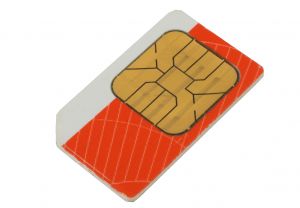
Although it is a known scam, when it hits one of your colleagues, it makes you aware that there are very real dangers out there. A SIM card swap fraud occurs when criminals obtain and utilise a replacement SIM card to acquire security messages and one-time passwords (OTP) sent to you by the bank. Using the OTP, criminals are able to change, add beneficiaries and transfer money out of your account using your personal information that they would have obtained through phishing. One of our colleagues lost R20 000 over the holidays and asked us to warn other staff as well:

How does a SIM swap scam work?

  • The SIM swap takes place after the fraudsters have received a your bank logon details as a result of the you responding to, for example, a Phishing e-mail. (this is why phishing e-mails are so dangerous and you should never ever respond or click on links contained in these phishing e-mails.)
  • Once the fraudsters have the your cell phone number and other personal information, the fraudster can pose as you, requesting a new SIM card from a cellular service provider.
  • The cellular service provider transfers the your SIM card identity to the new SIM card, cancelling your old SIM card in the process.
  • The result is that there is no signal on the old SIM card, which means the you cannot receive / make phone calls or send SMS messages. (This ought to be the first sign of something wrong, so if you get  “SIMCARD INVALID” error on your cell phone)
  • The SMS authorisation reference number, which is normally sent to the client, reaches the fraudster instead of you, the legitimate owner, and the fraudster is able to make once-off payments and create beneficiaries fraudulently

What should I do if I suspect an unlawful SIM swap?

  • If you fall prey to an unlawful SIM swap, or suspect that you have, contact your cellular service provider for assistance.
  • Also contact the internet banking helpdesk to request that your internet banking access be suspended with immediate effect. This will prevent fraudsters from gaining access and transacting on your accounts.

What can I do to prevent SIM swap fraud?

  • Protect your information – all your information.
  • Do not disclose your ID number on websites unless you have verified the legitimacy of the site. The bank already knows your ID number and will not require you to give it to us again.
  • Do not disclose your cell number on websites unless you have verified the legitimacy of the site. Phishing sites often request for information such as ID Number, email address and email address password, physical address, etc.
  • Always make sure that your contact details on Internet banking are valid and correct. You know when your details have changed, so when you are ready, you can update the information on Internet banking or at a local bank branch.

[INFORMATION SUPPLIED BY DAVID WILES]


Dis `n bekende kuberstrik, maar as dit met een van jou kollegas gebeur, word dit skielik `n realiteit en groter moontlikheid dat dit ook met jou kan gebeur. SIM-kaart bedrog vind plaas as kuberkriminele `n SIM-kaart ruiling gebruik om jou sekuriteitsboodkappe en eenmalige wagwoorde, gestuur deur jou bank, te bekom. Deur die eenmalige wagwoord te gebruik, kan begunstigdes se detail verander word, nuwes byvoeg en fondse uit jou rekening oorgedra deur jou persoonlike inligting te gebruik. 

Gedurende die afgelope vakansie het een van ons Tygerberg-kollegas R20 000 op hierdie wyse verloor en versoek dat ons ander personeel ook  waarsku.

Hoe werk `n SIM-kaart omruiling?

  • `n SIM-kaart omruiling vind plaas nadat kuberskelm jou bank aantekeninligting geoes het, omdat jy op `n “phishing” e-pos reageer het. (Hierdie is een van die redes hoekom “phishing” e-posse so gevaarlik is en jy nooit daarop moet reageer of op die skakels in dié e-posse moet kliek nie.)  
  • Sodra die persoon jou selfoonnommer en ander persoonlike inligting in die hande gekry het, kan hy jou identiteit aanneem en `n nuwe SIM-kaart versoek van jou selfoonverskaffer. 
  • Die selfoonverskaffer dra jou SIM-kaart identiteit oor na die nuwe SIM-kaart en kanselleer die ou kaart. 
  • Geen sein word vanaf die ou SIM-kaart ontvang nie en geen SMS’e kan gestuur of oproepe kan gemaak word nie.  Hierdie is die eerste teken dat daar fout is, ook as jy die boodskap “SIMCARD INVALID” kry.
  • Die SMS-magtiging verwysingsnommer, wat normaalweg aan die klient gestuur word, bereik die kuberkraker ipv jou, die geldige eienaar, en hy kan eenmalige betalings maak en begunstigdes skep. 

Wat moet ek doen as ek `n onwettige SIM-omruiling vermoed? 

  • Indien jy die slagoffer is van `n onwettige SIM-omruiling of vermoed dat jy moontlik is, skakel dadelik jou selfoonverskaffer vir hulp.
  • Kontak jou internetbankdienste hulplyn en versoek dat internetdienstetoegang onmiddellik beëindig word. Dit sal voorkom dat die skuldiges toegang tot jou rekeninge verkry. 

Wat kan jy doen om SIM-kaartbedog te voorkom?

  • Beskerm jou informasie – al jou informasie.
  • Moet nooit jou ID-nommer verskaf tensy jy doodseker is van die geldigheid van `n webwerf nie. Die bank het reeds jou ID-nommer en sal dit nie weer vra nie. 
  • Moenie jou selfoonnommer verskaf op webwerwe tensy jy die egtheid van die webwerf geverifieer het nie. “Phishing” webwerwe versoek gewoonlik inligting soos `n ID-nommer, e-posadres en e-pos adres wagwoord.
  • Maak altyd seker dat jou kontakdetails op internetbankdienste geldig en korrek is. Wanneer jou inligting verander, dateer dit op by op internet bankdienste of by jou plaaslike bank.  

[INLIGTING VERSKAF DEUR DAVID WILES]