SEARCH
  • [:en]Recent Posts[:af]Onlangse bydraes

  • [:en]Categories[:af]Kategorieë

  • [:en]Archives[:af]Argiewe

tablet

How to make the most of your tabletHoe om die meeste uit jou tablet te put

Friday, September 26th, 2014

Tablets aren’t cheap, but they definitely are one of the best investments you can make during your time as a student. (read our previous post on buying a tablet and using it for learning)

However, simply buying a tablet and expecting wonders is not enough. You’ll need to make some adjustments to the way you learn to be able to take maximum advantage of your investment.

Specifically, you need to actually integrate your tablet with your learning experience: leave your notepad at home, get all of your class notes digitally and start buying your books in e-book format. It will be difficult at first, and you may question whether it’s all worth it in the end, but once you’ve adapted your workflow to the tablet, you’ll reap the benefits tenfold.

Furthermore, you need to get the best apps for the job. Like computers can run software like Microsoft Word, tablets also have small software packages called “apps”. There are hundreds of thousands of apps available for both iOS and Android – each of these apps performs specific functions and works well in specific contexts. Most apps are cheap (costing below $5 or R50) and can drastically boost your productivity.

For a list of useful iOS apps for students, take a look at this blog article. And for Android, check out this round-up.

TIP: For a guide to buying apps, check out this article for iOS and this one for Android.

Can a tablet replace a computer?

If cost is a big concern for you and you have to choose between a desktop computer/laptop or a tablet, you’ll probably be wondering whether the latter can fully replace the former.

The short answer – at least at the moment – is NO. iPads and Galaxy Tabs (as well other Android devices) are extremely useful and will be able to accomplish mosteveryday tasks that students need to perform, e.g. browsing the web, reading e-mail, accessing a learning management system (e.g. SUNLearn), making notes, etc.

You can even write essays and reports on a tablet (although, for such heavy-duty typing, you’ll probably need to buy an external keyboard as well). However, you won’t be able to run the same software that you can run on a PC or Mac, because the software platforms are different. In other words: if your course requires of you to use specialised software (like a programming IDE or CAD design software), you’ll probably not be able to get away with only a tablet.

While it’s definitely true that a tablet works best if you have a computer/laptop as well, if you have to choose between the two, bear in mind that you can always use the University’s computer centres (e.g. HUMARGA or FIRGA) for specialised software or heavy-duty typing. This might be a good way to avoid having to choose between buying a computer/laptop or a tablet.

Lastly, it should be noted that some Windows-based tablets (e.g. the Microsoft Surface Pro) actually run the same Windows platform that you’ll find on a computer. Technically, then, these tablets are fully-fledged computers in a tablet form and therefore can replace a desktop computer/laptop completely. However, these tablets are expensive and have not been particularly popular, which should make you think twice before buying one.

[ARTICLE BY JOHANNES JONKER]

Tablette is nie goedkoop nie, maar hulle is beslis een van die beste beleggings wat jy as ’n studente kan maak. (lees ons vorige artikels oor die koop van `n  tablet en hoe om dit te gebruik om mee te leer)

Jy moet egter nie net ’n tablet koop en wondere verwag nie. Jy sal ’n paar aanpassings moet maak in hoe jy leer om die grootste voordeel uit jou belegging te trek.

Meer spesifiek, jy sal werklik jou tablet in jou leerervaring moet integreer: los jou notablok by die huis, kry al jou klasnotas in digitale vorm en begin om boeke in e-formaat te koop. Dit sal aanvanklik moeilik wees en jy sal dalk bevraagteken of dit uiteindelik alles die moeite werd is. Maar sodra jy jou werkvloei by jou tablet aangepas het, sal jy die voordele tienvoudig trek.

Verder sal jy ook die beste apps vir die werk moet kry. Net soos rekenaars sagteware soos Microsoft Word kan laat loop, het tablette ook klein sagtewarepakkette wat as “apps” bekend staan. Daar is letterlik honderde duisende apps wat vir beide iOS en Android beskikbaar is – elk van hulle voer spesifieke funksies uit en werk goed in spesifieke kontekste. Die meeste apps is goedkoop (minder as $5 of R50) en kan help om jou produktiwiteit drasties te verhoog.

Kyk na hierdie blogartikel vir ’n lys nuttige iOS apps vir studente. En vir Android, kyk na hierdie opsomming.

WENK: Vir ’n gids oor apps koop, kyk na hierdie artikel vir iOS en hierdie een vir Android.

Kan ’n tablet ’n rekenaar vervang?

Indien koste jou grootste bekommernis is en jy tussen ’n tafelrekenaar/skootrekenaar of ’n tablet moet kies, sal jy seker wonder of laasgenoemde eersgenoemde volledig kan vervang.

Die kort antwoord – ten minste tans – is NEE. iPads en Galaxy Tabs (sowel as ander Android-toestelle) is baie nuttig en sal feitlik alle daaglikse take kan uitvoer wat studente moet verrig, bv. om die web te deurblaai, e-pos te lees, toegang te kry tot ’n leerbestuurstelsel (bv. SUNLearn), notas te maak, ens.

Jy kan selfs opstelle en verslae op ’n tablet skryf (hoewel jy vir sulke swaardiens tikwerk moontlik ook ’n eksterne sleutelbord sal moet koop). Jy sal egter nie dieselfde sagteware kan loop as wat jy of ’n persoonlike rekenaar of Mac kan doen nie, omdat die sagtewareplatforms verskil. Met ander woorde: indien jou kursus vereis dat jy gespesialiseerde sagteware moet gebruik (soos geïntegreerde drywer elektronika vir programmering (programming IDE – integrated drive electronics) of rekenaargesteunde ontwerpsagteware (CAD – computer-aided design software), sal jy heel moontlik nie net ’n tablet kan gebruik nie.

Hoewel dit definitief waar is dat ’n tablet die beste vir jou werk as jy ook ’n rekenaar/skootrekenaar het, moet jy ook in ag neem indien jy tussen die twee moet kies dat jy altyd die Universiteit se rekenaarsentrums (bv. HUMARGA of FIRGA) vir gespesialiseerde sagteware of swaardiens tikwerk kan gebruik. Hierdie is moontlik ’n goeie manier om die keuse tussen die aanskaffing van ’n rekenaar/skootrekenaar of ’n tablet te vermy.

Laastens moet jy daarop let dat sommige Windows-gebaseerde tablette (bv. die Microsoft Surface Pro) van dieselfde Windows-platform gebruik maak wat jy op ’n rekenaar vind. Tegnies is hierdie tablette dus volwaardige rekenaars in tabletvorm en kan hulle ’n tafelrekenaar/skootrekenaar heeltemal vervang. Hierdie tablette is egter duur en is nie juis gewild nie, wat jou twee keer moet laat dink voor jy besluit om een te koop.

[ARTIKEL DEUR JOHANNES JONKER]

Using a tablet for smarter learning (part 1)Gebruik ’n tablet om slimmer te leer (deel 1)

Friday, August 22nd, 2014

Since tablets became mainstream in 2010, more and more students have started relying on these nifty gadgets to take their learning experience to the next level.

However, many students still are unaware or unconvinced of the advantages of tablet-based learning. In the following section, we’ll look at why exactly a tablet is a fantastic investment.

Why a tablet?

In short, there are four reasons:

1. The most obvious advantage of a tablet is the level of mobility it offers. As a student, you’ll most probably carry around at least a notepad, your prescribed books and your class notes. And, for many, a calculator, dictionary and diary/calendar are also indispensable. Carrying these items around all day long can quickly become a back-breaking burden – which is why most students simply leave their heavy books at home.

With a tablet, though, you can have all of these resources compacted into the size of an A5 notepad. No more forgetting books or notes at home – everything you need is but a few finger taps away. This is a killer feature in itself.

2. However, the true academic value of a tablet becomes evident when one looks at its potential as an in-class companion. Not only does a tablet keep everything you need at hand, it also allows you to manipulate these resources in useful ways. For example, you can add bookmarks, highlights and notes to your prescribed books and class notes while the lecturer is discussing them. You can also efficiently create rich notes of your own.

You’ll be able to combine typing and drawing on the screen to capture, for example, key points in a class discussion or diagrams and charts drawn by the lecturer. You’ll be able to neatly organise these notes in subject folders for future reference.

The biggest killer feature of a tablet in class, however, is the fact that it allows you to record what is said in class so that you can listen to these recordings while preparing for an exam. While it’s not practical to record every second of every class (because –let’s be honest –you’ll never listen to all of that again), this feature is extremely handy to record important bits of a lecturer’s explanation or a class discussion.

Lastly, a tablet also gives you quick access to handy reference material. Need to quickly look up a word’s definition or do a calculation? A tablet lets you do both at lightning speed, which means that you won’t lose track of the train of thought in class.

3. Tablets don’t only shine inside the classroom. Any student who’s had to scour stacks and stacks of paper notes to review specific content before an exam will testify to how frustrating, tedious and time-wasting this can be.

Having all of your own notes –and the slideshows or hand-outs provided by the lecturer –neatly organised on a single device, where it’s accessible with a few taps of the finger, eliminates the hassles of paper-based exam preparation and gives you more time to actually study.

4. An often-missed advantage of tablet-based learning is the fact that e-book versions of prescribed books and textbooks are usually cheaper than their print counterparts. While many books are not yet available in digital format, the savings on those that are can quickly compound to a substantial amount.

And, of course, using an e-book offers all of the advantages of digital learning, including such timesavers as being able to search for words and phrases, jump to specific pages and chapters, add multi-coloured highlights and make digital annotations.

Next time : Buying a tablet: The choices

[ARTICLE BY JOHANNES JONKER]

Sedert tablette in 2010 die hoofstroom betree het, het ’n toenemende aantal studente begin om op hierdie slim toestelletjie te vertrou om hulle leerervaring na die volgende vlak te neem.

Daar is egter baie studente wat nog onbewus of onoortuig is van die voordele van tabletgebaseerde leer. In die volgende afdeling sal ons ondersoek instel na presies hoekom ’n tablet ’n fantastiese belegging is.

Hoekom ’n tablet?

Daar is basies vier redes:

1. Die mees voor-die-hand-liggende voordeel van ’n tablet is die vlak van mobiliteit wat dit bied. As ’n student sal jy heel moontlik ten minste ’n notablok, jou voorgeskrewe boeke en jou klasnotas met jou ronddra. En in sommige gevalle is ’n sakrekenaar, ’n woordeboek en ’n dagboek/kalender ook onmisbaar. Die gewig van al hierdie items word vinnig ’n uitputtende las – wat die rede is hoekom baie studente eenvoudig hulle swaar boeke by die huis los.

Met ’n tablet kan jy egter al hierdie hulpbronne kompakteer tot die grootte van ’n A5 notablok. Dan is daar nie meer ’n kans dat jy boeke of notas by die huis sal vergeet nie – alles wat jy benodig is net ’n paar vingertikke weg. Dít is ’n wenner eienskap op sigself.

2. Die ware akademiese waarde van ’n tablet word egter duidelik in sy potensiaal as ’n metgesel in die klaskamer. Nie net hou ’n tablet alles wat jy benodig byderhand nie, maar dit laat jou ook toe om hierdie hulpbronne op bruikbare wyses te manipuleer. Byvoorbeeld, jy kan boekmerke, veelkleurige onderstreping en notas by jou voorgeskrewe boeke en klasnotas voeg terwyl die dosent hulle bespreek. Jy kan ook baie doeltreffend ryk notas van jou eie skep.

Jy sal tik en teken op die skerm kan kombineer om byvoorbeeld sleutelpunte in klaskamer besprekings of diagramme en tabelle wat deur die dosent geteken word, vas te lê. Jy sal al hierdie notas netjies kan organiseer in vaklêers vir toekomstige verwysing.

Die beste wenner-eienskap van ’n tablet in die klas is egter die feit dat dit jou toelaat om op te neem wat in die klas gesê word, wat beteken dat jy na die opnames kan luister terwyl jy vir ’n eksamen voorberei. Hoewel dit nie prakties is om elke sekonde van elke klas op te neem nie (want – en laat ons nou eerlik wees – jy sal nooit weer na alles luister nie), is hierdie eienskap baie nuttig om belangrike dele van ’n dosent se verduideliking of van ’n bespreking in die klas op te neem.

Laastens, ’n tablet verskaf ook vinnige toegang tot nuttige verwysingsmateriaal. Moet jy vinnig die definisie van ’n woord naslaan of ’n berekening doen? ’n Tablet laat jou toe om albei teen die spoed van weerlig te doen, wat beteken dat jy nie jou gedagtegang in die klas sal verloor nie.

3. Tablette is nie net in die klaskamer so wonderlik nie. Enige student wat al deur hope en hope notas op papier moes swoeg om spesifieke inhoud voor ’n eksamen te hersien, sal weet hoe frustrerend, vervelig en ’n gemors van tyd dit kan wees.

Maar as al jou notas – en die skyfievertonings en uitdeelstukke wat deur die dosent verskaf is – netjies in ’n enkele toestel bymekaar is, waar dit met ’n paar tikke van die vinger toeganklik is, sal dit die gesukkel van papiergebaseerde eksamenvoorbereiding uitskakel en jou meer tyd gee om werklik te studeer.

4. Een voordeel van tabletgebaseerde leer wat gereeld misgekyk word, is die feit dat e-boek weergawes van voorgeskrewe en handboeke gewoonlik goedkoper is as hulle gedrukte weergawes.

Hoewel baie boeke nog nie in digitale formaat beskikbaar is nie, kan die besparing op dié wat wel is, vinnig ’n noemenswaardige bedrag uitmaak.En die gebruik van ’n e-boek bied natuurlik al die voordele van digitale leer, insluitend tydbesparings soos dat jy onmiddellik woorde en frases kan naslaan, na spesifieke bladsye en hoofstukke kan spring, veelkleurige onderstreping kan byvoeg en digitale notas kan maak.

Volgende keer : die keuses wanneer jy ’n tablet koop

[ARTIKEL DEUR JOHANNES JONKER]

Do you need a tablet?Tablet vir jou?

Friday, September 28th, 2012

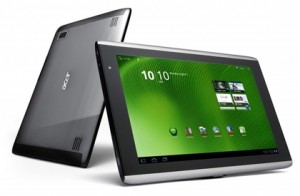
If you’re always on the go, but would still like to keep in touch with what’s going on in the world and with friends and family, a tablet could be your solution. This device is easy to use and so light you can take it with you wherever you go – whether you’re travelling to Arniston or Abu Dhabi.

One of a tablet’s biggest advantages is it’s touch screen interface which makes it very accessible and easy to use. Due to the lack of keyboard the device is much lighter and thinner than your normal laptop.

What can I use it for?

It’s really up to you what you want to use a table for, but keep in mind that it’s main purpose is entertainment. In other words, internet browsing, e-mail, playing games, watching videos, social networking, e-books and videos.

That being said, the tablet is a convenient communication tool and can therefore also be used for work purposes. With this nifty mobile device you have your e-mail wherever you go and you’ll be able to create and edit documents, download applications, create presentations and edit spreadsheets.

Just keep in mind, a tablet can’t replace your pc or laptop. They have slower processors, less memory and smaller storage capacity. If you use programmes for video or graphic editing that typically need strong processors, rather stick to your laptop.

Which one?

The market for tablets is expanding by the minute with new products and upgrades. Each one offers something different, but before you make a choice, decide what your IT needs are. If you want to compare a few of the available options, you can find more information here.

More on tablets on Wikipedia.

As jy altyd aan die gang is, maar nogsteeds `n manier wil hê waarmee  jy op hoogte wil bly van wat aangaan in die wêreld en met jou vriende en familie, kan jy dit dalk oorweeg om vir jou `n tablet aan te skaf. Hierdie toestel is maklik om te gebruik en lig genoeg om saam met jou te sleep – of jy nou reis na Arniston of Abu Dhabi!

`n Tablet het normaalweg `n  raakskerm koppelvlak wat dit maklik maak om te gebruik en meer toeganklik vanweë die eenvoud. Die toestel het nie `n sleutelbord nie en is derhalwe ligter en dunner as `n gewone skootrekenaar.

Waarvoor kan ek dit gebruik?

Dis jou keuse waarvoor jy jou tablet wil gebruik, maar die toestel is hoofsaaklik meer gemik  op vermaaklikheid, soos internet, e-pos, speletjies, sosiale media, videos, e-boeke en fotos.

Jy kan dit egter gebruik vir basiese werksdoeleindes – veral as dit kom by kommunikasie. Met hierdie mobiele toestel het jy, waar jy ookal gaan, toegang tot jou e-pos, kan jy dokumente oplaai, toepassings aflaai, dokumente skep en verander, powerpoint aanbiedings opstel en sigblaaie aanpas.

Onthou dat `n tablet nie bedoel is om rekenaars of skootrekenaars te vervang nie. Tablette het stadiger verwerkers, minder geheue en kleiner stoorspasie. As jy dus gereeld programme, soos grafiese of video-redigeringsprogramme, gebruik wat `n sterk verwerker nodig het, hou maar by jou skootrekenaar.

Watter een?

Die mark vir tablette brei amper daagliks uit met nuwe produkte en nuwe weergawes. Elkeen bied iets anders en nuut, maar voordat jy `n keuse maak, besluit eers wat jou IT-behoeftes is. As jy `n vergelyking soek tussen die verskillende opsies, lees gerus hier meer.

Meer oor tabletrekenaars op Wikipedia.