
SEARCH
  • [:en]Recent Posts[:af]Onlangse bydraes

  • [:en]Categories[:af]Kategorieë

  • [:en]Archives[:af]Argiewe

General

Spam – not just processed meatSpam – meer as net `n blikkie vleis

Friday, September 14th, 2012

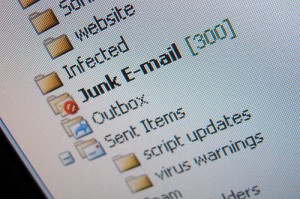
Spam, or junk mail is defined as identical, disruptive e-emails sent to a large amount of e-mail or cellphone users.  When a receiver clicks on one of the links in the message, he/she is diverted to a phishing website or websites containing malware.  Spam e-mails can also contain hidden malware scripts. The opposite of spam is, believe it or not, ham. In other words e-mails you WANT to receive.
The origin of the meaning of spam in this context, can be laid at the feet of the obscure British comedians known as Monty Python. In a 1970 sketch a group of Vikings in a restaurant starts chanting the word “spam” so incessantly that no-one else can have a conversation. Click here if you’d like to see the original Monty Python sketch where the word “spam” is mentioned 132 keer times in a mere three and a half minutes.

Even Google is amused by die word. The company once hid a surprise in their gmail users’ spam folder. When you clicked on your Spam folder, a webclip containing a variety of recipes for the original variety of spam. Amongst others recipes for  “Spam Primavera”, “Spam Swiss Pie”, “Creamy Spam Broccoli Casserole” and “Spam Veggie Pita Pockets”. The first spam was sent on 3 May 1978 to advertise a new computer system. It was sent to 600 ARPANET users and all 600 names were typed in by hand from a printed document. You can read the original e-mail here.

It is estimated that, from August 2010, 200 billion spam messages are sent per day. Lucky for Stellenbosch campus users, we have a fairly strict spam filer and huge amounts of spam bypass your inbox every day. If you still receive unnecessary spam, there are ways to decrease it even more. If it makes you feel any better though – according to Steve Ballmer, Microsoft CEO, Bill Gates receives four million e-mails a year and most of it’s spam.

SOURCES: http://blog.emailaddressmanager.com, http://mashable.com & www.wikipedia.org

Gemorspos, of te wel “spam”, is wanneer identiese, meestal steurende,  boodskappe na `n groot hoeveelheid e-pos- of selfoongebruikers gestuur word. As `n ontvanger kliek op een van die skakels in die boodskap, word hulle herlei na strikroof webwerwe of webwerwe wat “malware” huisves. “Spam” e-posse kan ook versteekte “malware” skripte bevat. Die teenoorgestelde van “spam” – met ander woorde e-posse wat jy WIL ontvang, word natuurlik “ham” genoem. (ja regtig)  

Die eintlike oorsprong van die woord “spam” hou verband net die oorspronklike, geprosesseerde variasie en ons het die obskure Britse groep komediante van Monty Python om te blameer daarvoor. In die 1970 skets sing-praat `n groep Vikings die woord “spam” so onophoudelik in `n restaurant dat niemand anders kan praat nie. Kliek hier as jy die oorspronklike Monty Python skets wil sien waar die woord “spam” 132 keer gebruik word in 3 en `n half minute!

Selfs Google vind die woord interessant. Die maatskappy het op `n stadium `n verrassing versteek vir hulle gmail-gebruikers. As jy jou se “spam” leêr sou oopmaak, het dit omgeskakel na `n webinsetsel met `n verskeidenheid resepte vir regte spam. Onder andere resepte vir “Spam Primavera”, “Spam Swiss Pie”, “Creamy Spam Broccoli Casserole” en “Spam Veggie Pita Pockets”. Die eerste gemorspos is reeds op 3 Mei 1978 gestuur om `n nuwe rekenaarstelsel te adverteer. Dis gestuur vir 600 gebruikers van ARPANET en al 600 adresse is met die hand ingetik vanaf `n uitgedrukte dokument. Jy kan die e-pos hier lees.

Vanaf Augustus 2010 word daar geskat dat daagliks ongeveer 200 biljoen gemorspos boodskappe gestuur word.  Gelukkig gebruik ons op kampus redelike streng gemorspos filters om groot hoeveelheide onnodige e-posse uit ons posbusse te hou. As jy egter nogsteeds te veel kry na jou sin, gaan lees gerus hier. As dit jou enigsins beter laat voel – volgens Steve Ballmer, CEO van Microsoft, kry Bill Gates vier miljoen e-posse per jaar, waarvan die meeste gemorspos is.

SOURCES: http://blog.emailaddressmanager.com, http://mashable.com & www.wikipedia.org

Need a simple way to send permission-based mass emails?Soek jy `n eenvoudiger manier om toegangbeheerde massa e-posse te stuur?

Friday, September 14th, 2012

If you’re the person in your department responsible for sending out information to other staff or students, you’ve probably wished there was another way to make the process a bit easier and faster.

Well there is, and the system’s called Sympa (Systeme de Multi-Postage Automatique (i.e. Automatic Mailing System)). Sympa is perfect for administering and sending out mass e-mails, very easy to use and can also handle mail merging if needed.

If you’ve used Outlook to send emails to large group of people up till now, you would’ve noticed it limits you to 120 addresses. Sympa allows you to send to an unlimited amount of addresses. You can also create multiple lists and choose descriptive names for your lists. Just remember, the list’s name is also the email address you’ll be sending your mails from, so choose wisely.

To create a  sympa distribution list, go to http://sympa.sun.ac.za and click on the “create list” tab. Rember to fill in all the fields on the form.

Alternatively, if this looks too daunting for you, you can put in a request at our service desk at help@sun.ac.za with the following information:

1.            Who is the owner and responsible person for the list?

2.            Who is allowed to send emails to the distribution list?

3.            Should the list be visible or hidden on the Global Address List?

4.            Should there be an expiry date on the list? (For example for conferences, etc. )

5.            Who should be  members of the list? (full list of user names in xls/xlsx format)

6.            Who is requesting the distribution list?

7.            Who is allowed to change the distribution list? (For example add names, etc.)

And before you say “Sympa!”, you’ll be able to send e-mails to your heart’s content. More information on Syma – http://en.wikipedia.org/wiki/Sympa

SOURCE: Pablo Korkie en Johan Loubser, IT

As jy die verantwoordelike persoon in jou departement vir die uitstuur van inligting aan ander personeellede of studente is, het jy waarskynlik al gewens daar is `n beter manier om die hele proses te vergemaklik.

Wel, daar is en die stelsel se naam is Sympa (Systeme de Multi-Postage Automatique (i.e. Automatic Mailing System)). Sympa is perfek vir die uitstuur en administrasie van massa e-posse, baie eenvoudig om te gebruik en kan selfs “mail merging” hanteer indien nodig.

Indien jy tot dusver Outlook gebruik het om e-posse te stuur aan groot groepe mense, het jy dalk al agtergekom dat daar `n beperking is op die aantal adresse waarheen jy kan stuur, naamlik 120. Sympa laat jou toe om aan `n onbeperkte hoeveelheid adresse te stuur. Jy kan ook verskeie lyste skep en die naam van die lys aanpas om meer beskrywend te wees. Onthou net, die naam van die lys is ook die e-pos adres waarvan jou e-pos gestuur gaan word, kies dus mooi!

Om `n sympa-lys te skep, kan jy dit self doen deur na http://sympa.sun.ac.za te gaan en te kliek op die “create list” oortjie. Onthou om al die velde op die vorm in te vul.

Alternatiewelik, as dit vir jou te oorweldigend lyk, kan jy ook `n versoek aan ons dienstoonbank stuur by help@sun.ac.za. met die volgende inligting:

1.            Wie is die eienaar en verantwoordelike persoon vir die lys?

2.            Wie mag stuur na die verspreidingslys?

3.            Moet dit sigbaar of versteek wees in die Global Address List?

4.            Vervaldatum van die lys?

5.            Wie moet lede wees van die lys (volledige gebruikersname in xls/xlsx formaat)

6.            Wie vra die verspreidingslys aan?

7.            Wie mag die verspreidingslys aanpas? (byvoorbeeld nuwe lede byvoeg, ens.)

En voor jy kan sê “Sympa!”, sal jy na hartelus e-posse kan uitstuur. Meer inligting oor Sympa – http://en.wikipedia.org/wiki/Sympa

BRON: Pablo Korkie en Johan Loubser, IT

Once upon a time …Eendag was daar …

Friday, September 14th, 2012

… there was a world without email. Actually this wasn’t too long ago. South Africa was a bit slower than the rest of the world and most of us were only exposed to the email and the internet around the mid 90’s. This was approximately 17 years ago already.

The first e-mail was sent by Ray Tomlinson in 1971. The message was sent to the computer right next to the one which he sent the message from. Previously, mail could be sent only to others who used the same computer.Tomlinson wasn’t involved with the development of e-mail himself, but was working on other applications for MIT’s ARPANET project (which later evolved into the Internet). It was the first system able to send mail between users on different hosts connected to the ARPAnet.

He took the time to work on e-mail “mostly because it seemed like a neat idea.”. Tomlinson says he can’t remember the content of that first message, but it most likely read “testing 123″ or “QWERTYUIOP” — the letters found on the top line of a QWERTY keyboard.

At first, his email messaging system wasn’t thought to be a big deal. When Tomlinson showed it to his colleague Jerry Burchfiel, he said “Don’t tell anyone! This isn’t what we’re supposed to be working on.” If you want to read what Tomlinson has to say about his involvement in the “invention” of email, click here.

The “at”, @ sign was used by Ray Tomlinson to distinguish emails from users on other computers from the ones composed by people on the same computer as himself .It was chosen because it wasn’t commonly used anymore, but still a standard symbol on the keyboard. An email address was something like bob@computer2 (the .com part was added much later).

Different languages have different (sometimes interesting and very descriptive) names for the @ sign –

English: “at sign”,”at the rate”, “at symbol”, “at mark”, “commercial at”, “cyclips”, “ampersat” and “asperand”;
French: “arobase” or sometimes “arrobe” or “arobe”;
Dutch: the apestaart  -“(little) monkey-tail”;
German: the “at symbol” or “spider monkey”;
Chinese: the “little mouse”;
Spanish and Portuguese it is the symbol for arroba, an archaic unit of weight (~25 pounds or 11.3 kilograms).
Italian: chiocciolina — small snail.
Swedish:  snabel-a — “A” with an elephant’s trunk.

Other languages nickname it “mouse’s tail,” “sleeping cat,” “little duck,” “dog,” and “little worm.” For an extensive list and history on the @ sign, click here.

The first e-mail from space was sent in 1991. The crew of STS-43 Atlantis used an Apple pc to transmit the following:

“Hello Earth! Greetings from the STS-43 Crew. This is the first AppleLink from space. Having a GREAT time, wish you were here… send cryo and RCS! Hasta la vista, baby… we’ll be back!”

Who says scientists don’t have a sense of humour?

SOURCES: http://blog.emailaddressmanager.com, http://mashable.com  & www.wikipedia.org

… `n wêreld sonder e-pos. Eintlik was dit nie so lank gelede nie. Suid-Afrika was ietwat stadiger as die res van die wêreld en ons het eers teen die middel 90’s blootstelling gekry aan e-pos en die internet. Dis alreeds ongeveer 17 jaar gelede.

Die eerste e-pos is in 1971 gestuur deur Ray Tomlinson. Die boodskap is gestuur na die rekenaar direk langs die een waarvan Tomlinson die oorspronklike boodskap gestuur het.  Voorheen kom e-posse slegs gestuur word na persone wat dieselfde rekenaar gebruik het. Tomlinson was nie oorspronklik betrokke by die e-pos projek nie, maar was besig om ander toepassings te ontwikkel vir MIT se ARPANET projek (wat onder andere later die Internet ingesluit het). Hy het begin werk aan e-pos omdat dit gelyk het na `n “neat”  idee. Tomlinson kan self nie onthou waaroor die heel eerste e-pos gegaan het nie, maar hy vermoed dit was iets eenvoudig soos “testing 123″ of “QWERTYUIOP”.

Aanvanklik, soos met meeste nuwe uitvindsels, het niemand gedink dis `n vreeslike opspraakwekkende projek nie Jerry Burchfield, `n kollega van Tomlison het inderwaarheid gesê hulle moet vir niemand daarvan sê nie, want eintlik is hulle veronderstel om ander werk te doen!  As jy wil lees wat Tomlinson self te sê het oor  sy betrokkenheid by die e-pos verskynsel, kliek hier.

Die “at”, @ teken is aanvanklik gebruik deur Ray Tomlinson om e-posse van persone op ander rekenaars te onderskei van die wat hy op sy plaaslike rekenaar saamgestel het. Dis bloot gekies omdat dit `n standaard simbool op die sleutelbord was wat nie meer so gereeld gebruik is nie. Die eerste e-posadresse het dus net bestaan uit iets soos bob@computer2. Die .com deel is eers baie later bygevoeg.

Verskillende take het verskillende (en soms interessante en beskrywende) name vir die @ teken –

Engels: “at sign”,”at the rate”, “at symbol”, “at mark”, “commercial at”, “cyclips”, “ampersat” en “asperand”

Frans: “arobase” of soms “arrobe” of “arobe”

Nederlands:  apestaart

Duits: “at symbol” of “spider monkey”

Sjinees:“little mouse”

Spaans en Portugees: dis die simbool vir arroba, `n veroudernde gewigseenheid (~25 pond of 11.3 kilogram)

Italiaans: chiocciolina — klein slakkie

Sweeds:  snabel-a — “A” met `n olifant se slurp

Ander tale se byname sluit in  “mouse’s tail,” “sleeping cat,” “little duck,” “dog,” and “little worm.” Vir `n meer volledige lys van name en geskiedenis van die @ teken, kliek hier.

Die eerste e-pos wat uit die buiteruim gestuur is, is gestuur in 1991. Die bemanning van die STS-43 Atlantis het vanaf `n Apple-rekenaar die volgende boodskap gestuur:

“Hello Earth! Greetings from the STS-43 Crew. This is the first AppleLink from space. Having a GREAT time, wish you were here… send cryo and RCS! Hasta la vista, baby… we’ll be back!”. Wie’t gesê wetenskaplikes het nie `n sin vir humor nie?

SOURCES: http://blog.emailaddressmanager.com, http://mashable.com  & www.wikipedia.org

Every cloud has a silver liningElke wolk het `n silwer randjie

Friday, August 31st, 2012

Make no mistake, the movement towards cloud computing is a very real one, but before you get overly excited and send all your sensitive and academic information to a cloud, it’s important that you know the pros and cons, as well as the risks involved with this growing phenomenon.

ADVANTAGES

Probably the biggest advantage of cloud storage is the possibility of having access to your data or software from anywhere at any time from any appliance. You no longer have to carry around your laptop, flashdisk or external hard drive to ensure you have your data on hand at all times.

Thanks to data stored in a central location and being accessible via the internet, you can easily share documents and colleagues can collaborate on the same document without having to coordinate changes by email. All your documents will ideally be in one place, making it easier to find your documents. Google Docs for example, stores your documents in chronological order and also allows you to store them in folders.

For companies there are no upfront capital costs and fewer overhead expenses. The organization pays only for using the services; it saves on maintenance, user licenses, and expenses such as electricity and rack space. With cloud storage you needn’t worry about natural disasters – your data will be safe and sound, even if your office burns down or the geyser floods your study.

DISADVANTAGES

As we’ve seen, cloud storage has quite a few advantages, but unfortunately there’s one big disadvantage. It only works if you have internet access. The cloud is dependent on the internet and if the Telkom or Mweb experience problems, the cloud and your data is inaccessible.

Performance is also dependent on internet speed and the number of users accessing the cloud. Even though cloud computing may save companies costs on overheads, the costs of usage can become a nightmare if it’s not monitored and managed. Be very careful when using multiple devices, especially if you share folders with other people. If you share a 500MB file with three other people it will sync three times, in other words a total of 1500MB at your cost. If you sync the file to your pc, iPad and iPhone you pay each time and if you use 3G (which costs between 15c and R1-00 per MB)  this could amount to quite an expense if done regularly. Closely monitor your internet account if you use cloud storage otherwise you might be in for a surprise at the end of the month.

Privacy and security are important concerns when it comes to cloud computing. Safety measures to protect users are in place, but the level of security and privacy provided is still a grey area. There is not enough information to prove or disprove the credibility of the cloud for privacy and security overall. In effect the cloud service provider would be able to access information between the user and company at any time and change or delete data.  

Physical control of the Private Cloud equipment is more secure than having the equipment off site and under someone else’s control. Customer data may also not remain in the same data centre or on the same provider’s cloud. This causes legal concerns regarding jurisdiction. Other issues such as trademark infringement and security concerns regarding the sharing of data resources can also arise.

Unfortunately cloud computing is also vulnerable to threats and more criminals will try to find new ways to exploit vulnerabilities in the system. There are many underlying challenges and risks in cloud computing that increase the threat of data being compromised. So choose wisely when picking a service to use with your important data and make sure it can be downloaded if needed, but also enjoy the flexibility those services provide.

(SOURCES: Regan Januarie (IT User Services), http://www.ahimajournal-digital.com), www.wikipedia.org)

<< What is the cloud?

>>  Which one to choose?

Moenie `n fout maak nie, die beweging na “cloud computing” is `n groot verskynsel, maar voordat jy al jou sensitiewe en akademiese inligting alles die wye wêreld instuur, is dit belangrik dat jy moet weet wat die voor-en nadele, asook die risikos is.

VOORDELE

Die grootste voordeel van “cloud”-berging is die vermoë om toegang tot jou data of sagteware te hê vanaf enige plek, enige tyd en op enige toestel. Jy hoef nie meer jou skootrekenaar, flitsskyf of eksterne hardeskyf rond te dra sodat jy al jou inligting naby het nie.

Aangesien jou data gestoor word op `n sentrale plek en toeganklik is via die internet, is dit makliker om dokumente te deel  en kollegas kan saam aan dieselfde dokument werk sonder om dit met e-pos heen en weer te stuur. As jou dokumente ook op een plek gestoor is, is dit net soveel makliker om te kry waarvoor jy soek. Google Docs stoor byvoorbeeld jou dokumente in chronologiese volgorde en gee jou ook die opsie om hulle in leêrs te sorteer.

Jy hoef ook nie bekommerd te wees oor die veiligheid van jou inligting nie – as jou kantoor afbrand of jou geyser bars en jou studeerkamer verspoel, sal al jou data nog veilig erens ver weg gebêre wees.

Ook vir maatskappye, is daar minder oorhoofse uitgawes. Die maatskappy betaal slegs vir die diens gelewer en spaar op onderhoud, gebruikerslisensies en uitgawes soos elektrisiteit en rakspasie.

NADELE

Soos ons gesien het, is daar `n hele paar voordele verbonde aan databerging op die “cloud”, maar ongelukkig is daar ook een groot nadeel. Dit werk net as daar internettoegang, omdat dit afhanklik is van internettoegang. As Telkom of Mweb dus probleme ondervind, is die “cloud” en jou data onbereikbaar. Werkverrigting hang ook af van die internetspoed en die hoeveelheid mense wat toegang het daartoe.

Selfs al bespaar maatskappye oorhoofse kostes met die gebruik van `n  “cloud” , kan gebruikskostes maatskappye `n lelike knou gee as dit nie gemonitor en reg bestuur word nie. Wees baie versigtig as jy leêrs deel met ander mense. As jy `n 500 MB leêr met drie ander mense deel, sal dit drie keer sinkroniseer – maw `n koste van 1500MB se data. As jy dit sinkroniseer met jou rekenaar, iPad en iPhone betaal jy elke keer en as jy 3G (wat tussen 15c en R1-00 per MB kan kos) gebruik, kan dit `n aardige bedraggie word. Probeer om jou internetverbruik noukeurig na te gaan as jy van “clouds” gebruikmaar – anders mag jy dalk aan die einde van die maand `n onwelkome verrassing kry.

Privaatheid en sekuriteit  is nog `n “cloud” tammeletjie. Daar is veiligheidsmaatreëls om gebruikers te beskerm in plek, maar die vlak van sekuriteit en privaatheid wat nodig is, is nogsteeds `n grys area. Tegnies gesproke kan die “cloud”-diensverskaffer enige tyd toegang kry tot sy kliënt se informasie en ook data verander of verwyder. Fisiese beheer oor private “cloud”-toerusting bly steeds meer sekuur as toerusting  wat nie op die perseel en onder iemand anders se beheer is nie.

Kliëntedata sal ook nie noodwendig in dieselfde datasentrum of selfs op dieselfde “wolk” bly nie. Dit opsigself veroorsaak vrae  op `n regsvlak oor die jurisdiksie van data.

Ongelukkig is “clouds” ook tot `n mate weerloos teen bedreigings en kriminele  sal poog om nuwe wyses te kry om hierdie weeloosheid uit te buit.  Vele onderliggende uitdagings en risikos kom te voorskyn as data bedreig word.

Kies dus versigtig watter diens jy jou kosbare inligting aan wil toevertrou en maak seker dat dit altyd beskikbaar sal wees as jy dit nodig het.

(SOURCES: Regan Januarie (IT User Services), http://www.ahimajournal-digital.com), www.wikipedia.org)

What is the “cloud”?Wat is die “cloud”?

Friday, August 31st, 2012

This isn’t a philosophical musing or the start of a poem. We’re referring to the type of cloud containing data, not water. The latest buzzword the past few months is “cloud computing”, but what is “the cloud”?

Cloud computing is the use of computing resources (hardware and software) delivered as a service over a network (typically the Internet). In other words, it’s a grid of computers set up in such a way that it can host a service to deliver software and data. Websites and server-based applications run on specific computers or servers.

The difference with a cloud, however is that the cloud uses a collective virtual computer, which runs independently from another computer or specific server configurations. To quote T. Grance and W. Jansen (Guidelines on Security and Privacy in Public Cloud Computing) – “The common characteristics most (clouds) share are on-demand scalability of highly available and reliable pooled computing resources, secure access to metered services from nearly anywhere, and dislocation of data and services from inside to outside the organization.”

With broadband internet, the need to have the software run on your computer or on a company’s site is becoming less and less essential. A lot of the software that people use nowadays is completely web-based. The cloud takes advantage of that to bring it to the next level. Proponents claim that cloud computing allows enterprises to get their applications up and running faster, with improved manageability and less maintenance, and enables IT to more rapidly adjust resources to meet fluctuating and unpredictable business demand.

End users access cloud-based applications through a web browser or a light-weight desktop or mobile app while the business software and user’s data are stored on servers at a remote location.Cloud computing relies on sharing of resources to achieve coherence and economies of scale similar to a utility (like the electricity grid) over a network. At the foundation of cloud computing is the broader concept of converged infrastructure and shared services.

Please keep in mind that cloud storage is NOT recommended for institutional and academic information (see definitions below). If you do decide to make use of cloud storage, rather use it for your personal information or non-critical information.

In terms of the draft Information Management Policy, the following information categories and sensitivity categories are defined:

1.1.1.      Two overarching information categories are defined:

a)      Academic information is information that comprises academic content (including library, learning materials, research output, etc.).

b)     Institutional information is information that the University as organisation, including its staff, students and other stakeholders, owns, or is the custodian of, as well as any information that is not classified as academic information.

1.1.2.      Four categories of information sensitivity, in descending order of sensitivity, are defined:

a)      Confidential information is information that was provided or is used in confidence and that may only be accessed by or shared with authorised persons on a need-to-know basis.

b)     Personal information is a specific type of Confidential Information and is defined as information that can be used to identify an individual or information about an identifiable individual and information that is defined by relevant legislation as personal information.

c)      Operationally sensitive information (default sensitivity) is information that is used in the day-to-day operations of the University and is classified as sensitive to very sensitive depending on the extent to which its divulgence will adversely affect the University’s image or operations.

d)     Public information is published for public or general.

<< What are the advantages and disadvantages of cloud storage?


SOURCES: http://www.makeuseof.com/tag/cloud-computing-work-technology-explained/ & http://en.wikipedia.org/wiki/Cloud_computing

Die nuuste gonswoord die afgelope paar maande is “cloud computing”, maar wat is hierdie sogenaamde”cloud” waarvan almal praat?

“Cloud computing” is die gebruik van rekenaarbronne (harde- en sagteware) verskaf as `n diens oor `n netwerk (gewoonlik die internet) Met ander woorde, dis `n netwerk van rekenaars wat op so `n manier opgestel is dat dit `n spesifieke diens kan huisves wat sagteware en inligting aan gebruikers kan verskaf.

Webwerwe en bediener-gebaseerde toepassings loop op spesifieke rekenaars of bedieners. Wat `n “cloud” egter anders maak is dat dit een gemeenskaplike, virtuele rekenaar gebruik wat onafhanklik loop van ander rekenaars of spesfieke bedienerkonfigurasies.

Om  T. Grance en W. Jansen (Guidelines on Security and Privacy in Public Cloud Computing) aan te haal – “The common characteristics most (clouds) share are on-demand scalability of highly available and reliable pooled computing resources, secure access to metered services from nearly anywhere, and dislocation of data and services from inside to outside the organization.”

Met vinniger breëband-internet word die behoefte om sagteware te loop op jou rekenaar of op jou maatskappy se webwerf al minder noodsaaklik. Baie van die sagteware wat jy elke dag gebruik is alreeds web-gebaseer. Die “cloud” neem dit net nog `n vlak hoër.

Voorstaanders van die  beweging na “cloud computing” beweer dat dit maatskappye sal help om toepassings vinniger aan die gang te kry, beter te bestuur en natuurlik laer onderhoud. Dit sal IT ook in staat stel om hulpbronne vinniger aan te pas en verander om te voldoen aan wisselende en onvoorspelbare besigheidsvereistes.

Eindgebruikers kry toegang tot die “cloud” deur middel van `n webblaaier of `n toepassing op jou rekenaar of selfoon, terwyl besigheidsagteware en gebruikers se data gestoor word by `n afgeleë ligging.  Aan die basis van “cloud computing” lê die filosofie van saamgesmelte infrastrukture en gedeelde dienste.

Hou asseblief in gedagte dat “cloud”-berging NIE aanbeveel word vir institusionele of akademiese inligting (sien definisies onder) aanbeveel word nie.  Indien jy wel besluit om van die “cloud” gebruik te maak, gebruik dit eerder vir persoonlike inligting of inligting wat nie krities is nie.

In terme van die konsep Informasie Bestuursbeleid, is die volgende informasie-kategorieë en sensitiwiteitskategorieë  gedefinieer:

Die twee oorkoepelende kategorieë is:

a)      Akademiese informasie  is informasie bestaande uit akademiese inhoud (insluitende biblioteek-en, leermateriaal en navorsingsuitsette)

b)     Institusionele informasie is die informasie wat die Universiteit as organisasie, personeel, studente en ander belanghebbendes ingesluit, besit of die kurator van is, asook enige informasie wat nie geklassifiseer kan word as akademiese inligting nie.

Vier kategorieë van inligtingsensitiwiteit, in volgorde van sensitiwiteit, is gedefinieer:

a)      Konfidensiële informasie is informasie wat vertroulik verskaf is en gebruik word en slegs toeganklik mag wees of gedeel word met gemagtigde persone op `n nodig-om-te-weet basis.

b)     Persoonlike informasie is `n spesifieke tipe Konfidensiële Informasie en word gedefinieer as informasie wat gebruik kan word om `n individu te indentifiseer of informasie oor `n identifiseerbare individu en informasie wat gedefinieer word deur die relevante wetgewing as persoonlike informasie.

c)      Operasioneel sensitiewe informasie (verstek-sensitiwiteit) is informasie wat operasioneel van dag-tot-dag deur die Universiteit gebruik word en geklassifiseer word as sensitief afhangende van die omvang en implikasie swat die bekendmaking daarvan die Universiteit  se beeld of werking kan beinvloed.

d)     Publieke informasie word algemeen gepubliseer of vir die publiek.

SOURCES: http://www.makeuseof.com/tag/cloud-computing-work-technology-explained/ & http://en.wikipedia.org/wiki/Cloud_computing