SEARCH
  • [:en]Recent Posts[:af]Onlangse bydraes

  • [:en]Categories[:af]Kategorieë

  • [:en]Archives[:af]Argiewe

General

[:en]What is ransomware?[:af]Wat is “ransomware”?[:]

Friday, October 12th, 2012

[:en]

The term ransomware will leave most people flabbergasted. How can software hold something ransom or is technology becoming so clever it can take over anything?

However, this description isn’t as far-fetched as it seems. Ransomware forms part of a group of malicious computer software called malware,  which cunningly installs itself on your pc and then has t he audacity to demand data or money from you. This type of programme can be installed by means of an e-mail attachment, an infected programme or unsafe website with malware installed on it. Ransomware” is also known as a a cryptovirus, cryptotrojan or cryptoworm.

The software indeed “kidnaps” your data by encrypting or limiting your access to it and then sending you a message demanding money to regain your access.  The only way access is possible again, is by acquiring an encryption key from the creator of the ransomware at a fee.

A more recent version of the software will not notify the user that ransomware has been installed, but will merely block all access to the data and depend on the victim to search the internet for information on their “problem”. This search will then lead them to legit websites selling software to remove the ransomware, which of course is sold by the creator of the original culprit.

Ransomware is nothing new. In 1996 security experts at Columbia University and IBM wrote an essay called “Cryptovirology: Extortion-Based Security Threats and Countermeasures” to describe the software. At that time businesses were the main targets of ransomware and not individuals.

In March 2006 ransomware called Crypzip of Zippo was sent to a group of internet users. Those who received the programme also received an e-mail demanding a ransom of $300 if they wanted to access their data again.

Most antivirus vendors have ways of detecting and blocking the most known ransomware. However, no data is 100% safe. To ensure you don’t find yourself in this tricky situation, try to back up data regularly, be cautious when browsing the internet and under no circumstances open e-mail attachments from unknown sources.

More info on the latest ransomware targeting Skype users.

SOURCE: Wikipedia, Microsoft en Techtarget.

[:af]Die term ransomware  sal enige mens laat kopkrap. Hoe kan sagteware `n rekenaar gyselaar hou? Of raak tegnologie deesdae so slim dat dit alles kan oorneem?

Die beskrywing is egter nie so vergesog  nie. Ransomware is inderwaarheid deel van `n groep kwaadwillige rekenaarsagteware genaamd malware,  wat op onderduimse wyses op jou rekenaar beland en geld of data van jou eis. So `n program kan installeer word deur middel van `n e-pos aanhangsel, `n besmette program of `n kwaadwillige, onveilige webwerf. “Ransomware” staan ook bekend as acryptovirus, cryptotrojan of cryptoworm.

Die sagteware ontvoer as’t ware jou data deur dit te enkripteer, beperk toegang tot jou rekenaar en vertoon vervolgens `n boodskap om jou so ver te kry om geld te betaal om weer toegang daartoe te kry. Die enigste manier hoe jy weer jou data en rekenaar kan gebruik, is deur middel van `n enkripsie sleutel wat natuurlik net verskaf kan word teen `n fooi en deur die eienaar van die sagteware wat in die eerste plek jou rekenaar oorgeneem het.

`n Meer onlangse weergawe van die sagteware laat nie vir die gebruiker weet dat dit geinstalleer is op sy rekenaar nie, maar vertrou op jou om inligting oor jou “probleem” te gaan soek op die internet en dan sagteware op geldige internetwebwerwe te koop om dit op te los. Laasgenoemde word natuurlik verkoop deur dieselfde persoon wat die oorspronklike ransomware ook geskryf het.

Ransomware is nie `n nuwe verskynsel nie. In 1996 het sekuriteitsdeskundiges by Columbia Universiteit  en IBM reeds `n verhandeling genaamd “Cryptovirology: Extortion-Based Security Threats and Countermeasures,” geskryf wat die  sagteware duidelik omskryf. Besighede was egter in die verlede die grootste teikens.

In Maart 2006 is ransomware met die naam Crypzip of Zippo gestuur aan `n groep internetgebruikers. Diegene wat die program ontvang het, het ook `n e-pos onvang met `n losprys nota wat $300 eis as hulle hul data ontsluit wil hê.

Gelukkig beskik die meeste antivirus verskaffers se programme oor maniere om die bekende weergawes van randomware te blok. Niks is egter 100% veilig nie. Om te verseker jy beland nie in hierdie netelige situasie nie, rugsteun gereeld jou data, wees versigtig as jy op die internet is en moenie e-pos aanhangsels van onbekende bronne oopmaak nie.

Meer inligting oor die nuutste ransomware wat Skype gebruikers teiken.

SOURCE: Wikipedia, Microsoft en Techtarget.

[:]

QVT Terminal makes way for Tera TermQVT Terminal staan opsy vir Tera Term

Wednesday, October 10th, 2012

The current administrative programme, QVT Term was outomatically upgraded to the new Tera Term this week and university staff now have a brand new administative tool at their disposal.
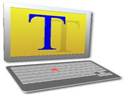
The icon for Tera Term looks slightly different than the previous QVT icon, (see image to the right), but do not despair, it’s functionality is the same. Apart from the programme’s general functionality, Tera Term also has added security –  a necessity for the type of work done by the software. Another advantage is it’s ability to print directly to your default printer as set up in Windows. Extra set-up for is printing no longer needed.

To start using Tera Term, go to Start, All Programs, Tera Term and select Sentrale Rekenaars. The log in screens look slightly different, but just follow the instructions. If you still struggle with logging in, more detailed instructions can be found here.

We’d recommend you to start using Tera Term as soon as possible as the outdated QVT system will be phased out shortly.

Die outomatiese opgradering van die administratiewe program, QVT Term na `n nuwe program, Tera Term is die week voltooi.  US-personeel het nou `n splinternuwe administratiewe program op hul rekenaars.

Die ikoon vir Tera Term lyk anders as QVT, (sien regs) maar moenie bekommerd wees nie, die funksionaliteit bly dieselfde.  Buiten vir die gewone funksionaliteit spog Tera Term met beter sekuriteit – iets wat van kardinale belang is vir die tipe funksies wat die program moet vervul. Maar daar is ook `n handige ekstra ingebou. Jy kan nou direk na jou gewone drukker, soos opgestel in Windows druk in plaas van die spesiale opstelling wat QVT nodig gehad het.

Om Tera Term te begin gebruik, gaan na Start, All Programs, Tera Term en kies Sentrale Rekenaars. Die aantekenskerms lyk `n klein bietjie anders, maar volg net die instruksies. As jy vashaak, is hier ook volledige instruksies wat jou sal help.

Ons wil aanbeveel dat jy so gou as moontlik Tera Term begin gebruik aangesien die verouderde QVT-stelsel binnekort uitfasseer word.

IT Mobile Survey produces interesting resultsIT Mobiliteitsopname lewer interessante resultate

Tuesday, October 2nd, 2012

Last month the Information Technology Division’s Mobile Technology task group, which includes members from the Centre for Teaching & Learning, Library & Information Service and e-Communication, ran a short online survey concerning students’ present and future preferences about mobile phones and tablets . The main aim of the survey was to ensure that Stellenbosch University is able to track trends in students’ mobile device choices so that relevant university mobile services are rolled out in future.
We all know that students love cool mobile apps, but we also know that most don’t have high-end Apple or Android devices – yet. We need to understand how fast that picture is changing so that we can ensure that mobile services and apps that make a real difference to students’ academic career and campus life are rolled out timeously.

The electronic survey invitation was sent to 25817 under- and postgraduate students and 13% participated. Results will be used in aggregate and statistical summary to inform the university’s mobile strategy. Thanks to the survey, we came across some interesting facts regarding mobile use and expectations of students.

Most students choose their cell phone based on its cost-efficient communication with friends and family and not necessarily as a status symbol, nor for its functionality. It does seem from the results that there might be a significant move away from Blackberrys to Android and iOS (Apple) phones over the next year, although Blackberrys remain popular on campus.

More than half of the survey participants would prefer it if the university suggests specific types of tablets for academic-related use. The most important mobile applications, listed in order of importance, are exam results, exam and class schedules, task information, calendars (class, modules, academic, sport, etc.) and learning content.

The survey was anonymous and no response was linked to any individual. One lucky winner did walk away with a R1500 Incredible Connection voucher. Thank you to all participating students for their valuable input.

A similar survey will be run in approximately six months’ time.

In September het die Afdeling Informasietegnologie se Mobiele Tegnologie Taakgroep, wat lede van die Sentrum vir Leer en Onderrig, Biblioteek- en Inligtingsdienste en e-Kommunikasie insluit, `n kort aanlyn opname oor selfone en tablette geloods om studente se huidige en toekomstige behoeftes te bepaal.

Die hoofdoel van hierdie opname was om te verseker dat Universiteit Stellenbosch in staat is om tendense in studente se keuse van mobiele toestelle te volg om te verseker dat relevante en ooreenstemende dienste in die toekoms uitgerol kan word.

Ons almal weet dat studente hou van cool selfoontoepassings, maar ons weet ook dat die meeste studente nie die nuuste topvlak Apple of Android toestelle het nie – wel, nog nie. Ons moet kan verstaan hoe vinnig die prentjie verander sodat ons kan sekermaak dat mobiele toestelle en toepassings wat `n daadwerklike verskil in studente se akademiese loopbaan en kampuslewe betyds geimplementeer word.

Die elektroniese opname is gestuur na 25817 voor- en nagraadse studente en 13%  het deelgeneem. Resultate sal in  `n algehele en statistieke opsomming gebruik word om die universiteit se mobiele strategie te bepaal. Te danke aan die opname, het ons afgekom op `n hele paar interessante feite oor mobiele gebruik en die verwagtinge van studente.

Die meeste studente kies hulle selfoon op grond van koste-effektiewe kommunikasie met vriende en familie en nie noodwendig as `n statussimbool of vir die foon se funksionaliteit nie. Dit wil wel voorkom asof daar oor die volgende paar jaar `n beduidende skuif weg gaan wees van Blackberrys na Android en iOS (Apple), alhoewel Blackberrys steeds populêr op kampus is.

Meer as die helfte van deelnemers aan die opname sal dit verkies as die universiteit spesifieke tablette vir akademiese gebruik voorstel.  Die belangrikste mobiele toepassings, in volgorde van belangrikheid, is eksamenresultate, eksamen- en klasskedules, inligting vir take, kalenders (klas, modules, akademies, sport, ens. ) en leerinhoud.

Deelname aan die opname was anoniem en antwoorde is nie gekoppel aan `n spesfieke individu nie. Een deelnemer was egter die gelukkige wenner van `n  R1500 Incredible Connection geskenkbewys. Dankie aan alle deelnemende studente vir hul waardevolle insette.

`n Soortgelyke opname sal oor ses maande weer gehou word.

Do you need a tablet?Tablet vir jou?

Friday, September 28th, 2012

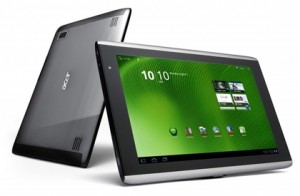
If you’re always on the go, but would still like to keep in touch with what’s going on in the world and with friends and family, a tablet could be your solution. This device is easy to use and so light you can take it with you wherever you go – whether you’re travelling to Arniston or Abu Dhabi.

One of a tablet’s biggest advantages is it’s touch screen interface which makes it very accessible and easy to use. Due to the lack of keyboard the device is much lighter and thinner than your normal laptop.

What can I use it for?

It’s really up to you what you want to use a table for, but keep in mind that it’s main purpose is entertainment. In other words, internet browsing, e-mail, playing games, watching videos, social networking, e-books and videos.

That being said, the tablet is a convenient communication tool and can therefore also be used for work purposes. With this nifty mobile device you have your e-mail wherever you go and you’ll be able to create and edit documents, download applications, create presentations and edit spreadsheets.

Just keep in mind, a tablet can’t replace your pc or laptop. They have slower processors, less memory and smaller storage capacity. If you use programmes for video or graphic editing that typically need strong processors, rather stick to your laptop.

Which one?

The market for tablets is expanding by the minute with new products and upgrades. Each one offers something different, but before you make a choice, decide what your IT needs are. If you want to compare a few of the available options, you can find more information here.

More on tablets on Wikipedia.

As jy altyd aan die gang is, maar nogsteeds `n manier wil hê waarmee  jy op hoogte wil bly van wat aangaan in die wêreld en met jou vriende en familie, kan jy dit dalk oorweeg om vir jou `n tablet aan te skaf. Hierdie toestel is maklik om te gebruik en lig genoeg om saam met jou te sleep – of jy nou reis na Arniston of Abu Dhabi!

`n Tablet het normaalweg `n  raakskerm koppelvlak wat dit maklik maak om te gebruik en meer toeganklik vanweë die eenvoud. Die toestel het nie `n sleutelbord nie en is derhalwe ligter en dunner as `n gewone skootrekenaar.

Waarvoor kan ek dit gebruik?

Dis jou keuse waarvoor jy jou tablet wil gebruik, maar die toestel is hoofsaaklik meer gemik  op vermaaklikheid, soos internet, e-pos, speletjies, sosiale media, videos, e-boeke en fotos.

Jy kan dit egter gebruik vir basiese werksdoeleindes – veral as dit kom by kommunikasie. Met hierdie mobiele toestel het jy, waar jy ookal gaan, toegang tot jou e-pos, kan jy dokumente oplaai, toepassings aflaai, dokumente skep en verander, powerpoint aanbiedings opstel en sigblaaie aanpas.

Onthou dat `n tablet nie bedoel is om rekenaars of skootrekenaars te vervang nie. Tablette het stadiger verwerkers, minder geheue en kleiner stoorspasie. As jy dus gereeld programme, soos grafiese of video-redigeringsprogramme, gebruik wat `n sterk verwerker nodig het, hou maar by jou skootrekenaar.

Watter een?

Die mark vir tablette brei amper daagliks uit met nuwe produkte en nuwe weergawes. Elkeen bied iets anders en nuut, maar voordat jy `n keuse maak, besluit eers wat jou IT-behoeftes is. As jy `n vergelyking soek tussen die verskillende opsies, lees gerus hier meer.

Meer oor tabletrekenaars op Wikipedia.

US network upgrade improves collaborationUS netwerk opgradering verbeter samewerking

Thursday, September 27th, 2012

 The University of Stellenbosch (US), ranked second in South Africa and 455 worldwide, has recently undergone a massive IT refurbishment putting it on the map amongst higher educational institutes as it enables students, researchers and academics better access to its central network.

Read the rest of this article on IT Online.

Universiteit van Stellenbosch se IT infrastruktuur is onlangs op `n groot skaal opgegradeer en plaas dié universiteit op gelyke vlak met ander hoër opvoedingsinstansies. Te danke aan die opgradering het studente, navorsers en akademici beter toegang tot die universiteit se sentrale netwerk.

Lees die res van die artikel op IT Online. (slegs beskikbaar in Engels)