

SEARCH
  • [:en]Recent Posts[:af]Onlangse bydraes

  • [:en]Categories[:af]Kategorieë

  • [:en]Archives[:af]Argiewe

General

E-what?!E-wat?!

Friday, March 23rd, 2012

Electronic waste (e-waste) or Waste Electrical and Electronic Equipment (WEEE) are the terms used to describe old, end-of-life or discarded appliances using electricity. It includes computers, consumer electronics, batteries etc. which have been disposed of by their original users. 

E-waste is of concern largely due to the toxicity of some of the substances such as lead, mercury, cadmium and a number of other substances which are harmful to human health and ecosystems if not disposed of properly. When e-waste breaks down either as litter or in improper landfills, the toxic mix can leak into surface and ground waters. The material that the products are made from can be recycled to get raw material that can be reused, meaning less energy (and carbon emissions) is required in the manufacturing, mining and processing.

The unsustainably rapid turnover of discarded electronics and computer technology is another reason for the need to recycle – or even better, re-use – e-waste.

More information: www.ewasa.org

What will happen to the e-Waste?

The contractors will separate the waste into items that

  • can be refurbished,
  • can be recycled and
  • must be safely disposed of.

Refurbishment of appliances and computers provides jobs and these items are then reused in needy schools and communities. Useful, scarce and valuable metals and other substances are extracted by recycling, while toxic e-waste is disposed of in special hazardous waste facilities. Examples of potentially toxic items include the old type of computer screens (CRT) and fluorescent tubes.

Some fast facts

Currently the University purchases on average 500 new computers per annum (without significant growth in inventory), implying that the annual e-waste stream is of a similar magnitude. At any one time 8000 PCs exist on campus, with up to 5000 more in student residences. If one considers that PCs are usually replaced on a 4 to 5-year cycle, the resulting e-waste stream could in fact be far larger.

The IT Division’s TAS division alone disposes of 300-400 lead acid batteries per annum. 


To save you from your own e-clutter, you can now dump all your unwanted e-waste at IT and we’ll get rid of it FOR you. For more information, click here.


Elektroniese afval (e-afval) is die term wat gebruik word om verouderde of weggooi-toerusting wat met elektrisiteit werk, te beskryf. Dit sluit rekenaars, enige elektroniese toerusting, batterye, ens. in wat uit die weggeruim is deur die oorspronklike eienaars.

Die toksiese inhoud van e-afval as gevolg van sekere bestanddele, soos lood, kwik, kadmium en ander stowwe hou `n gevaar in vir die mens se gesondheid en ekosisteme. Wanneer e-afval afbreek en nie op die korrekte manier van ontslae geraak word nie, kan die giftige stowwe in grond en grondwater beland. Die materiaal waarvan hierdie produkte gemaak is, kan eerder herwin word om rou materiaal te skep wat weer gebruik kan word. Gevolglik word minder energie gebruik (sowel as koolstofuitskeiding) vir vervaardiging, myn en prosesering.

Die onvolhoubare, vinnige omset van verouderde elektronika en rekenaartegnologie is nog `n geldige rede vir herwinning – of selfs beter – vir die hergebruik van e-afval.

Vir meer inigting: www.ewasa.org

Wat gebeur met e-afval?

Kontrakteurs skei die artikels in die volgende drie kategorieë. Items wat

  • opgeknap kan word,
  • herwin kan word en
  • veilig ontslae van geraak moet word.

Opknapping van toerusting en rekenaars skep weer opsigself werk en hierdie items word dan weer gebruik in behoeftige skole en gemeenskappe. Nuttige, skaars en waardevolle metale en ander stowwe word verwyder dmv herwinning, terwyl giftige e-afval in spesiale gevaarlike afvalfasiliteite gestort word. Voorbeelde van sulke items sluit ou rekenaarskerms (CRT’s) en fluoorbuise in.

Vinnige feite

Tans koop die universiteit gemiddeld 500 nuwe rekenaars per jaar aan (sonder `n merkwaardige groei in die bateregister). Dit impliseer natuurlik dat die jaarlikse stroom e-afval van soortgelyke omvang is. Op enige gegewe tyd is daar 8000 rekenaars op kampus, met meer as 5000 in koshuise. `n Rekenaar word elke 4 tot 5 jaar vervang en dus kan die hoeveelheid e-afval nog meer wees.

Die IT-afdeling TAS (toegangsbeheer) raak elke jaar van tussen 300-400 lood suurbatterye ontslae.


Nou kan jy al jou ou rommel vir IT bring en ons sal daarvan ontslae raak VIR jou. Kliek hier vir meer inligting.

Save a tree, read your email onlineRed `n boom, lees jou e-pos aanlyn

Friday, March 23rd, 2012

Paper is often the major contributor to waste in the office, and it’s the easiest to recycle. The university typically consumes between 54 and 60 million sheets of paper per annum. That’s a lot of paper. Last year IT implemented a new printing management system and already the results are visible.
READ MORE ABOUT IT’s GREEN PRINTING INITIATIVE

A few simple measures can make a huge difference in paper usage in your office.

1. Don’t print all your emails. There’s no need to print and file stacks of paper to read later. Rather organise your emails in folders and delete them when read. Consider including a “think before you print” message to your email signature to remind people.

2.  E-signing software allows you to email proposals, invoices and contracts to clients so that they can virtually and securely sign them, which vastly reduces the need for printed contracts.

3. If your printer isn’t set up to print 2 pages per sheet or print on both sides of the paper, follow these simple instructions to halve your office printing. Go to Print, click on Properties, and choose Page layout: 2 pages per sheet OR go to Print, click on Properties, click on Finishing and choose Print Style: 2-sided printing.

4. To use even less paper, change the margins on your word documents for more words on a page. Click on File, and choose Page set up and change the margins to 2 cm.

5. Buy recycled paper or paper from FSC certified sources. The FSC label ensure that the paper comes from responsible sources.

6. Put bins or boxes which are clearly signed in areas where people can deposit their paper, especially next to printers and copiers. Mondi offers a paper pick up in many areas. Ronnie_Recycler@mpsa.co.za. Visit www.e-waste.org.za to learn how to recycle your office’s e-waste.Die universiteit gebruik ongeveer tussen 54 en 60 miljoen velle papier per jaar. Nogal heelwat papier, né? Informasietegnologie het verlede jaar `n nuwe drukkersbestuursisteem implimenteer en die positiewe resultate is reeds duidelik sigbaar.

LEES MEER OOR IT SE GROEN DRUKINISIATIEF

`n Paar eenvoudige maatreëls kan `n merkbare verskil maak aan papiergebruik in jou kantoor.

1. Moenie jou e-posse druk nie. Daar is geen nut daarin om al jou e-posse te druk vir rekorddoeleindes of om later te lees nie.  Organiseer eerder jou e-pos leêrs beter en lees dit later as jy nie tyd het nie. Oorweeg dit om `n “dink voor jy druk” -boodskap onderaan jou e-pos te sit om mense te herinner.

2.  E-teken sagteware laat jou toe om aanbiedings, rekeninge en kontrakte aan kliënte te e-pos sodat hulle dit virtueel en sekuur kan teken. Hiermee word die  behoefte vir gedrukte dokumentasie geweldig verminder.

3. Indien jou drukker nie reeds opgestel is om 2 bladsye per vel of beide kante te druk nie, volg die volgende eenvoudige instruksies om jou papierverbruik te halveer. Gaan na “Print”, kliek op “Properties” en kies “Page layout: 2 pages per sheet” of gaan na “Print”, kliek op “Properties”, kliek op “Finishing” en kies “Print Style: 2-sided printing”.

4. Om selfs nog minder papier te gebruik, verander die kantlyne in jou Worddokumente om meer op `n bladsy in te pas. Kliek op “File”, kies “Page set up” en verander die kantlyne na 2 cm.

5. Koop herwinde papier of papier van FSC-gesertifiseerde oorsprong. Die FSC-etiket verseker dat die papier van verantwoordelike verskaffers kom.

6. Plaas duidelik gemerkte houers in areas waar mense hulle papier kan plaas – spesifiek langs drukkers en kopieerders. Mondi bied `n papieropteldiens in verskeie areas. Kontak hulle by Ronnie_Recycler@mpsa.co.za. Besoek www.e-waste.org.za vir meer inligting oor herwinning vir die kantoor.

So you have a new cellphone …So jy’t `n nuwe selfoon …

Thursday, March 22nd, 2012

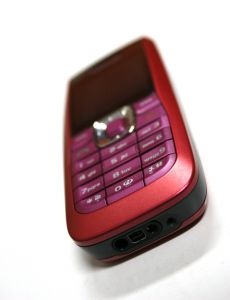
Around 44% of old cellphones are lying around unused. Between 65% and 80% of the material content of a cellphone can be recycled or re-used. Now you are able to deposit old cellphones at cellphone outlets in South Africa for recycling.
Vodacare has implemented an e-waste disposal process at its outlets (Somerset Mall, Tyger Valley, Canal Walk), and Nokia has placed e-waste bins at various other outlets (find them here). So take the opportunity to deliver your old, unused cellphones there.

Ongeveer 44% van ou selfone lê in onbruik rond. Tussen 65 en 80% van hierdie selfone se materiaal kan herwin of hergebruik word. Het jy geweet jy kan jou ou selfone neem na sekere selfoonhandelaars in Suid-Afrika vir herwinning?

Vodacare het `n e-afvalwegdoeningsproses begin implementeer by `n groot aantal van sy takke (onder andere Somerset Mall, Tyger Valley, Canal Walk) en Nokia het ook begin om houers te sit by verskeie afsetgebiede (kliek hier om te sien waar). So maak gebruik van hierdie fasiliteite om ontslae te raak van al daardie onnodige selfone.

Forgot your password (again!)Alweer jou wagwoord vergeet?

Friday, March 9th, 2012

Do you have the IT service centre’s number on speed dial in case you forget or lose your password for the umpteenth time? Now you don’t have to anymore.

Thanks to a new application developed by IT you can change your password on any of the portals (for example http://my.sun.ac.za) by clicking on the “Forgot password” link on the first page. A temporary password can be assigned to you in any of the following ways:

  1. Your cellnumber
  2. An external email address (if you are alumni)
  3. Security questions and answers

Please remember that the system can only reset your password if we have the correct information as mentioned above.

For enquiries contact the IT Service Desk at x4367.

Het jy die IT dienstoonbank se nommer geprogrammeer op jou telefoon vir in geval jy jou wagwoord vir die soveelste keer verloor of vergeet? Nou hoef jy nie meer nie!

Te danke aan `n nuwe stelsel ontwikkel deur IT kan jy nou self jou wagwoord op die intreeblad van enige van die portale (byvoorbeeld http://my.sun.ac.za) verander deur te kliek op “Wagwoord vergeet?”. `n Tydelike wagwoord kan via die portaal-applikasie aan jou toegeken word op grond van een van die volgende:

  1. Jou selnommer
  2. `n Eksterne e-posadres (as jy alumni is)
  3. Sekuriteitsvrae en antwoorde

Onthou asseblief dat dat die stelsel slegs jou wagwoord kan verander as bogenoemde inligting volledig en akkuraat op ons databasis vasgelê is.

Vir enige navrae kontak die IT Dienssentrum by x4367.

IT: Geared for the futureIT: Gerat vir die toekoms

Friday, March 9th, 2012

Until recently the common perception on campus has been that IT’s main responsibility is the maintenance and support of computers on campus. The people you call when your frustration levels have reached new heights and you have the urge to throw your pc out the window. Fortunately things are changing.

Previously two of IT’s departments, IT Technical Services (ITTS) and IT User Services (ITUS) functioned as two separate entities. However, to ensure that Information Technology stays at the forefront of technology and operates in line with the University’s key aims, the need arose to merge the two departments.

ITTS and ITUS will henceforth function as one department – IT Infrastructure and User Support. The main focus will primarily be Research and Development, Network Infrastructure and Telephone Systems and Hardware and Software Services and Support.

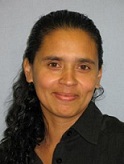
Zenobia Davidse, Hoof: IT Infrastruktuur en Gebruikersondersteuning The responsibility of managing the successful integration of services and continuous support on campus rests on the shoulders of Zenobia Davidse and her team of 26.

With the restructuring the range of focus will also be broadened and moved away from the traditional IT functions. Thanks to technology we can now look at differently at datastorage on clouds in stead of conventional storage on harddrives. More attention will be given to testing of new hardware and software, analysis of users’ technological needs, consultations and selfhelp guides for staff.

IT Infrastructure and User support will become your one stop for any enquiries on e-waste, phone issues, the installation of WAP’s, purchasing and much more.

To improve communication with the rest of campus, faculty representatives will be nominated to speed up problem solving within departments. The additional functions and specialist areas of the various members of the IT staff will also be introduced in Bits & Bytes from now on.

Tot onlangs was die afdeling Informasietegnologie se gesig op kampus hoofsaaklik slegs die van `n diensverskaffer. Die mense wat jy bel as jou rekenaar gekalf het en gemoedere hoog loop van frustrasie. Min mense weet egter presies wie of wat IT is en dat hulle meer doen as om te sorg dat jou rekenaar elke dag werk en jy jou email en internet kan kry.

Voorheen het twee van IT se afdelings, IT Tegniese Dienste (ITTD)en IT Gebruikersdienste (ITG), gefunksioneer as twee aparte eenhede. Om egter te verseker dat Informasietegnologie  in lyn met US-doelwitte en aan die voorpunt van nuwe tegnologie bly, is besluit op die integrasie van die twee afdelings.

Die vorige afdelings word een integrale afdeling wat bekend sal staan as  IT Infrastruktuur en Gebruikersondersteuning met die fokus op drie verskillende areas – Navorsing en Ontwikkeling, Netwerkinfrastruktuur en Telefoonstelsels en Apparatuur- en Programmatuurdienste en ondersteuning.

Zenobia Davidse, Hoof: IT Infrastruktuur en Gebruikersondersteuning Die groot verantwoordelikheid om die suksesvolle integrasie van dienste en voortdurende ondersteuning aan kampus te bestuur, rus op die skouers van Zenobia Davidse en haar span van 26 personeellede.

Met die herstrukturering sal wyer gefokus word op nuwe tegnologie en wegbeweeg word vir meer tradisionele IT-funksies. Daar sal, onder andere, anders gekyk moet word na datarugsteuning op kampus deur gebruik te maak van “cloud”-berging in plaas van rugsteuning op hardeskywe, toetsing van nuwe apparatuur en programmatuur,  analise en konsultasies van gebruikers se behoeftes ten opsigte van tegnologie, sowel as selfhelp-gidse vir personeel.

IT Infrastruktuur en Gebruikersondersteuning word dus die een-stop-plek vir e-waste, enige telefoonnavrae, installasies van WAP’s, aankope, bystanddienste en vele meer. 

In `n poging om kommunikasie met kampus te verbeter sal daar binnekort fakulteitsverteenwoordigers aangewys word wat probleemoplossing binne departemente sal bespoedig. Addisionele funksies en spesialisareas van die onderskeie personeellede word ook voortaan in Bits en Bytes bekendgestel.